
How to Configure Google Reviews by Product Tier
Introduction
The Google Reviews plugin can be configured by product tier, allowing you to control which pricing plans have access to this feature. This gives you flexibility to offer Google Reviews as part of specific plans, helping you differentiate your products and structure your monetization strategy.
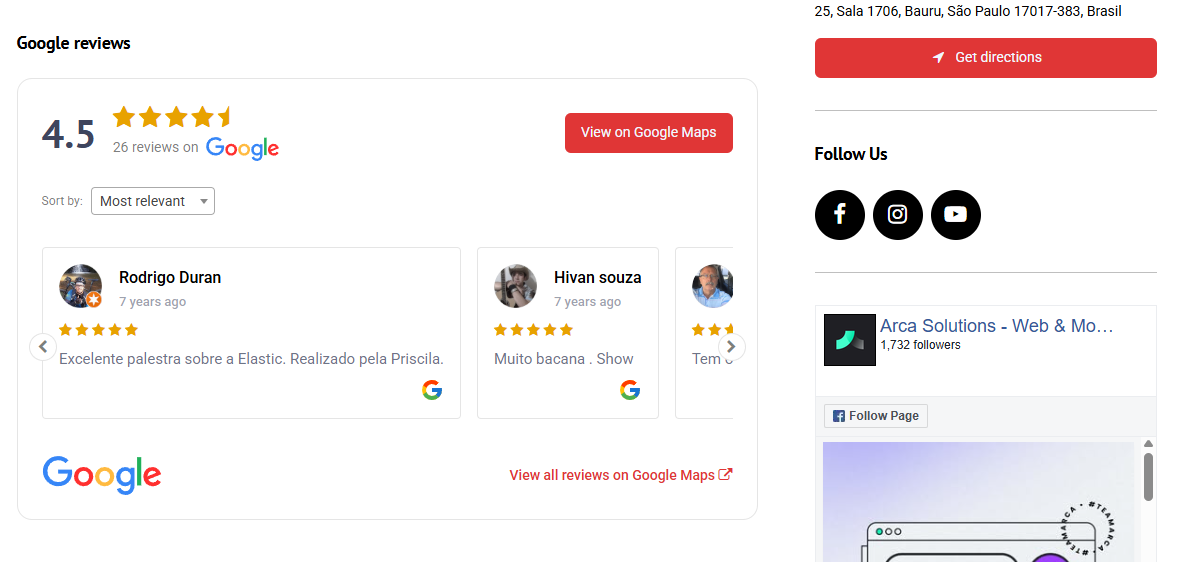
Note: This feature is only available for licenses running version 14.1 and above.
How It Works and How to Set It Up
Google Reviews availability is defined at the product (pricing plan) level. This means each plan can independently have the feature enabled or disabled.
When enabled, listings associated with that product will display Google Reviews, provided the plugin is properly configured. When disabled, the feature will not be available for those listings.
To configure this setting:
- Log in to your Site Manager
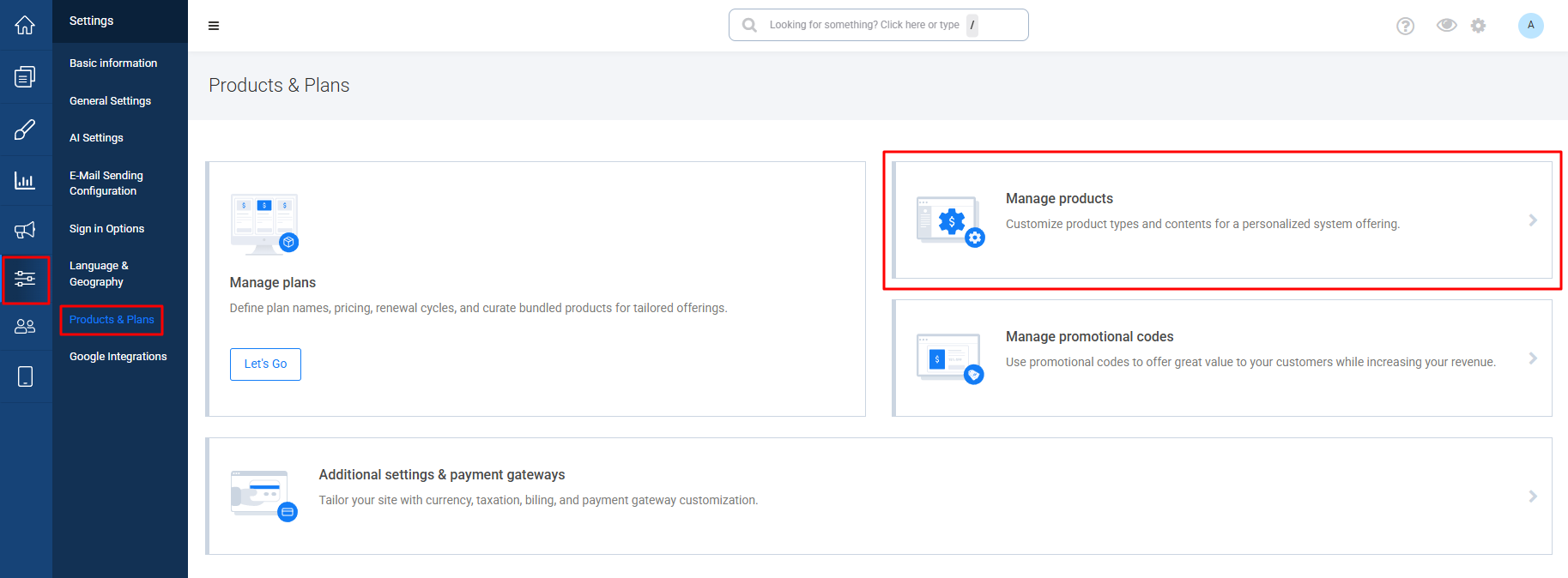
- Navigate to Settings → Products & Plans
- Click on Manage Products
- Scroll down to find the Google Reviews option
- Enable or disable it as needed according to the columns of the respective products you have
- Click Save Changes at the bottom of the page to apply your changes
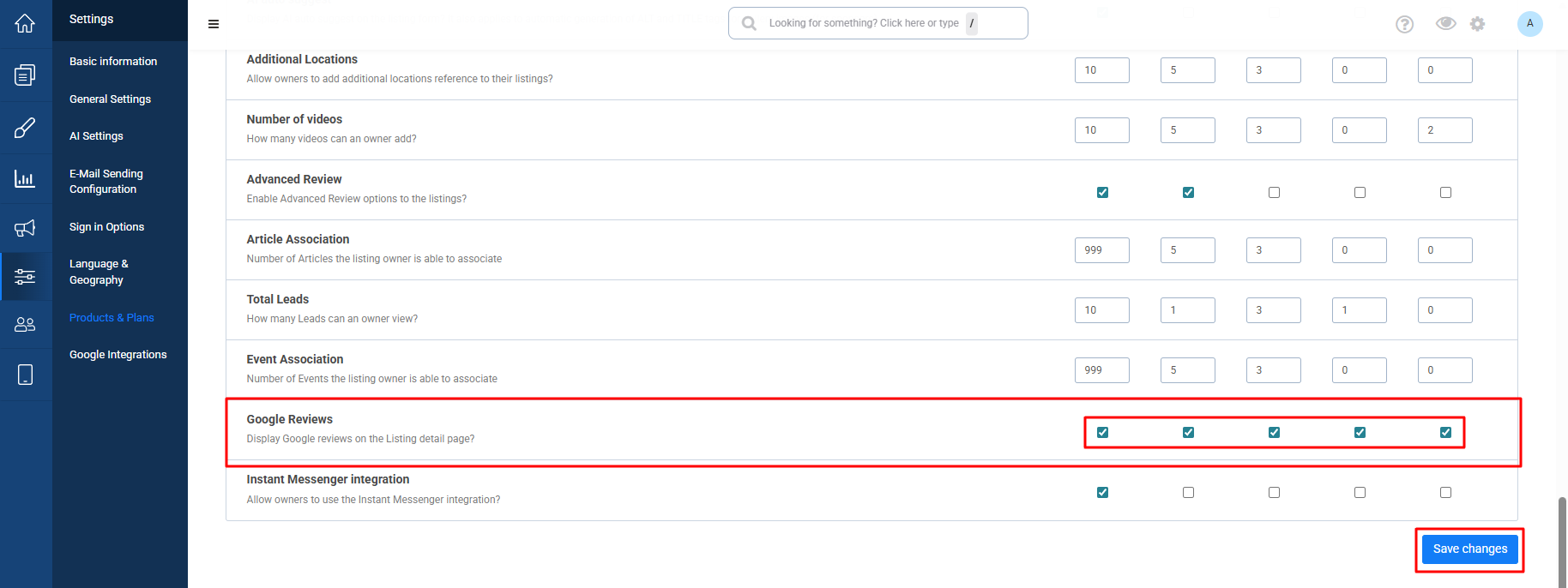
The configuration will automatically apply to all current and future listings assigned to that product tier.
Note: Please keep in mind that Google Reviews options will only be available if you have this plugin installed in your license. If you don't have it, make sure to acquire it now through this link: Google Reviews Plugin
Conclusion
By controlling Google Reviews at the product level, you can better organize your feature distribution across plans. This allows you to create more compelling offerings, reserve advanced features for higher tiers, and maintain consistency across your listings.
Note: This feature is available for licenses running version 14.1 and above.