
What Is a Classified in eDirectory?
Have you ever found yourself wondering, "What is a Classified in eDirectory? What is its purpose? How can I use it?" If so, you're in the right place! This article will help you understand what Classifieds are, how they work, and when they should be used on your directory website.
What Is a Classified?
A Classified is one of the content types available in eDirectory and is designed specifically for advertising products or services for sale.
Unlike Listings, which are generally used to promote a business as a whole, Classifieds are intended to advertise a specific item or service. Because Classifieds include a Price field by default, they are particularly useful when the value of the product or service is an important part of the advertisement.
Classifieds are ideal for showcasing individual products such as:
- TVs and electronics
- Cell phones and accessories
- Furniture
- Computer equipment
- Car parts and accessories
- Sports equipment
- Supplements
- Home appliances
- Collectibles
- And much more
They can also be used to advertise services with a specific price, including:
- Consulting services
- Repair services
- Home maintenance services
- Professional services
- Training and coaching sessions
- Freelance services
- And many other paid services
Each Classified has its own dedicated page where sellers can provide information about what they are offering, making it easy for potential buyers to understand the product or service and get in touch.
What Information Can a Classified Include?
Classifieds contain several fields that help sellers create detailed advertisements. Depending on your site's configuration and package settings, a Classified can include:
- Title
- Price
- Description
- Categories and subcategories
- Contact information
- Images and photo galleries
- Videos
- Website URL
- Location information
Note: Unlike Listings, Classifieds do not support custom fields or customizable templates. The available fields and layout are predefined by the system.
Providing clear descriptions, accurate pricing, and high-quality images can help attract more attention and improve the effectiveness of your Classified.
Example of a Classified
Demodirectory: https://demodirectory.com/classified/beautiful-sofa.html
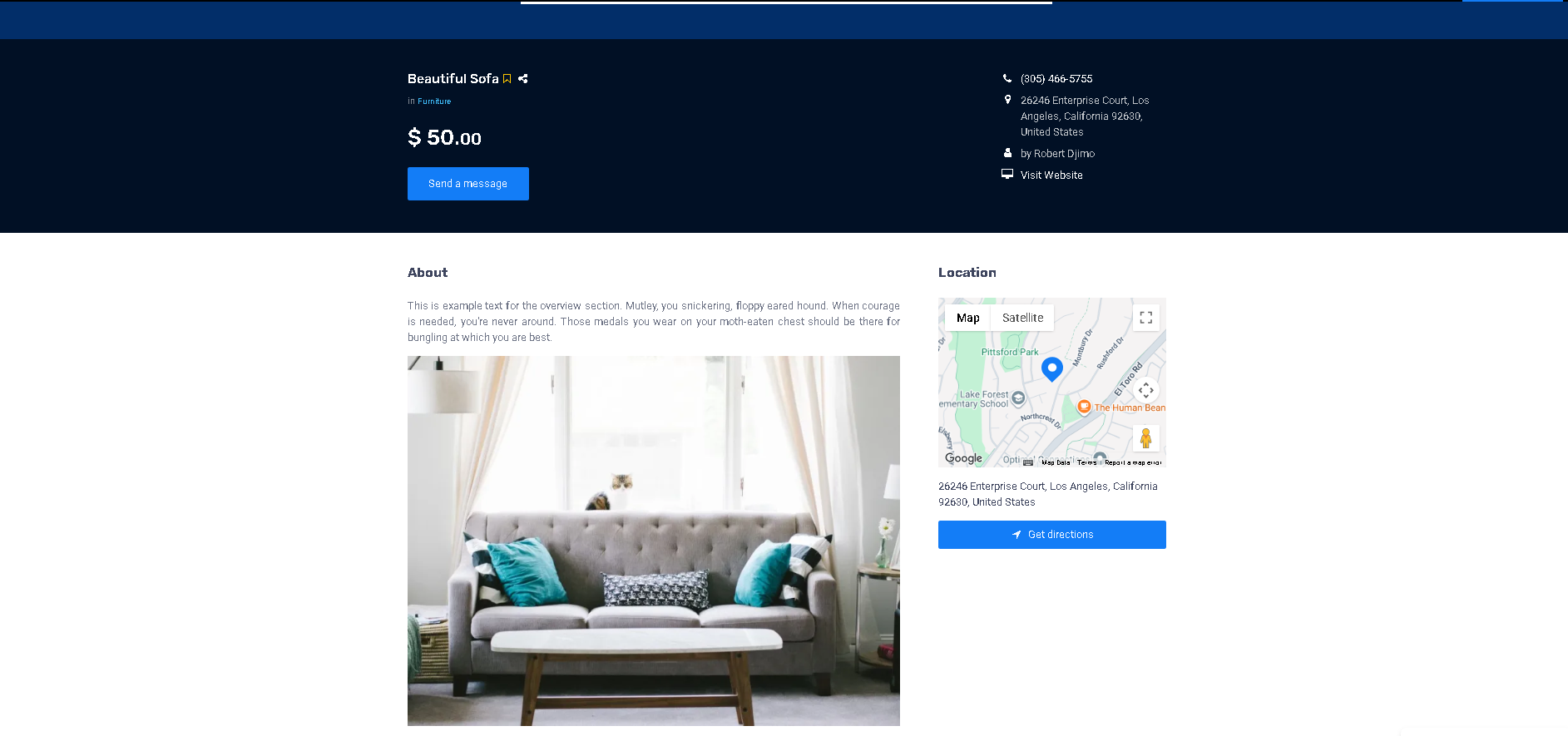
Adding Classifieds as a Site Manager
As a Site Manager, you can create and manage Classifieds directly from your administration area.
To add a new Classified:
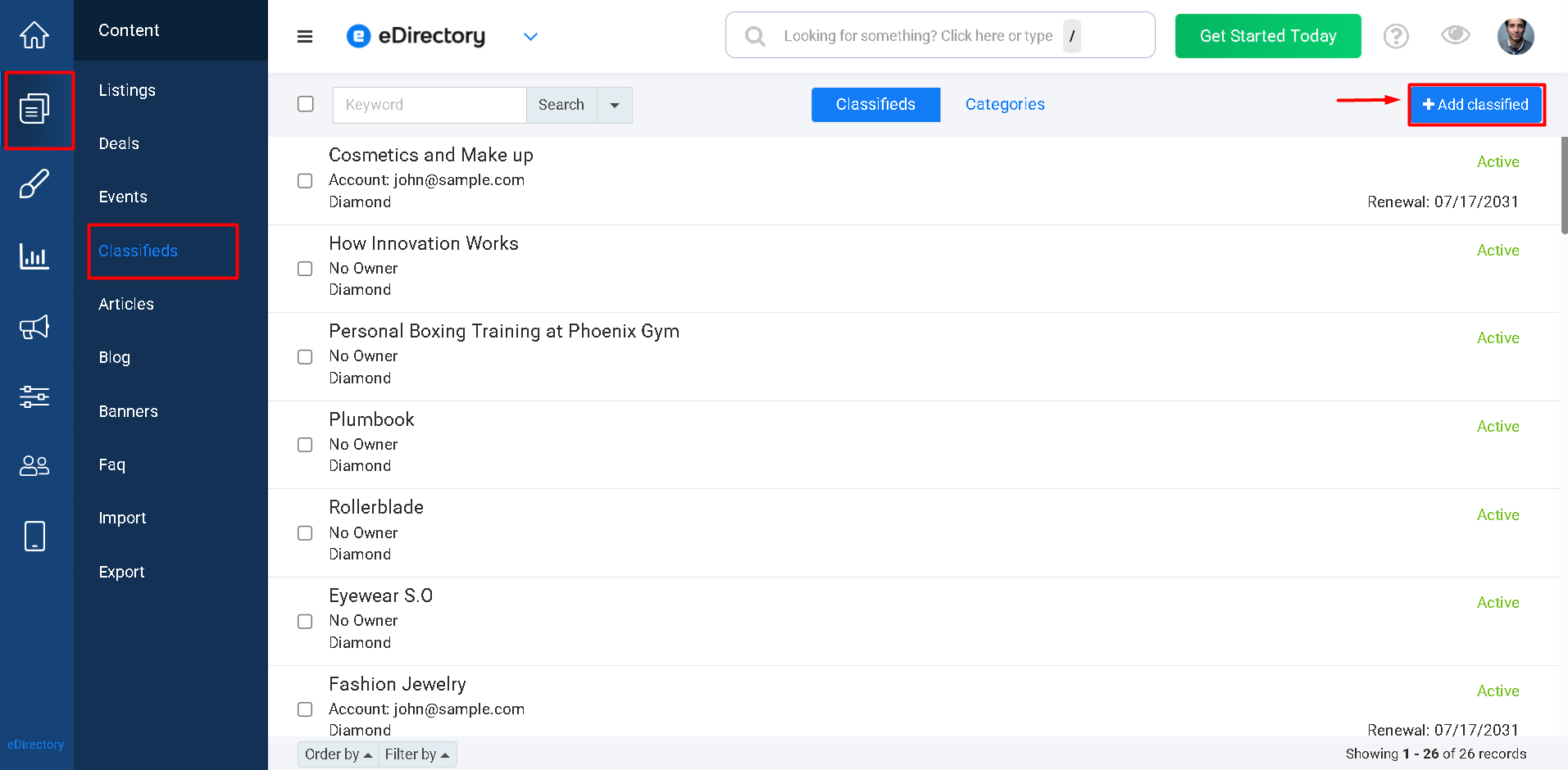
- Log in to your Site Manager.
- Navigate to Content → Classifieds.
- Click Add Classified.
- Fill out the desired information.
- Save the Classified.
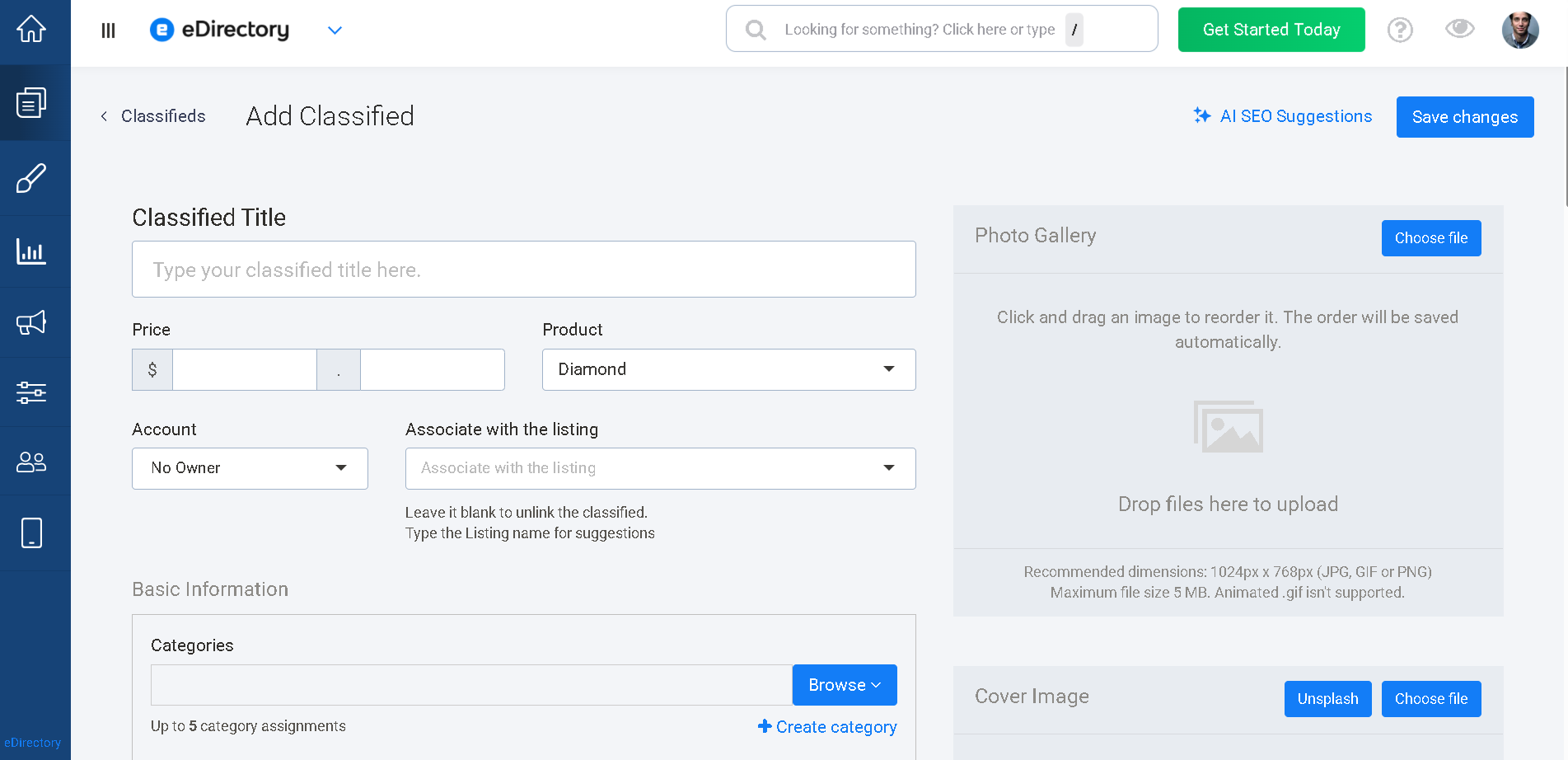
Once saved, the Classified will become available on your website according to its status and visibility settings.
Learn More About Classified Fields
For a detailed explanation of the fields available when creating a Classified, please refer to the following article: How to Add a Classified
Conclusion
Classifieds provide a simple and effective way to advertise products and services for sale on your eDirectory website. They are specifically designed to highlight individual items and include pricing information, making them an excellent choice for marketplaces, buy-and-sell communities, and service directories.
If your goal is to advertise a specific product or service rather than promote an entire business, Classifieds are usually the best content type to use. Understanding how Classifieds work will help you create a more organized experience for both sellers and potential buyers on your website.