
What Is a Deal in eDirectory?
Have you ever found yourself wondering, "What is a Deal in eDirectory? What is its purpose? How can I use it?" If so, you're in the right place! This article will help you understand what Deals are, how they work, and how they can be used on your directory website.
What Is a Deal?
A Deal is one of the content types available in eDirectory and is designed to allow businesses to create and promote discounts, special offers, and coupons that customers can redeem at their establishment.
Deals are an effective way for businesses to attract new customers, increase sales, promote special promotions, and encourage repeat visits.
Unlike Listings, which provide general information about a business, Deals focus on a specific promotion being offered by that business. A Deal advertises a fixed amount discount.
Deals can be used for a wide variety of promotions, including:
- Dollar amount discounts
- Buy One Get One (BOGO) offers
- Free products or services
- Seasonal promotions
- Limited-time offers
- Special event promotions
- Customer loyalty rewards
Each Deal has its own dedicated page where visitors can view the details of the promotion and redeem the offer according to the business's terms and conditions.
How Are Deals Related to Listings?
One of the most important things to understand about Deals is that they are directly tied to Listings.
A Deal cannot exist independently on the website. Every Deal must be associated with a Listing.
This means:
- Sponsors can only create Deals if they already have a Listing on the website.
- Every Deal must be linked to a Listing.
- The Deal will display information about the associated business.
- If the associated Listing becomes inactive, the Deal may no longer be displayed on the website.
Important: If you are creating a Deal from the Site Manager area, you must associate the Deal with an active Listing. Deals that are not linked to an active Listing will not be displayed properly on the website.
This relationship helps visitors easily identify which business is offering the promotion and provides a direct connection between the Deal and the business profile.
What Information Can a Deal Include?
Deals contain several fields that allow businesses to create attractive promotional offers. A Deal can include:
- Deal title
- Summary description
- Deal description
- Start date
- End date
- Item value
- Value with Discount
- Redeem code or promotional code
- Terms and conditions
- Images
- Associated Listing
Note: Like Events, Articles, Blogs, and Classifieds, Deals do not support custom fields or customizable templates. The available fields and layout are predefined by the system.
Providing clear promotional details, expiration dates, and redemption instructions helps customers understand the offer and increases the likelihood of conversions.
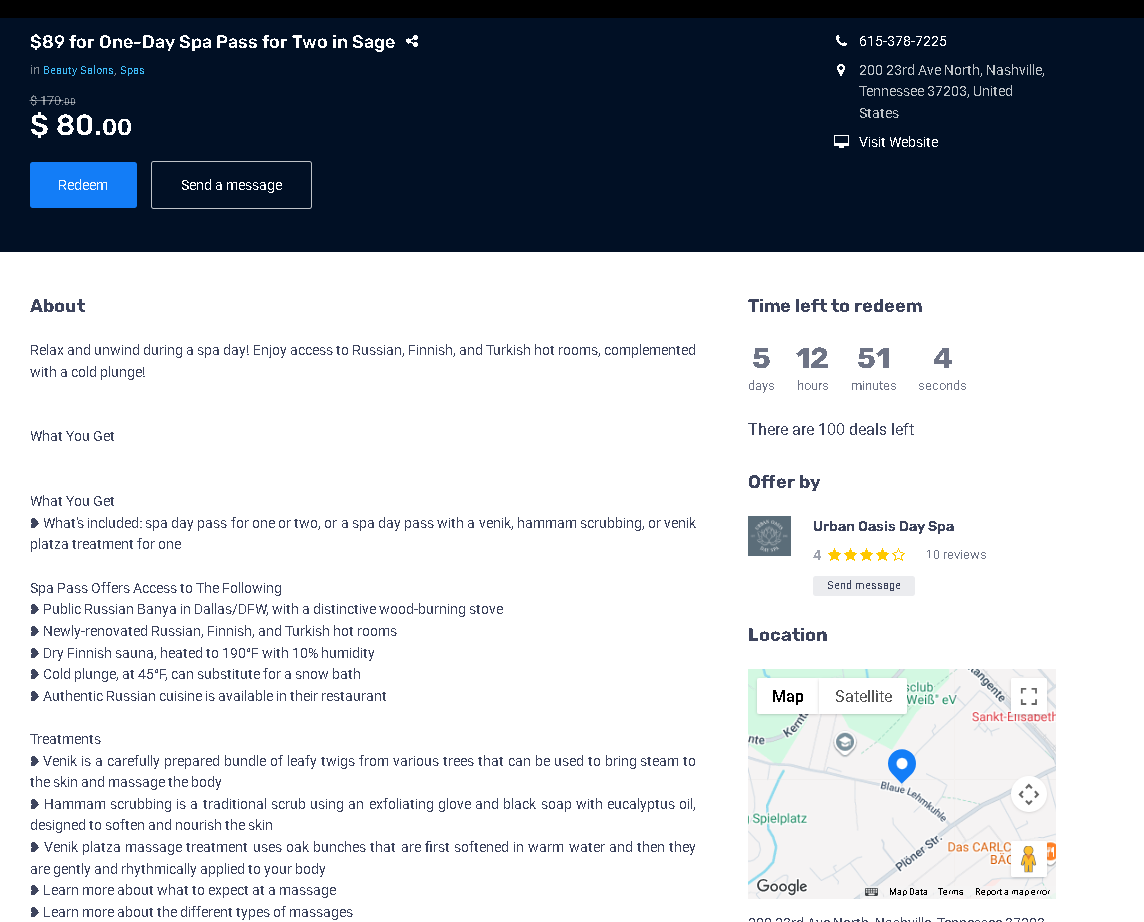
Example of a Deal
Demodirectory: https://demodirectory.com/deal/89-for-one-day-spa-pass-for-two-in-sage.html
Adding Deals as a Site Manager
As a Site Manager, you can create and manage Deals directly from your administration area.
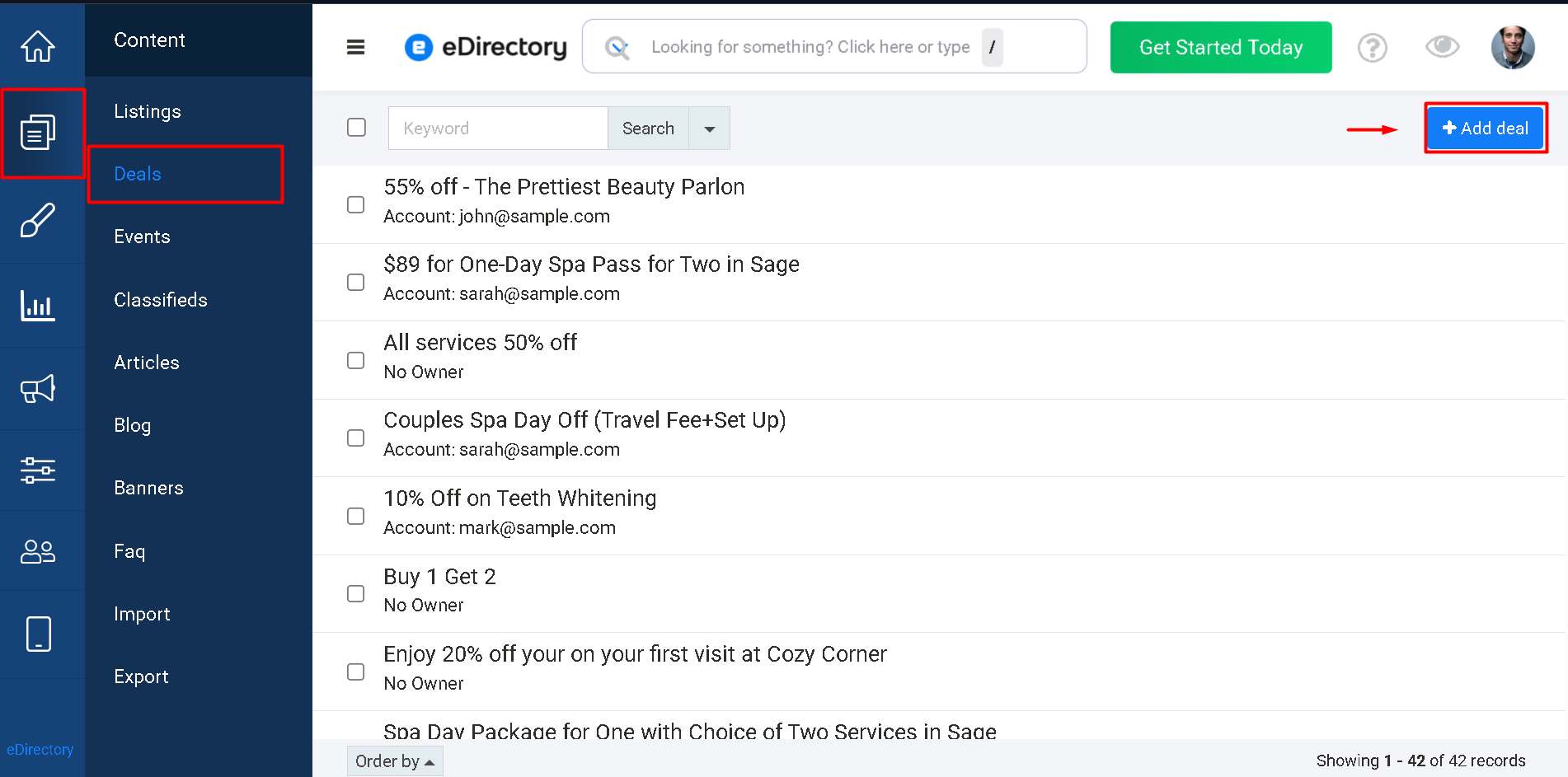
To add a new Deal:
- Log in to your Site Manager.
- Navigate to Content → Deals.
- Click Add Deal.
- Fill out the desired information.
- Select the Listing that will be associated with the Deal.
- Save the Deal.
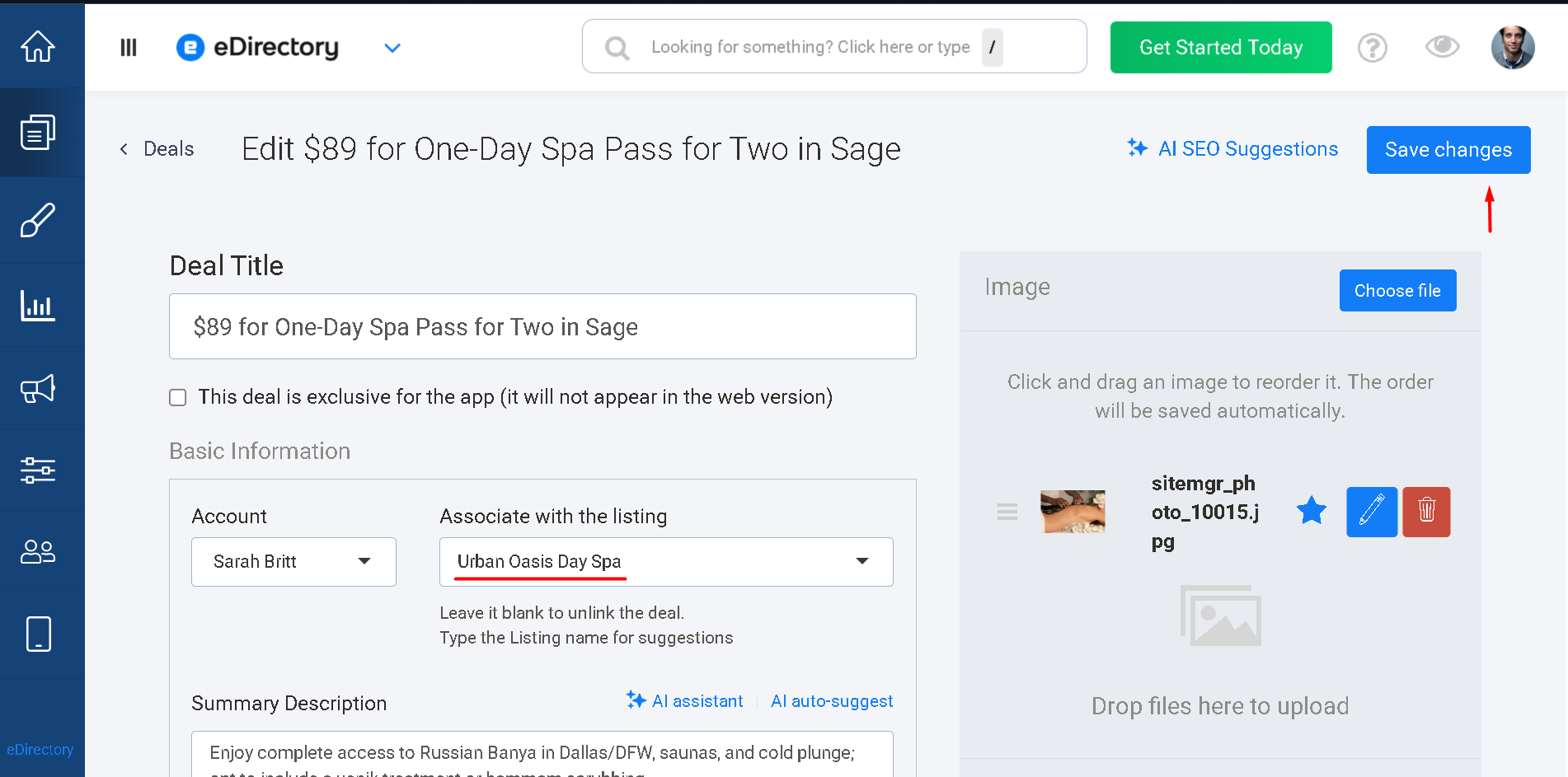
Once saved, the Deal will become available on your website according to its status, visibility settings, and the status of its associated Listing.
Learn More About Deal Fields
For a detailed explanation of the fields available when creating a Deal, please refer to the following article:
Conclusion
Deals provide an excellent way for businesses to promote discounts, special offers, and coupons directly to potential customers on your eDirectory website. By encouraging visitors to take advantage of limited-time promotions, Deals can help businesses increase visibility, attract new customers, and drive additional sales.
Because Deals are directly connected to Listings, they also help strengthen the relationship between promotional offers and business profiles, making it easy for visitors to discover both the offer and the business behind it. Understanding how Deals work will help you create a more engaging and valuable experience for both businesses and customers on your directory website.