
Troubleshooting: Why Articles and Blog Posts May Not Display Immediately After Publishing
Introduction
Are you having issues publishing Articles or Blog Posts on your eDirectory website? Have you added new content, clicked Save, and then noticed that it does not appear immediately on your site?
Don't worry—we've got you covered.
This is one of the most common questions new eDirectory users encounter when they first start building their websites. In this article, we'll explain the most common reasons why Articles and Blog Posts may not display after publishing and how to resolve them.
1. Verify That the Content Is Active
The most common reason an Article or Blog Post does not appear on the website is that it is not configured with an Active status.
Articles and Blog Posts must be set to Active in order to be displayed on the frontend of your website.
How to Check the Status
Navigate to Content → Articles or Content → Blog.
- Locate the content that is not displaying and click on "Edit".
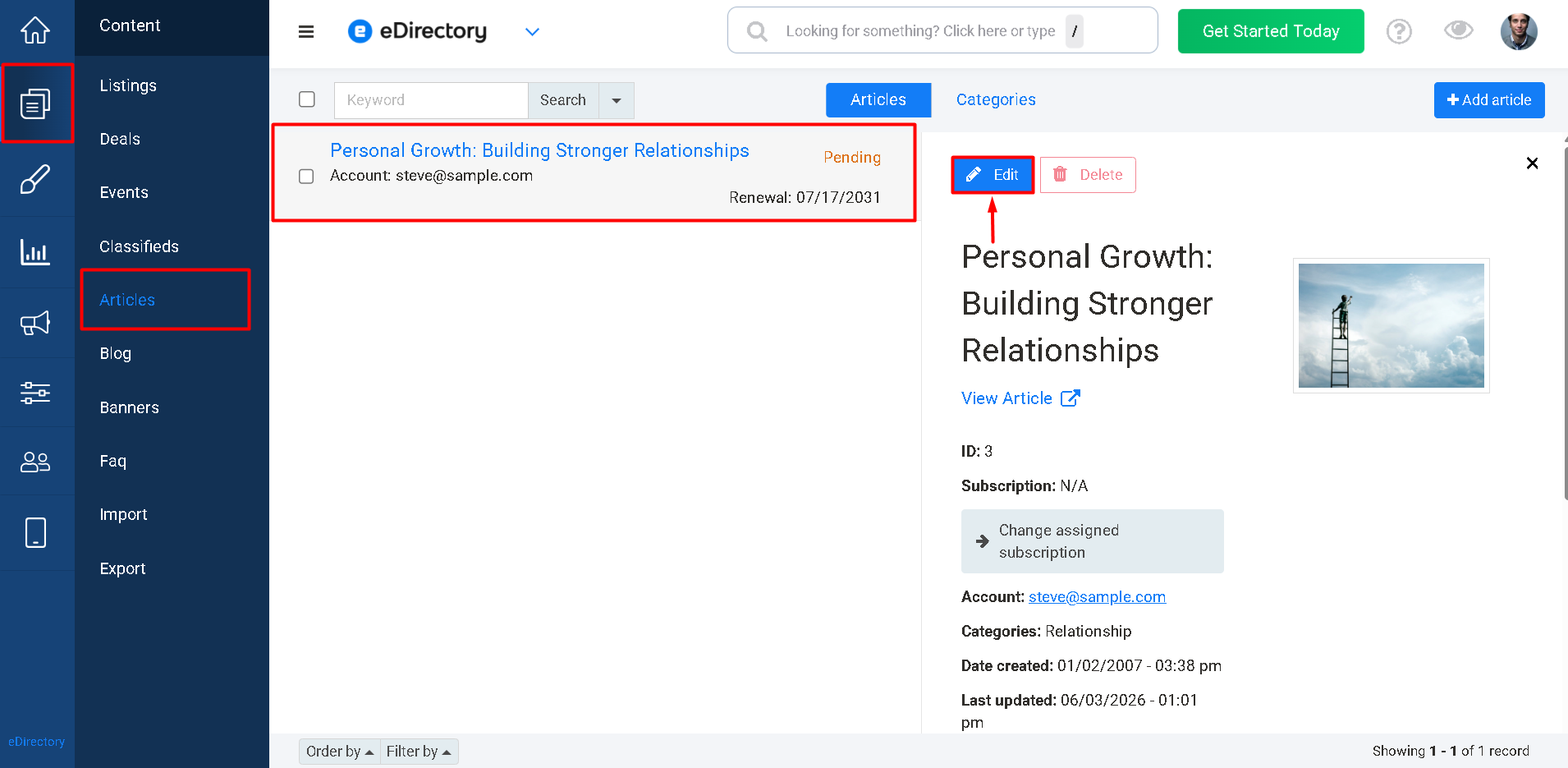
- Check the Status field.
- If the status is not Active, edit the content and change the status to Active.
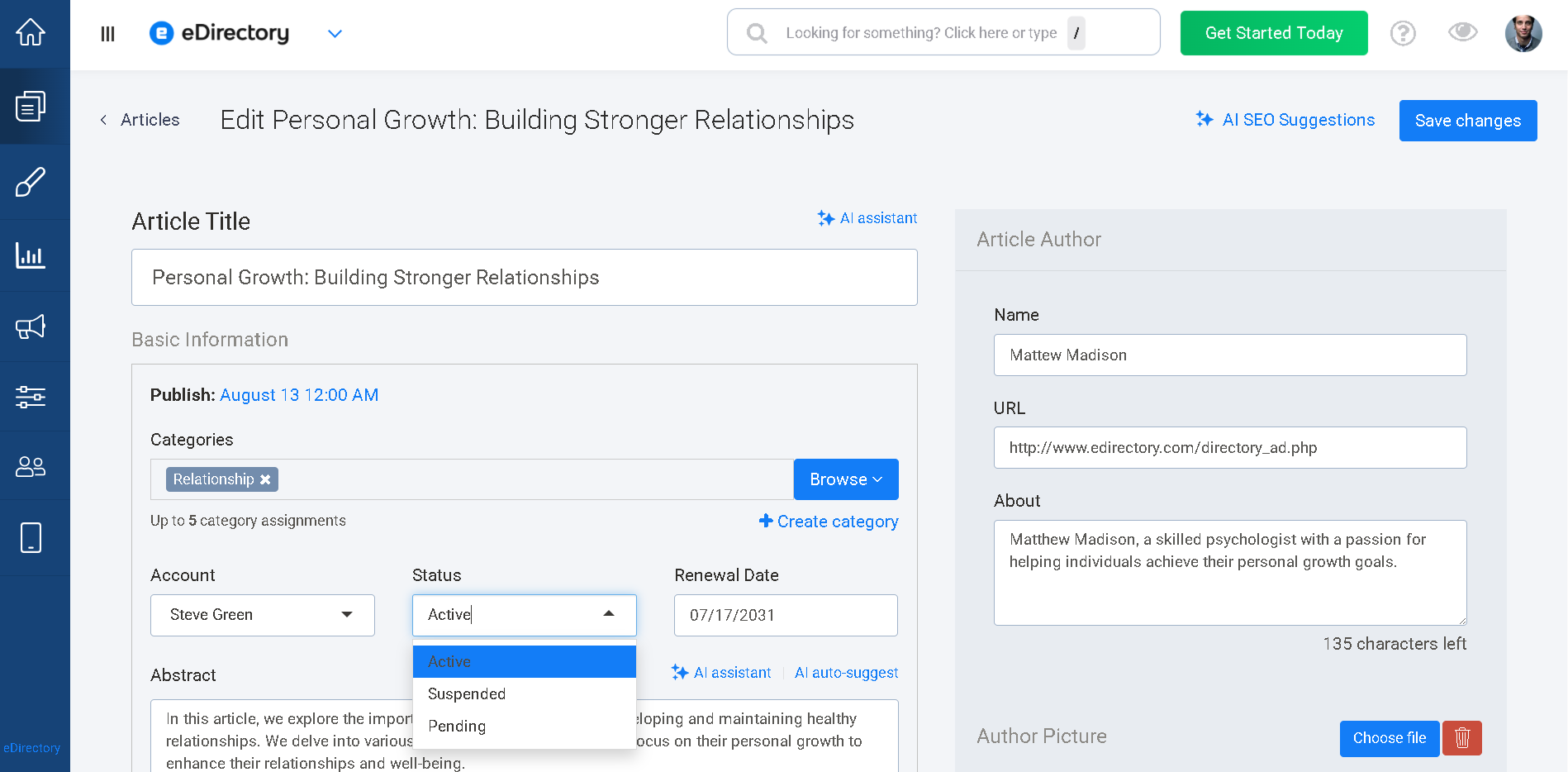
- Save your changes.
Once the content is active, it should become available on the website.
2. Check Whether the Content Is Scheduled
If the content is already Active but still does not appear, it may be scheduled to publish at a future date or time.
Both Articles and Blog Posts can be configured to publish automatically at a specific date and time.
When content is scheduled, it will display a Scheduled status and will remain hidden until the configured publication date is reached.
How to Check for Scheduled Content
- Navigate to Content → Articles or Content → Blog.
- Locate the content in question.
- Check whether it displays a Scheduled status.
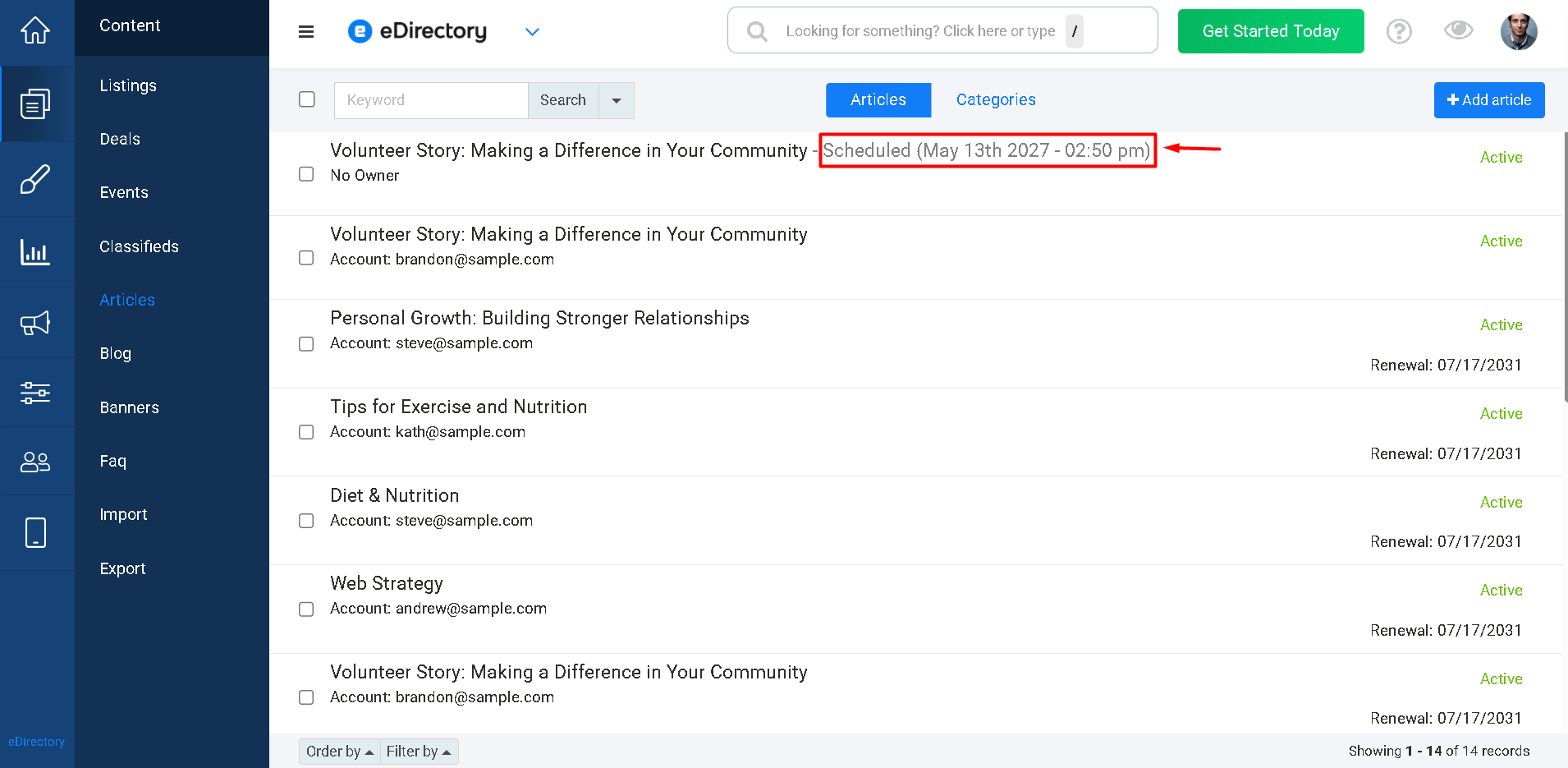
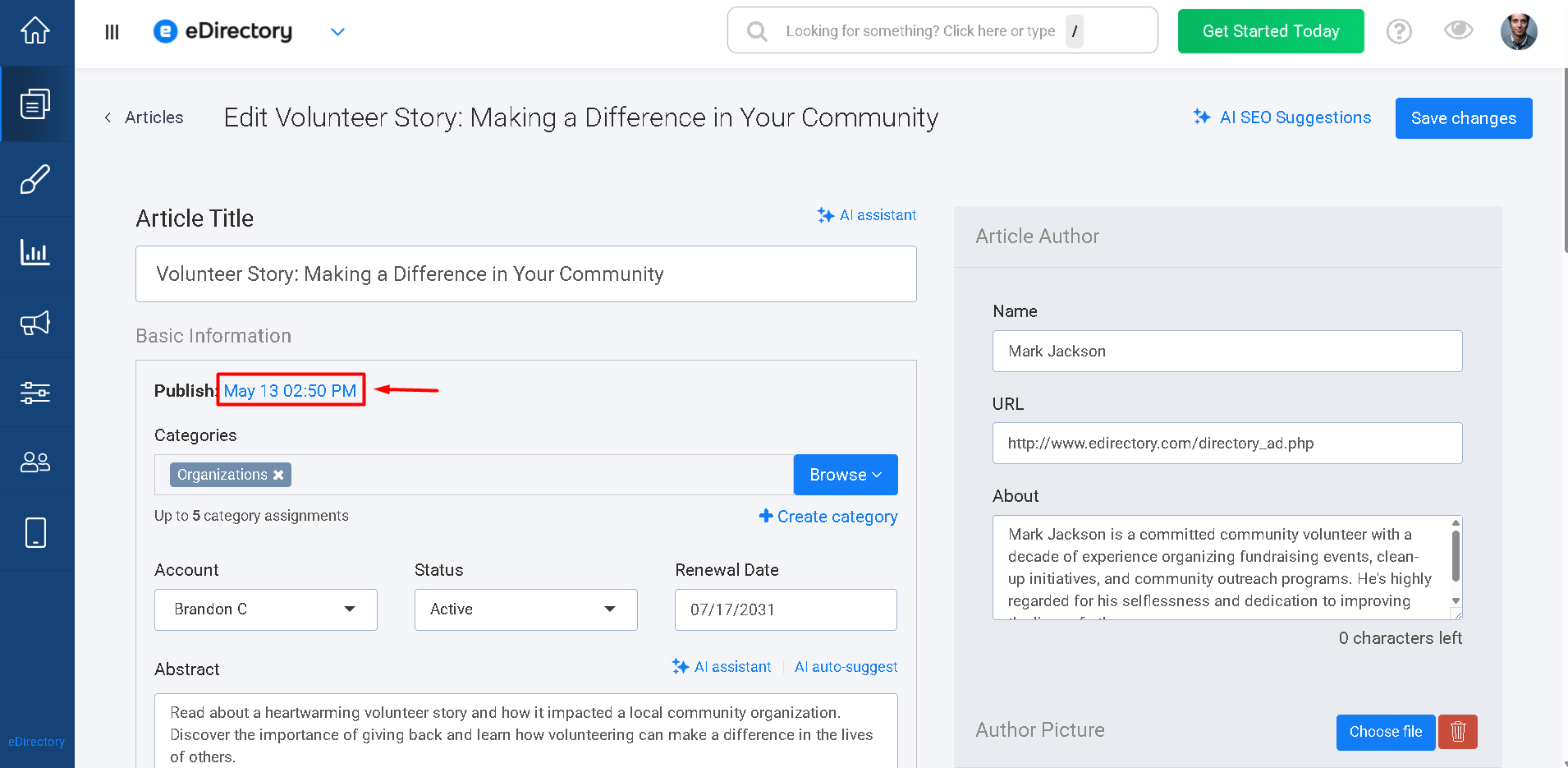
- If it is scheduled and you would like it to appear immediately:
- Edit the content.
-
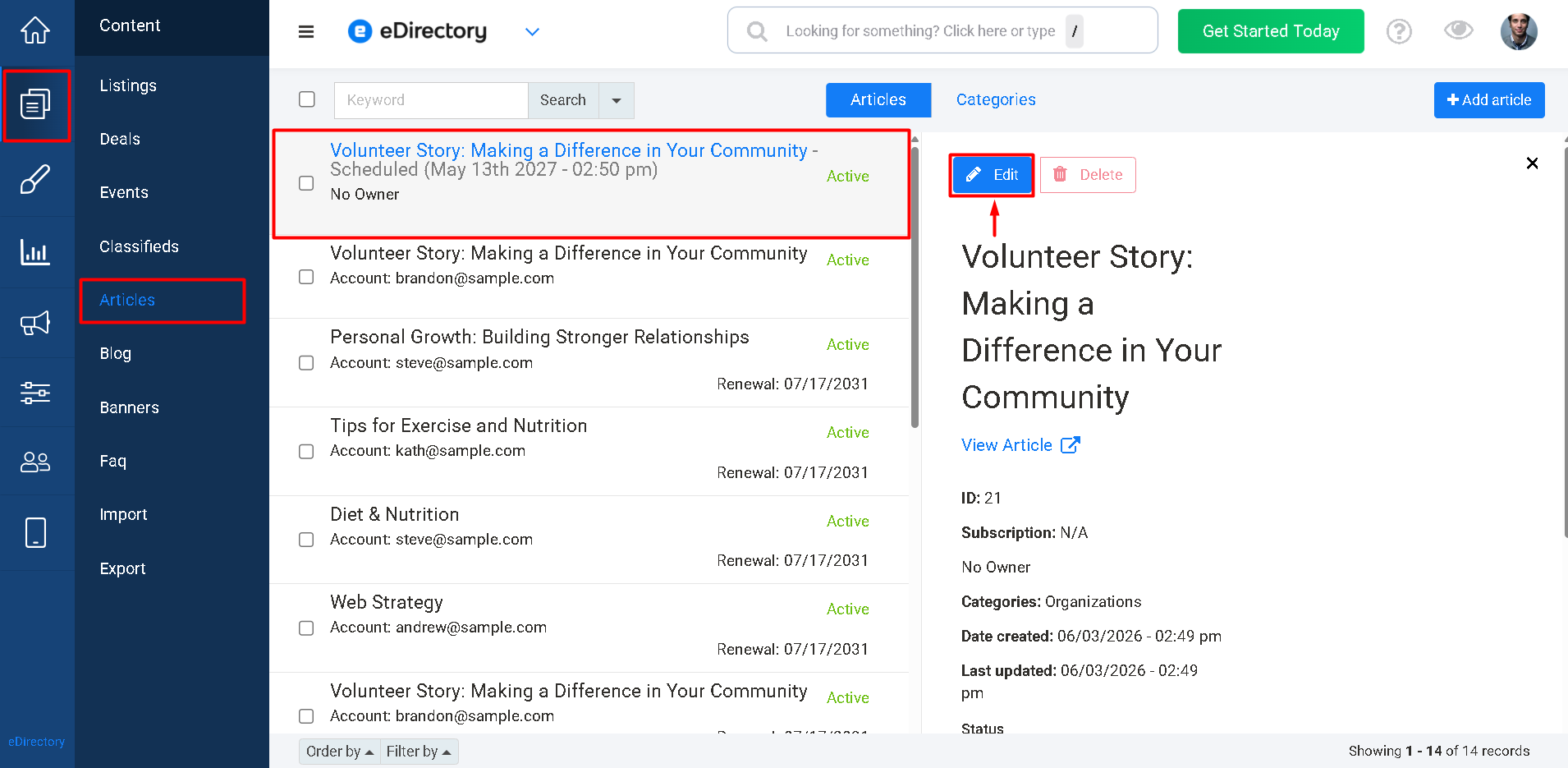
- Click on the scheduled date
-
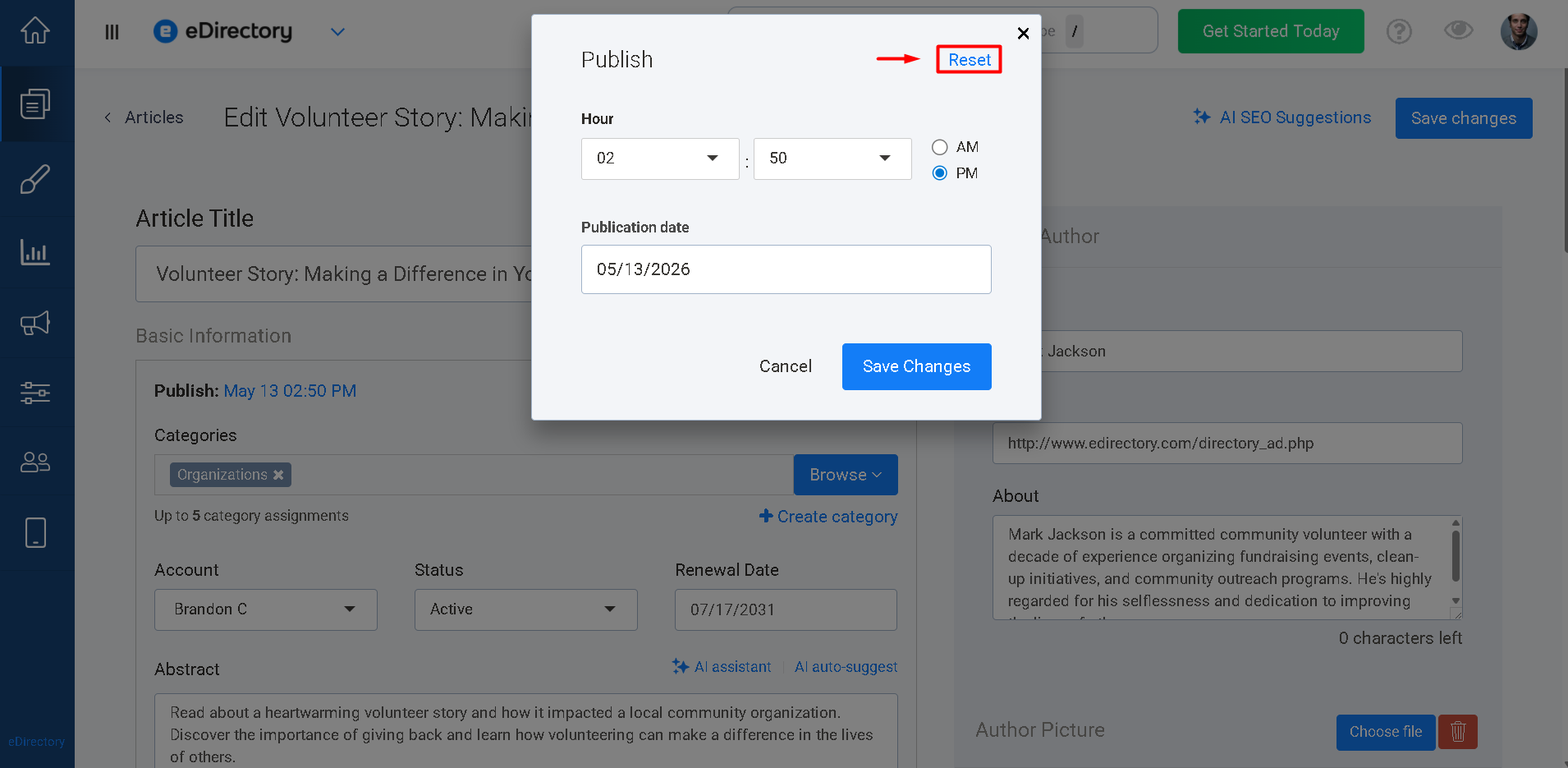
- Click Reset
-
- The Publish status will be updated to "Now"
- Save your changes.
-
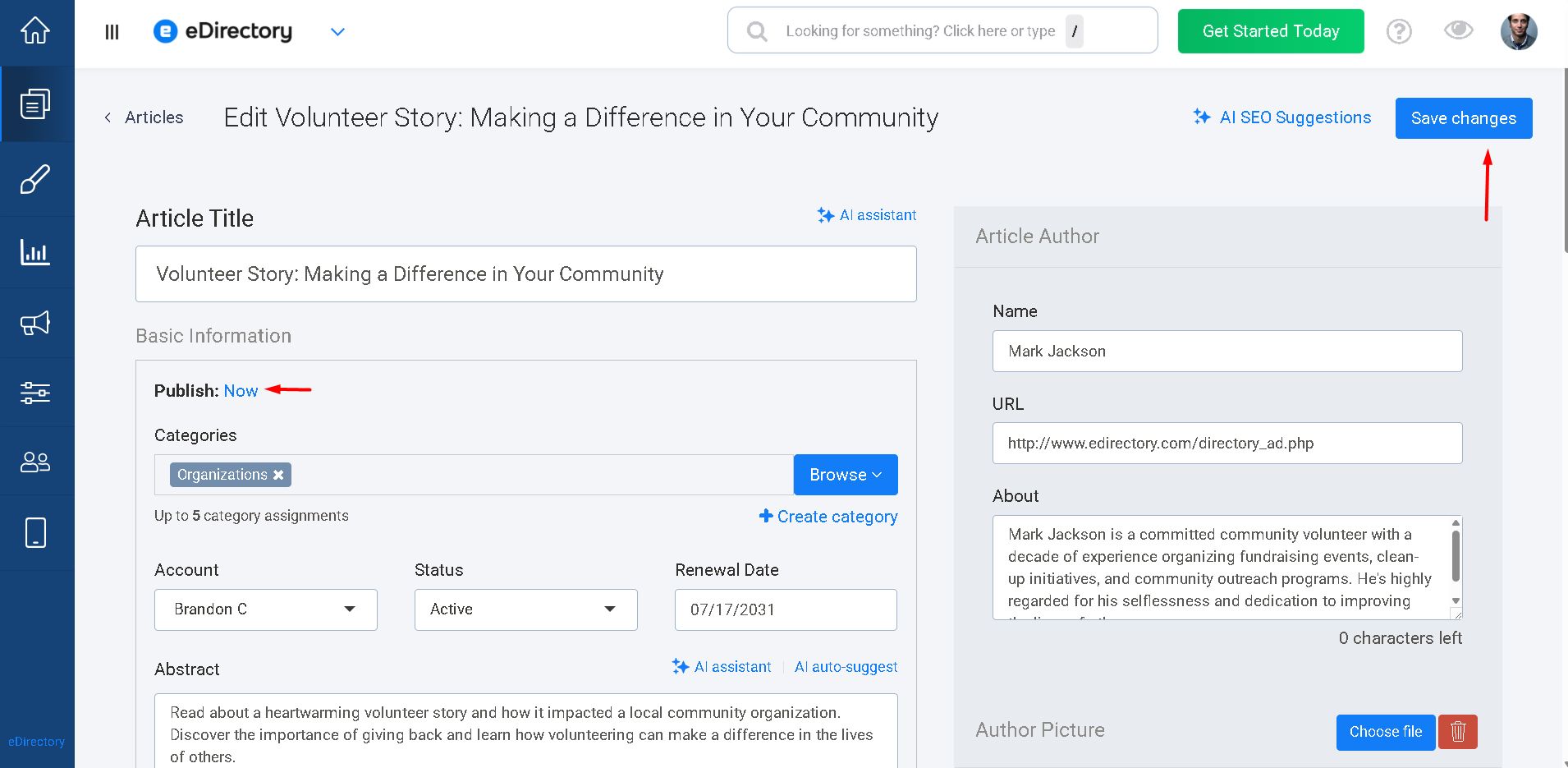
The content should then become visible immediately.
3. Verify Your Site's Time Zone Configuration
Another very important setting that affects both Articles and Blog Posts is your site's Time Zone configuration.
When a new eDirectory site is created, a time zone is not automatically configured. Since Articles and Blog Posts rely on date and time information for both publishing and scheduling, they require a valid time zone setting to function correctly.
Without a configured time zone, scheduled publication dates may not behave as expected impacting on the content display in the frontend.
How to Configure Your Time Zone
- Navigate to Settings → Language & Geography → Time Zone.
- If your Time Zone is set to UTC, it means that no time zone is configured in the site.
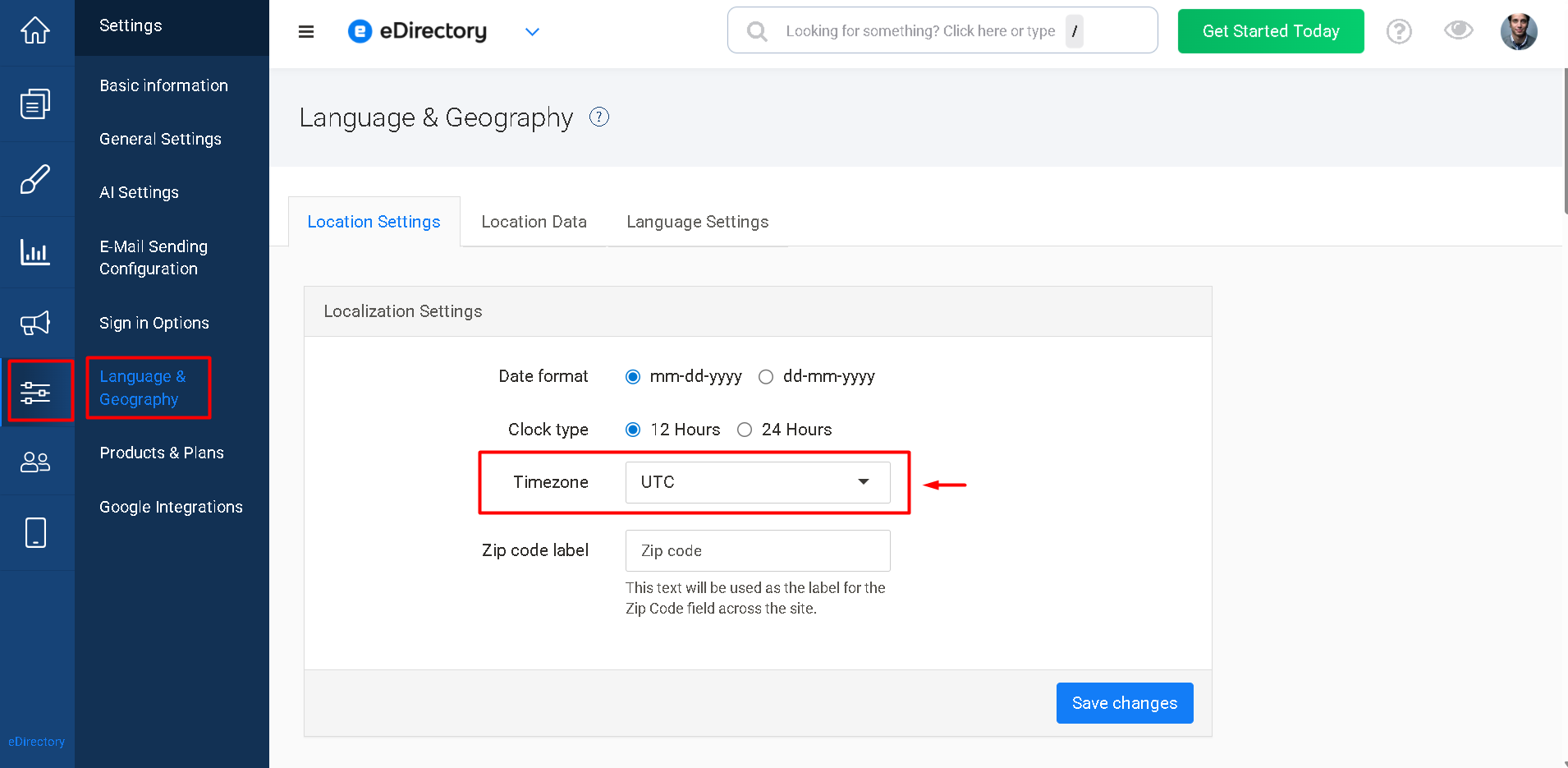
- Select your desired time zone from the available list.
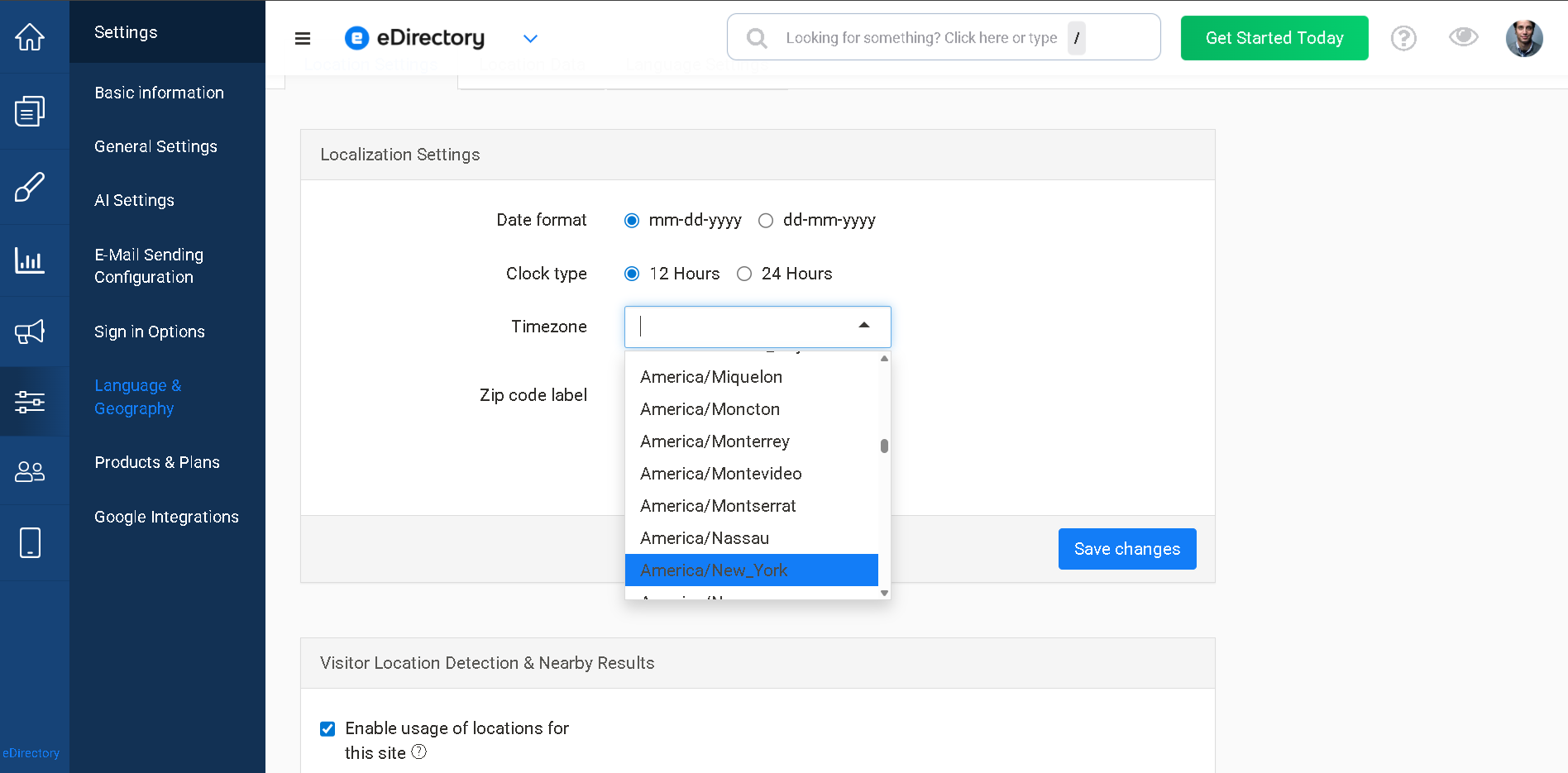
- Click Save Changes.
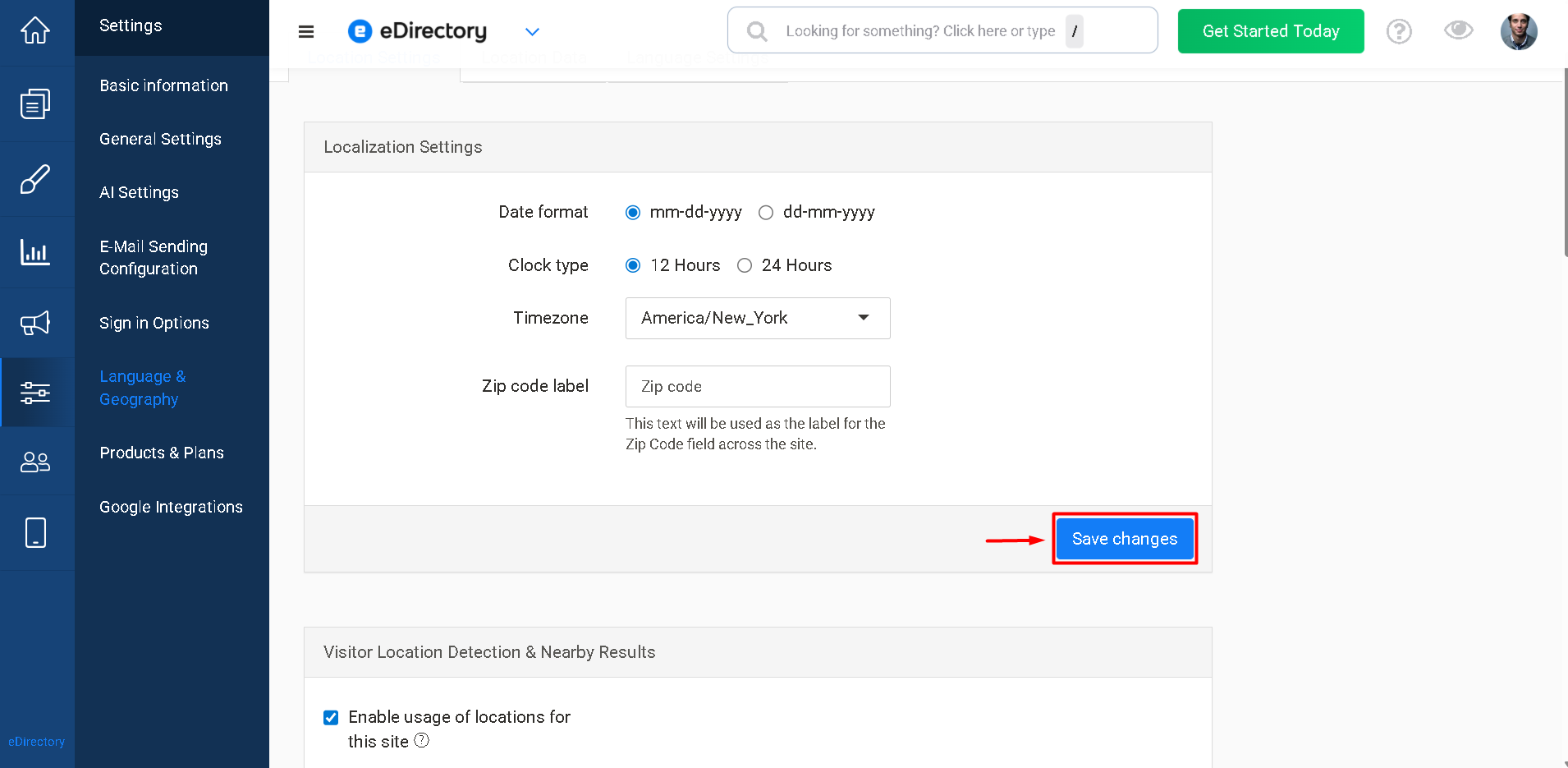
Once your time zone has been configured, Articles and Blog Posts will be able to use the correct date and time reference for publication.
Additional Tip
If you've verified that:
- The content is Active
- The content is not Scheduled (or has been published immediately)
- Your site's Time Zone is configured correctly
…and the content still does not appear, try clearing your browser cache and refreshing the page, as you may be viewing a cached version of the website.
Conclusion
When Articles or Blog Posts do not appear immediately after being saved, the issue is typically related to one of three things:
- The content is not set to Active.
- The content is scheduled to publish at a future date or time.
- The site's Time Zone has not been configured.
By reviewing these settings, you can quickly identify and resolve the most common publishing issues and ensure your content appears on your website as expected.