
eDirectory v14.3 – Release Overview
Introduction
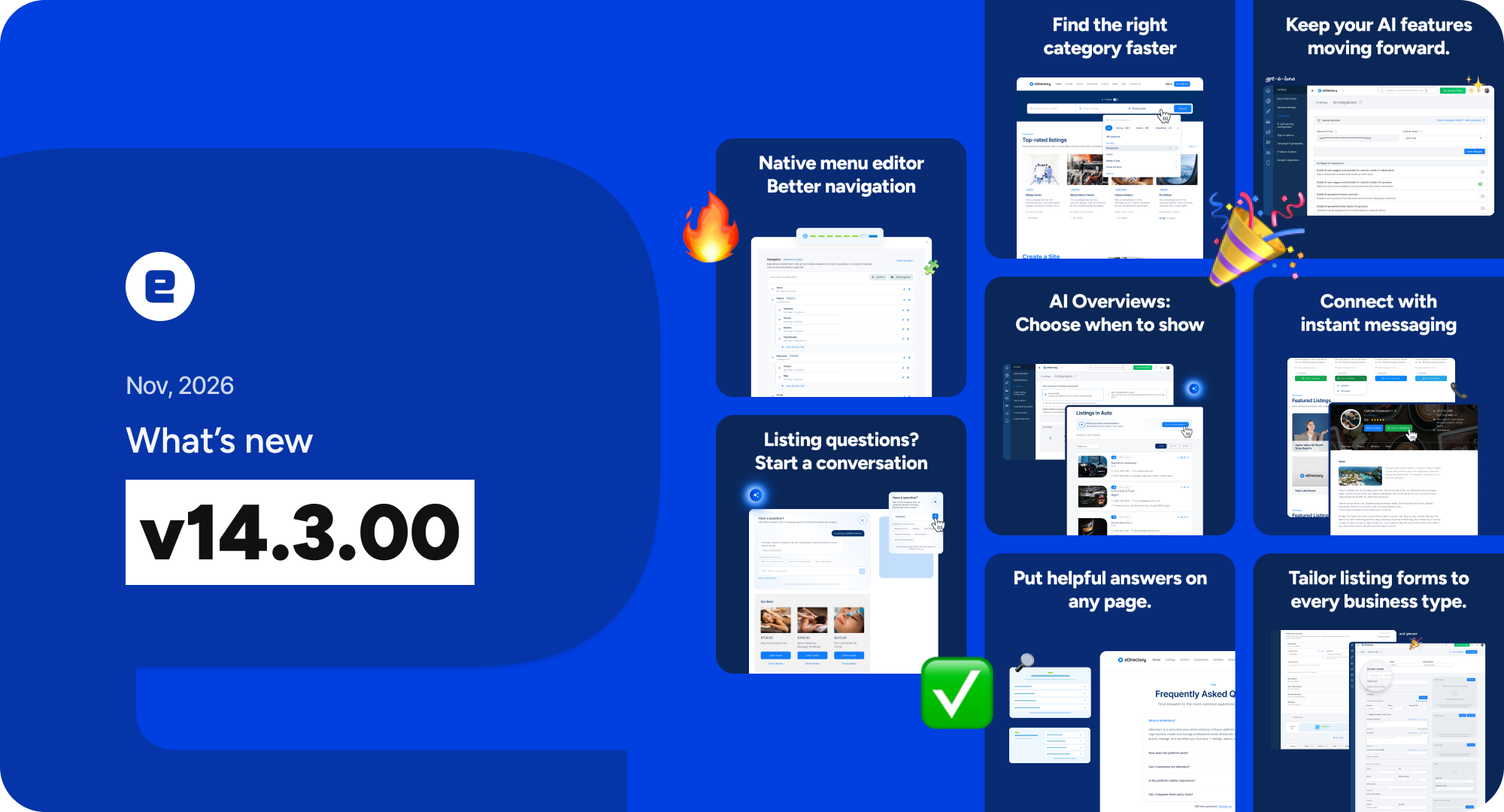
The eDirectory v14.3 release introduces new tools and improvements designed to make directory websites easier to navigate, more interactive, and more customizable.
This update focuses on enhancing the visitor experience with AI-powered features, improved search functionality, and more convenient communication options. At the same time, Site Managers gain greater control over website navigation, FAQ content, and how AI-generated information is displayed.
From the new native navigation editor to the AI-powered "Have a Question?" feature for listings, eDirectory v14.3 brings additional flexibility to both website management and content discovery.
🚀 New Features
Native Navigation Editor
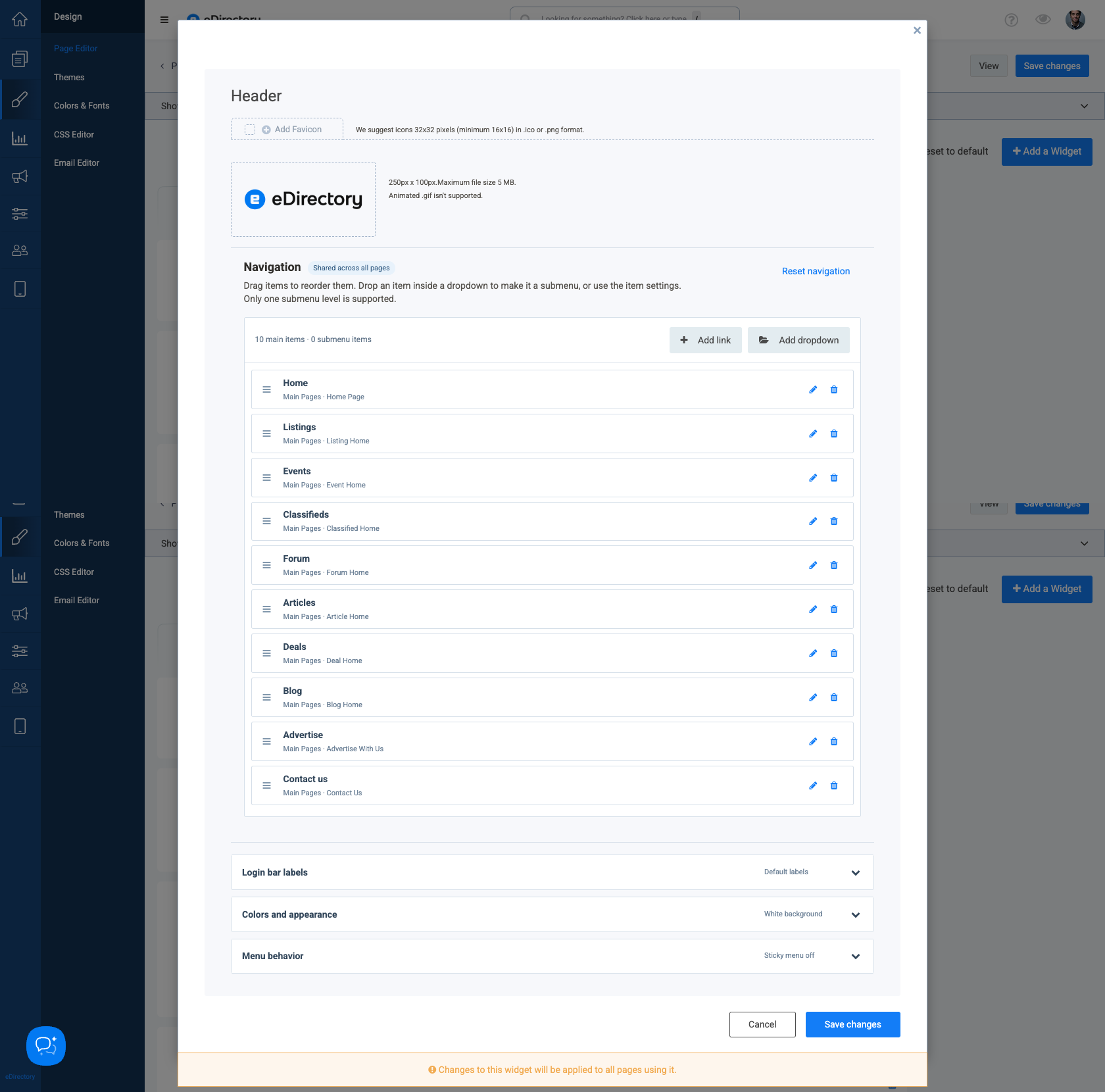
Managing your website's navigation is now easier with the new native navigation editor.
Previously available through the Dropdown Menu plugin, this functionality has been completely redesigned and incorporated directly into the eDirectory core platform.
Site Managers can now manage their website's header and footer navigation through the Page Editor, without relying on a separate plugin.
Key features include:
- Drag-and-drop organization: Easily rearrange menu items to customize their order.
- Dropdown menus: Create and organize dropdown menus and submenus.
- Flexible menu configuration: Add, edit, or remove navigation links directly from the editor.
- Width adjustments: Customize menu widths to better accommodate your navigation structure.
- Integrated management: Configure your navigation alongside other header and footer settings.
This improvement makes it easier to create an organized navigation experience that helps visitors explore different sections of your directory.
New AI-Powered "Have a Question?" Feature for Listings
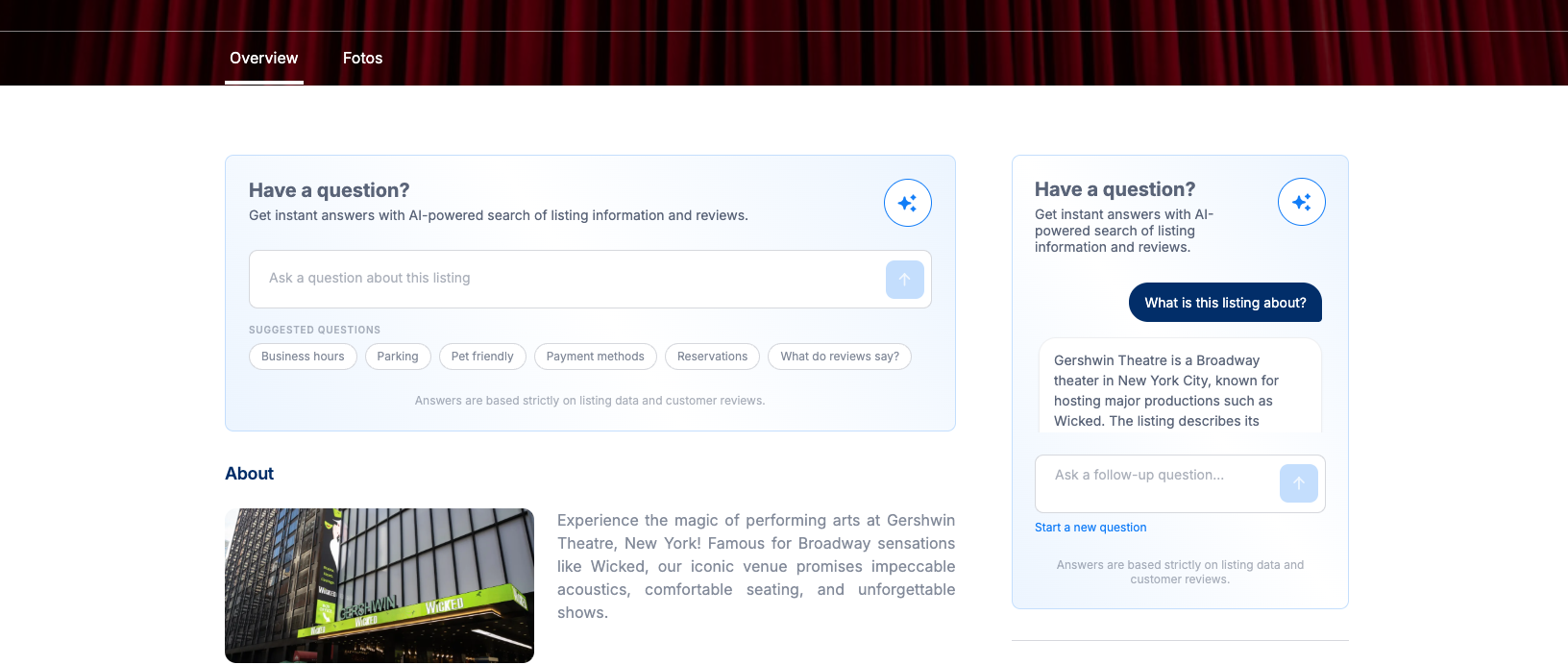
eDirectory v14.3 introduces Have a Question?, an AI-powered feature that allows visitors to ask questions directly from a listing's detail page and receive instant answers.
Instead of manually searching through a listing's description and other available information, visitors can simply type a question and let AI find the relevant details.
The feature includes:
- AI-generated answers: Responses based on the listing's publicly available information.
- Suggested questions: Convenient prompts to help visitors get started.
- Follow-up questions: Visitors can continue asking questions to explore additional details.
- Clickable links: Answers can include relevant links to help visitors access more information.
- Contact actions: Convenient options to connect visitors with the business when appropriate.
For example, a visitor browsing a restaurant listing might ask about business hours, parking availability, or payment methods.
The AI analyzes the information available for that listing and provides an answer based on its content.
For Site Managers: The availability of this feature can be controlled by product level through Manage Products, providing additional flexibility when configuring advertising plans.
Category Selection in Search Widgets
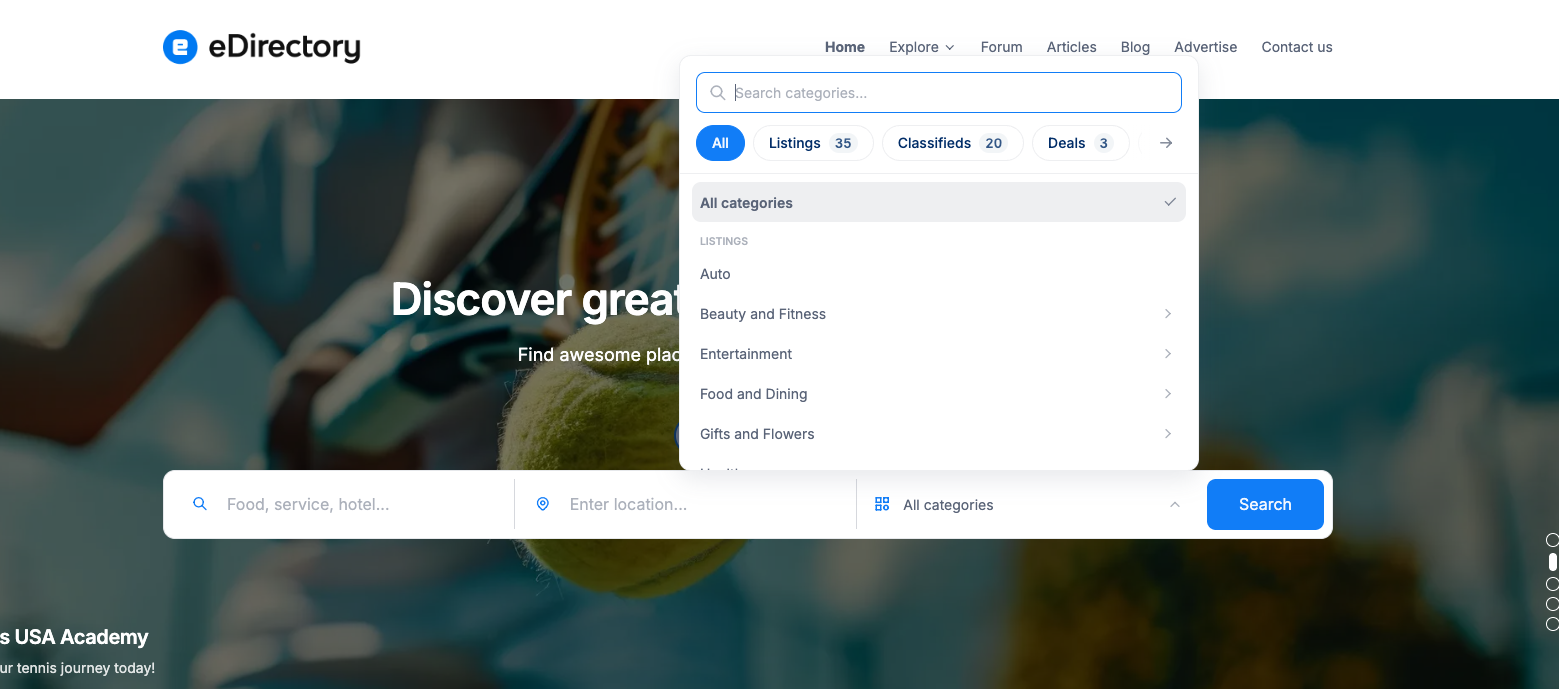
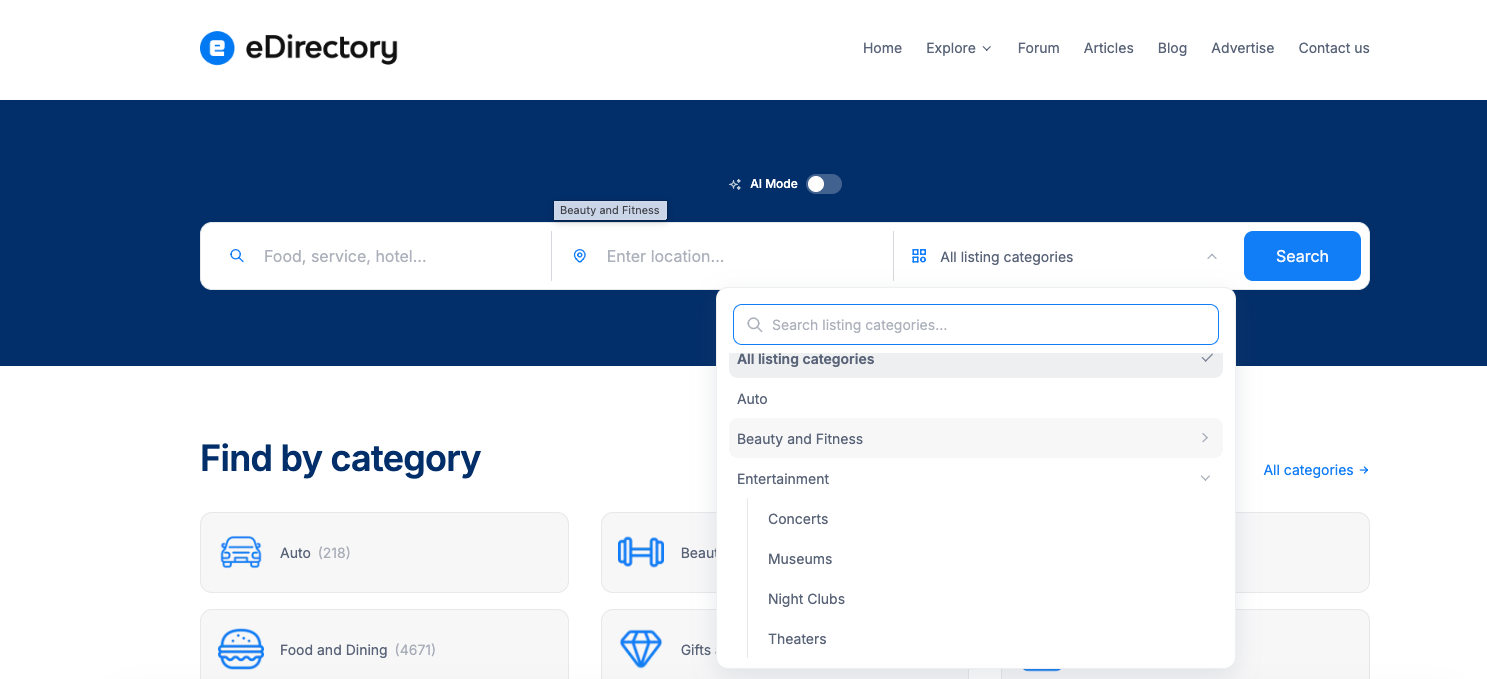
Searching for content is now more intuitive with the addition of a category selector to the Search Bar and Search Box widgets.
Visitors can select a specific category before performing their search, allowing them to narrow down results according to their interests.
The updated search functionality includes:
- Category selection: Choose which category to search within.
- Category search: Type a category name to quickly locate it.
- Organized category hierarchy: Navigate parent categories and their subcategories.
- Module-specific categories: Browse categories associated with different content modules when available.
For example, visitors searching for entertainment options can select the Entertainment category and further narrow their search to Concerts, Museums, Night Clubs, or Theaters.
This enhancement helps visitors discover relevant content without navigating through multiple pages or manually filtering broader search results.
Improved Instant Messaging for Listings
Connecting with businesses is now more convenient with improved visibility for instant messaging options throughout the directory.
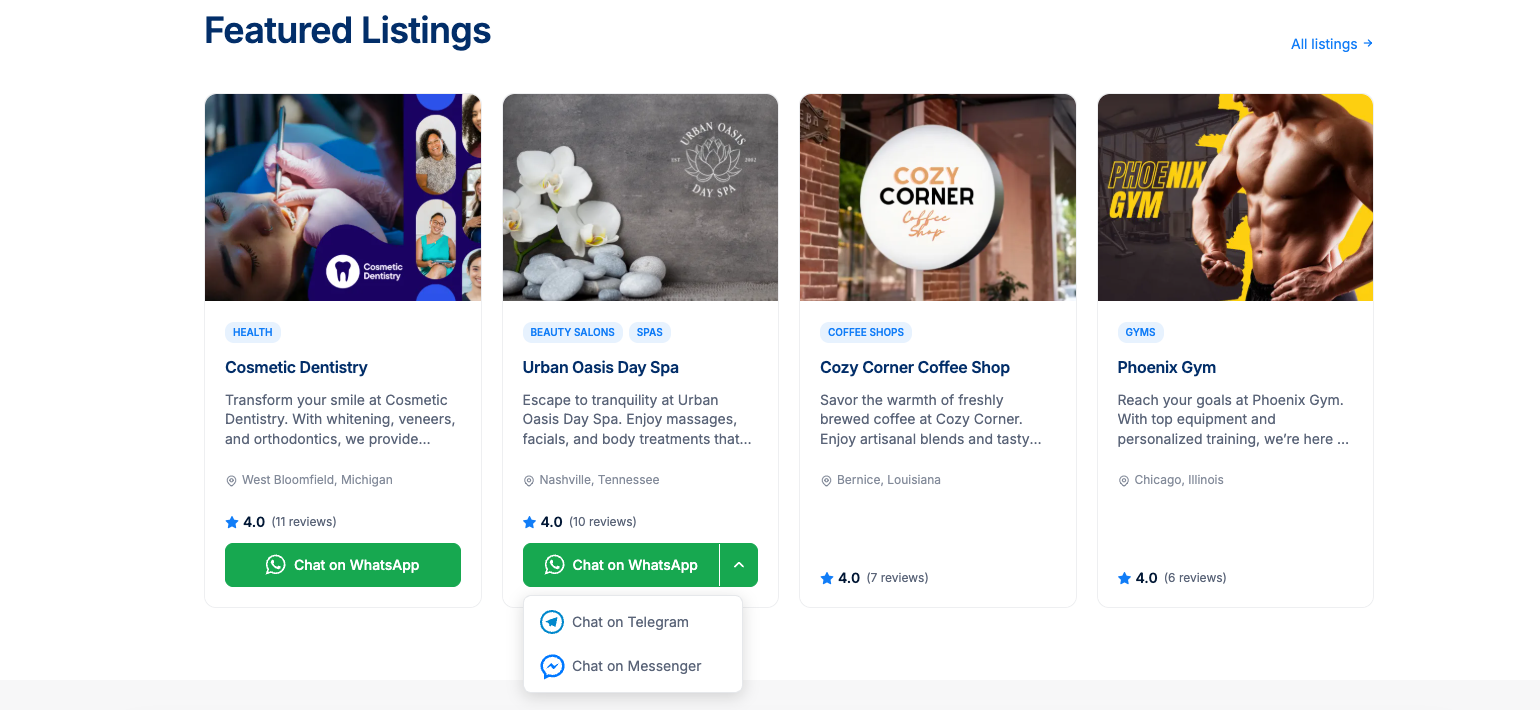
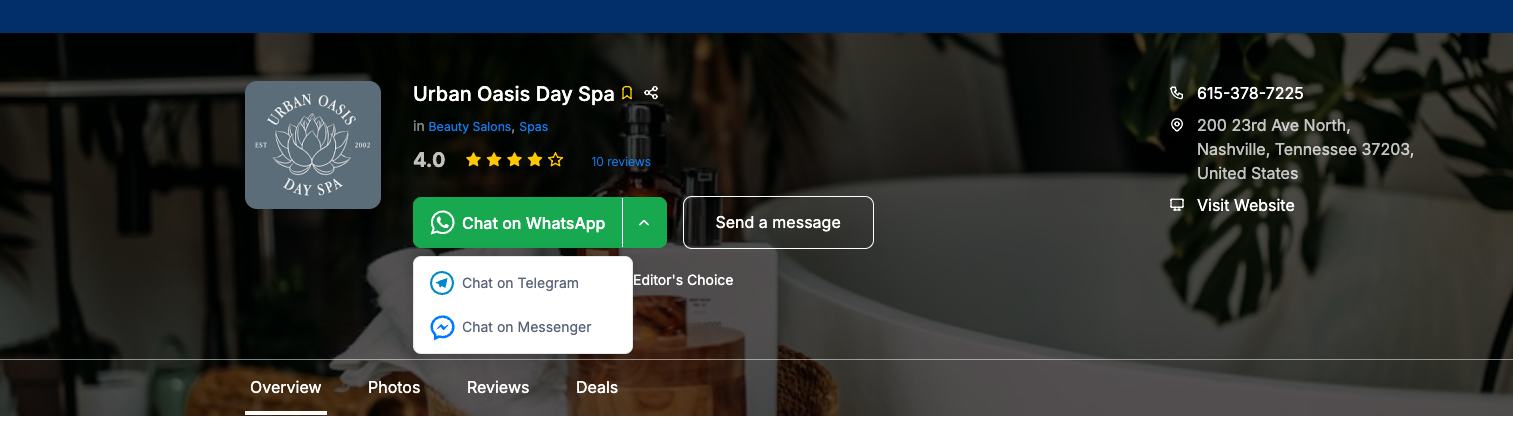
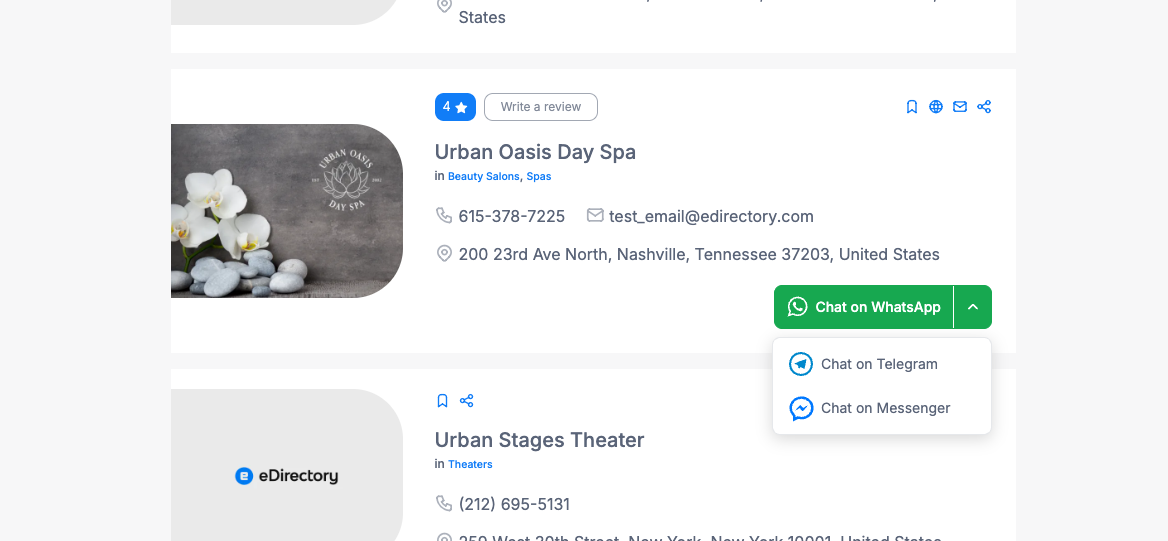
eDirectory v14.3 enhances how messaging actions are presented on listing cards and listing detail pages, helping visitors contact businesses directly through their preferred communication platforms.
Supported messaging options include:
- Telegram
- Facebook Messenger
When configured for a listing, messaging buttons can appear in prominent locations, including:
- Listing cards: Visitors can initiate a conversation directly from a listing card.
- Listing detail headers: Messaging options are displayed alongside other primary contact actions.
- Messaging dropdowns: When multiple communication methods are available, visitors can select their preferred option.
These improvements make it easier for potential customers to reach businesses without searching for contact information elsewhere.
More Control Over AI Overviews in Search Results
The AI-powered search overview, introduced in previous versions of eDirectory, now offers greater flexibility in how summaries are generated.
Previously, AI Overviews were automatically generated when visitors accessed a search results page.
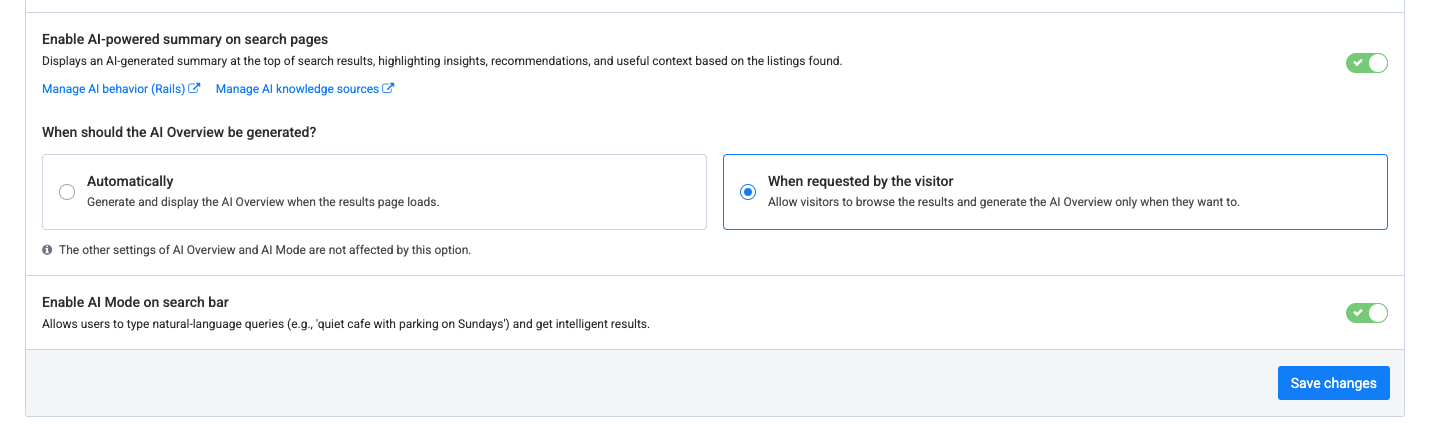
With eDirectory v14.3, Site Managers can choose between two behaviors:
Automatically
The AI Overview is generated and displayed automatically when the search results page loads.
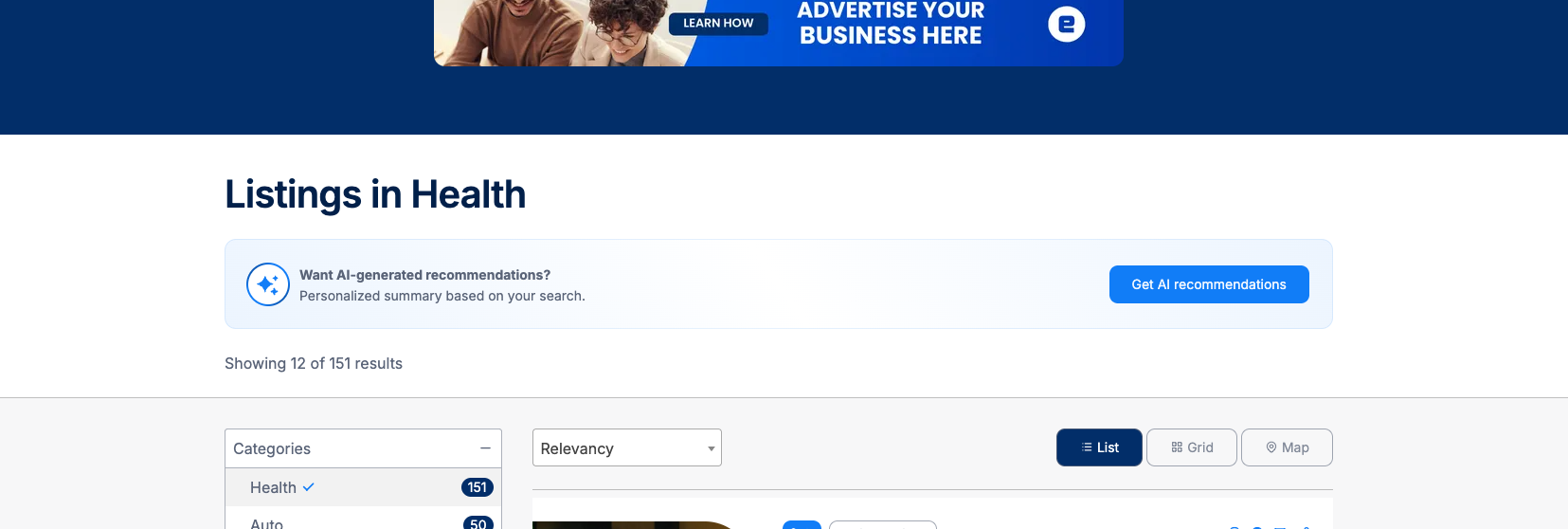
When requested by the visitor
Visitors can browse search results normally and choose to generate an AI Overview only when they want additional insights.
This option gives visitors greater control over their browsing experience while allowing Site Managers to determine how AI-generated summaries should appear on their websites.
Important: Existing eDirectory installations will retain the automatic generation behavior unless the Site Manager changes the configuration.
Other AI Overview and AI Mode settings remain unaffected by this selection.
New FAQ Widgets and Redesigned FAQ Page
Managing frequently asked questions is now more flexible with new FAQ widgets available directly in the Page Editor.
eDirectory v14.3 introduces two FAQ-related widgets designed to help Site Managers organize important information and make answers easier for visitors to find.
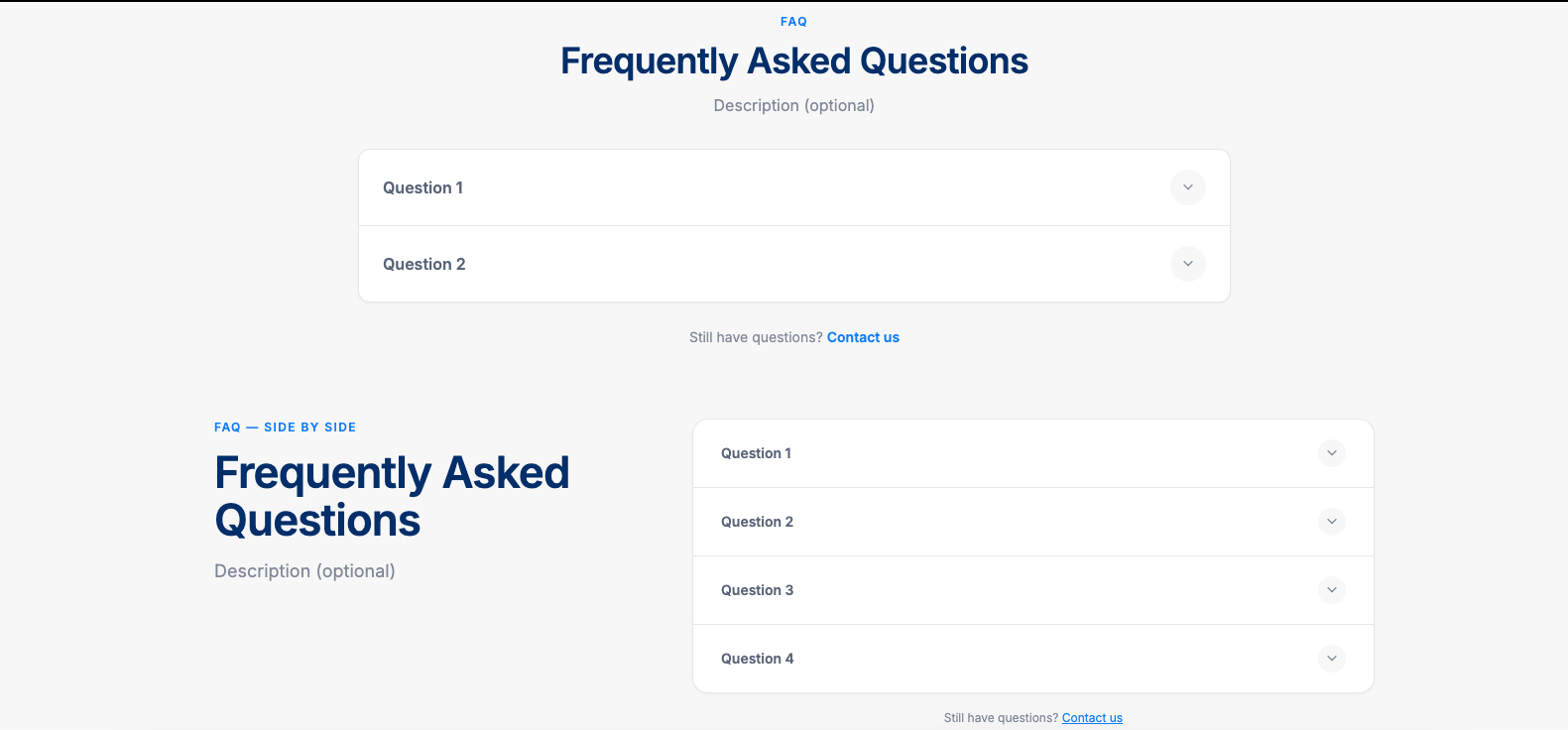
1. FAQ Widget
The new reusable FAQ widget can be added to different pages throughout your directory.
Its features include:
- Support for up to 50 questions per widget.
- Rich-text answers for more detailed information.
- Expandable questions and answers.
- Customizable content to address different topics.
- A Side by Side layout variation that displays introductory content alongside the questions.
For example, you can add FAQs to your homepage explaining how the directory works or create a dedicated section answering common questions about advertising plans.
2. Header Search + FAQ Widget
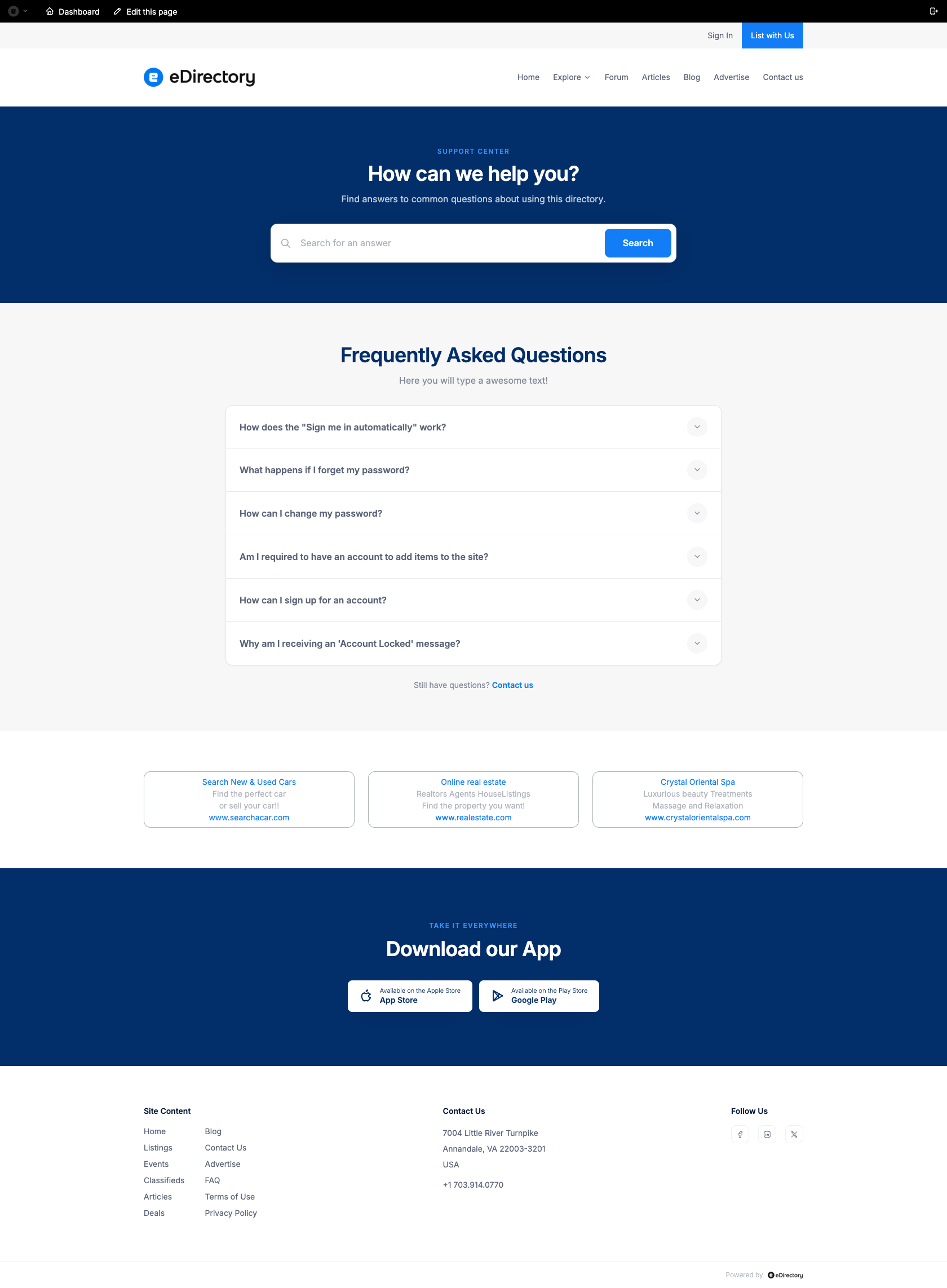
The existing FAQ page widget has also been updated with a redesigned layout and integrated search functionality.
This widget is available exclusively on the main FAQ page and allows visitors to search for answers using a dedicated search field.
The main FAQ page has also been reorganized to provide a cleaner and more accessible experience.
Additional change: Sponsor FAQ management has been relocated to the Settings section of the Site Manager.
Together, these enhancements make it easier to provide helpful information throughout your directory while keeping FAQ content organized and accessible.
🔧 Improvements & Changes
In addition to the new features, eDirectory v14.3 includes improvements to the platform's internal structure and administration tools.
Centralized AI Model Configuration
The AI model configuration used throughout eDirectory's AI-powered features has been updated and centralized.
This improvement simplifies maintenance and helps maintain consistency across the platform's AI functionality.
More Integrated Website Management
Navigation configuration and FAQ management are now more closely integrated with the existing Page Editor and Site Manager tools, reducing the need to manage these features through separate interfaces.
Improved Visitor Interaction
The new search category selector, instant messaging enhancements, and AI-powered listing questions provide visitors with additional ways to discover information and interact with businesses.
Conclusion
eDirectory v14.3 continues to improve the experience of building, managing, and exploring directory websites.
With the introduction of native navigation management, flexible FAQ widgets, enhanced category search, and improved instant messaging, Site Managers have more tools to create websites that are both functional and user-friendly.
The addition of AI-powered listing questions and configurable AI Overviews also gives visitors new ways to find the information they need, while offering administrators greater control over how these features are presented.
Together, these updates make eDirectory more flexible, interactive, and easier to manage.
Want to upgrade your eDirectory website? Submit your request through our Platform Upgrade Request Form.