
What Is a Listing in eDirectory?
Introduction
Have you ever caught yourself asking, "What is a Listing in eDirectory? What is its purpose? How do I use it?" If so, you're in the right place! This article will help you understand what Listings are and how they can be used on your directory website.
What Is a Listing?
A Listing is one of the main content types in eDirectory and is primarily used to advertise businesses, organizations, and services on your website.
Listings can represent virtually any type of business, including:
- Restaurants
- Hotels
- Bars
- Stores
- Professional services
- Medical offices
- Real estate agencies
- And much more
Each Listing acts as a dedicated profile page where business owners can showcase their company and provide visitors with all the information they need.
What Information Can a Listing Include?
Listings contain a variety of fields that allow business owners to present their business in a complete and professional way. Some of the information that can be added includes:
- Business name
- Address and location
- Contact information
- Business description
- Categories and subcategories
- Website URL
- Social media links
- Business hours
- Photos and image galleries
- Videos
- Additional custom information, depending on your site configuration
Note: If you would like to learn how to customize the fields available in Listings, including creating custom fields and editing existing Listing fields, please refer to the following article: Listing Templates: Designing Powerful and Flexible Listing Pages in eDirectory
This makes Listings a powerful tool for helping businesses promote themselves and connect with potential customers.
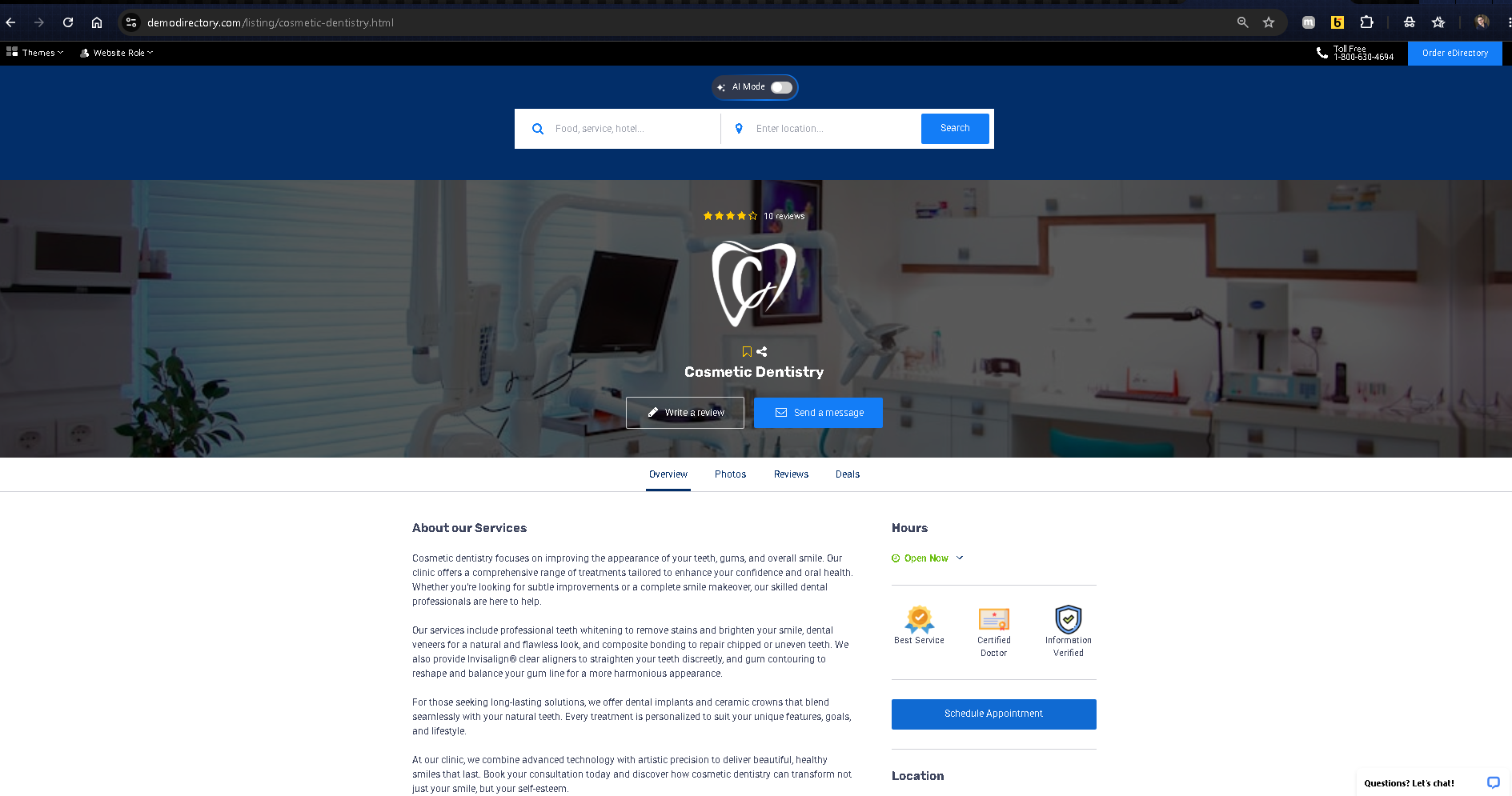
Example of a Listing
Demodirectory: https://demodirectory.com/listing/phoenix-gym.html
Adding Listings as a Site Manager
As a Site Manager, you can create and manage Listings directly from your Site Manager area.
To add a new Listing:
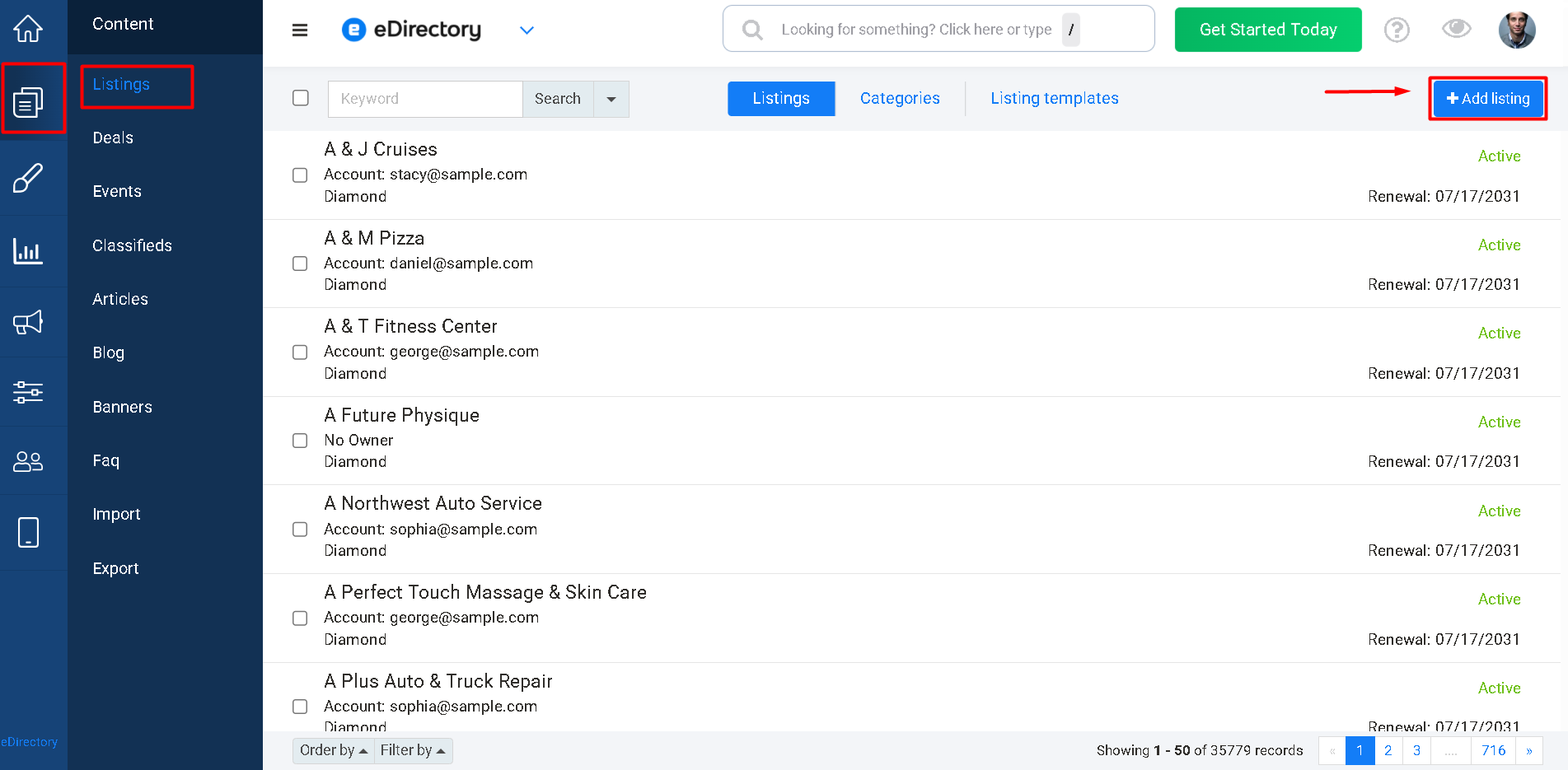
- Log in to your Site Manager.
- Navigate to Content → Listings.
- Click Add Listing.
- Fill out the desired information and save the Listing.
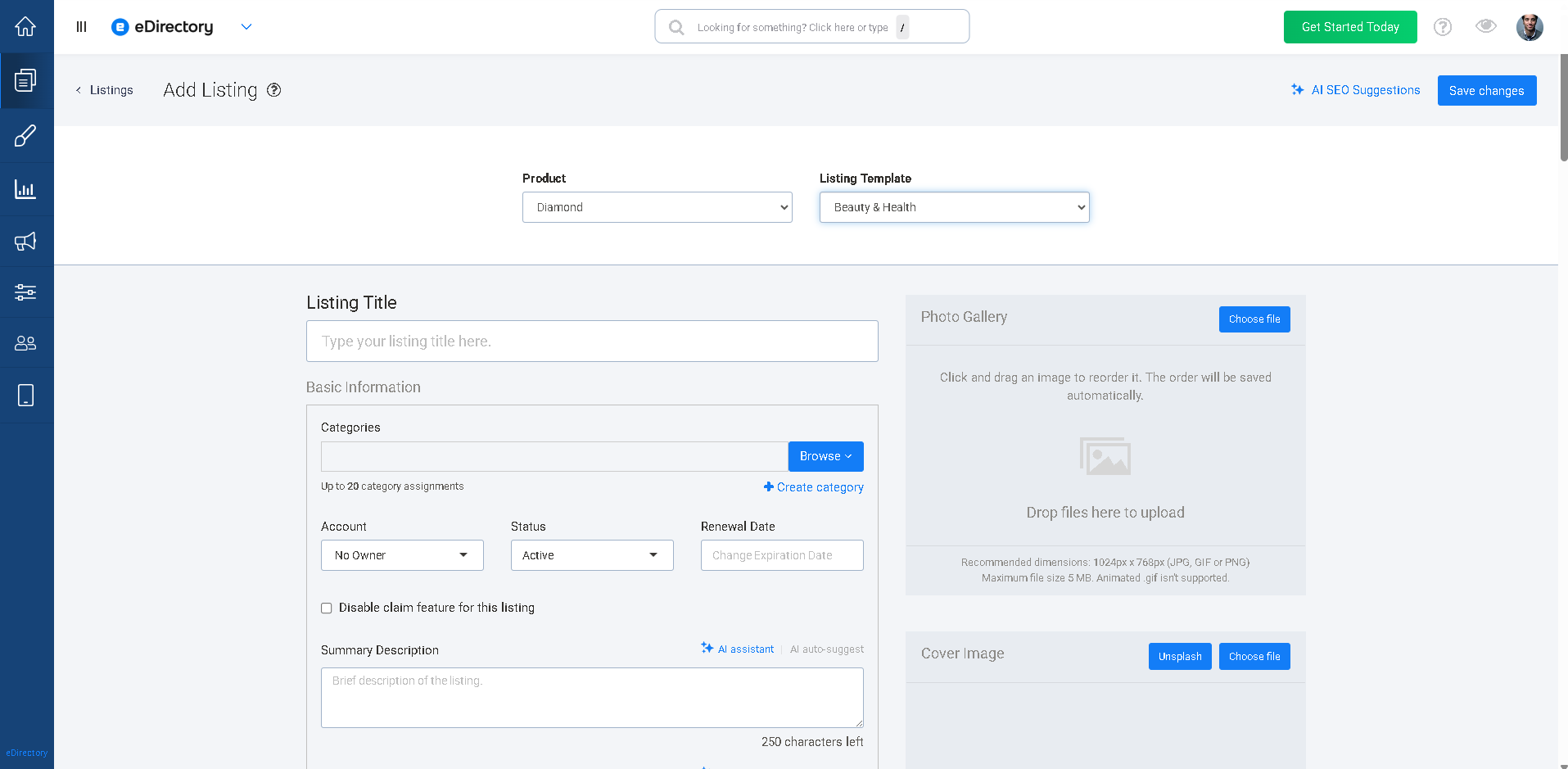
The Listing will then become available on your website according to its status and visibility settings.
Learn More About Listing Fields: For a detailed explanation of each field available in a Listing and how to configure them, please refer to the following article: How to Add a Listing as a Site Manager
Conclusion
Listings are the foundation of most eDirectory websites, providing businesses with a dedicated space to showcase their products, services, and contact information to potential customers. Whether you're allowing business owners to submit their own Listings or creating them yourself as a Site Manager, Listings help organize your directory's content and make it easier for visitors to find the information they're looking for.
By understanding how Listings work and what information they can contain, you'll be better equipped to build a comprehensive and valuable directory website for your audience.