
What Is an Event in eDirectory?
Have you ever found yourself wondering, "What is an Event in eDirectory? What is its purpose? How can I use it?" If so, you're in the right place! This article will help you understand what Events are, how they work, and when they should be used on your directory website.
What Is an Event?
An Event is one of the content types available in eDirectory and is designed to promote upcoming activities, gatherings, and experiences that take place on a specific date and time.
Events allow organizers to share important information with potential attendees, helping them discover what's happening in their area or within a particular industry or community.
Events can be used to promote a wide variety of activities, including:
- Conferences
- Trade shows
- Networking events
- Concerts
- Festivals
- Workshops
- Webinars
- Training sessions
- Community gatherings
- Charity events
- Sports competitions
- And much more
Each Event has its own dedicated page where organizers can provide details about the event, making it easy for visitors to learn more and decide whether they would like to attend.
What Information Can an Event Include?
Events contain several fields that help organizers provide attendees with all the information they need. Depending on your site's configuration and package settings, an Event can include:
- Event title
- Event description
- Start date
- End date
- Start time
- End time
- Event location
- Contact information
- Website URL
- Images and photo galleries
- Videos
- Categories and subcategories
Note: Like Classifieds, Events do not support custom fields or customizable templates. The available fields and layout are predefined by the system.
Providing accurate event information helps visitors understand when and where the event is taking place and encourages attendance.
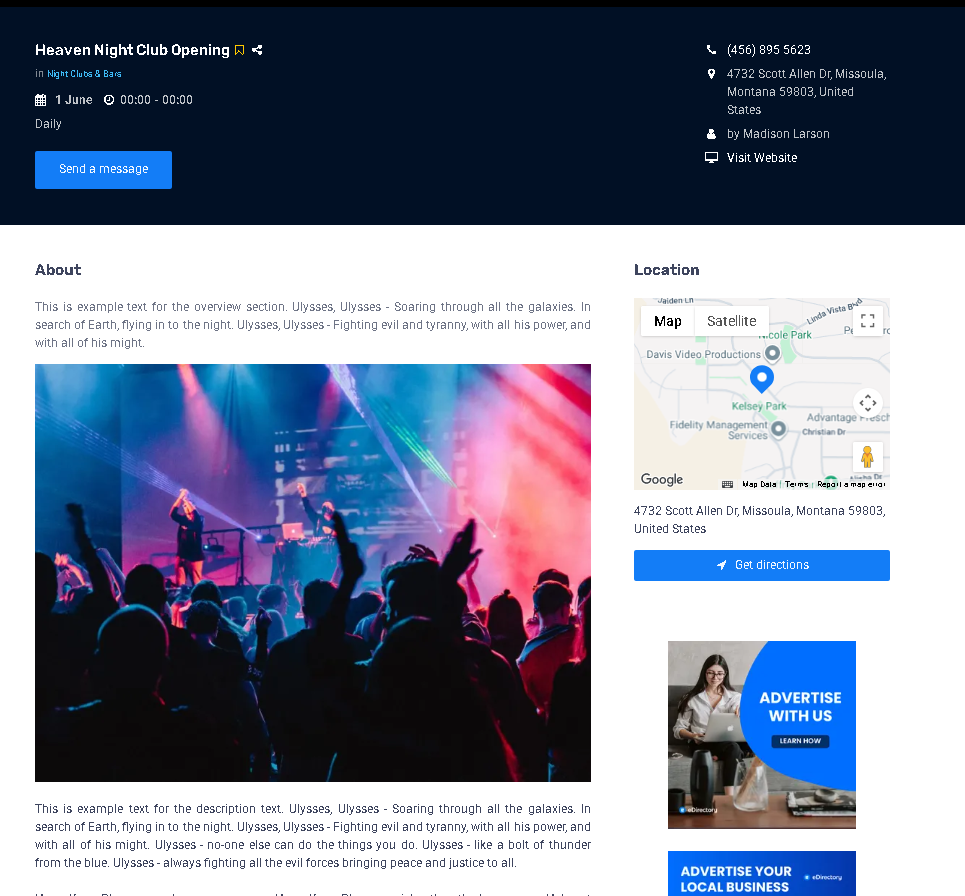
Example of an Event
Demodirectory: https://demodirectory.com/event/heaven-night-club-opening.html
Adding Events as a Site Manager
As a Site Manager, you can create and manage Events directly from your administration area.
To add a new Event:
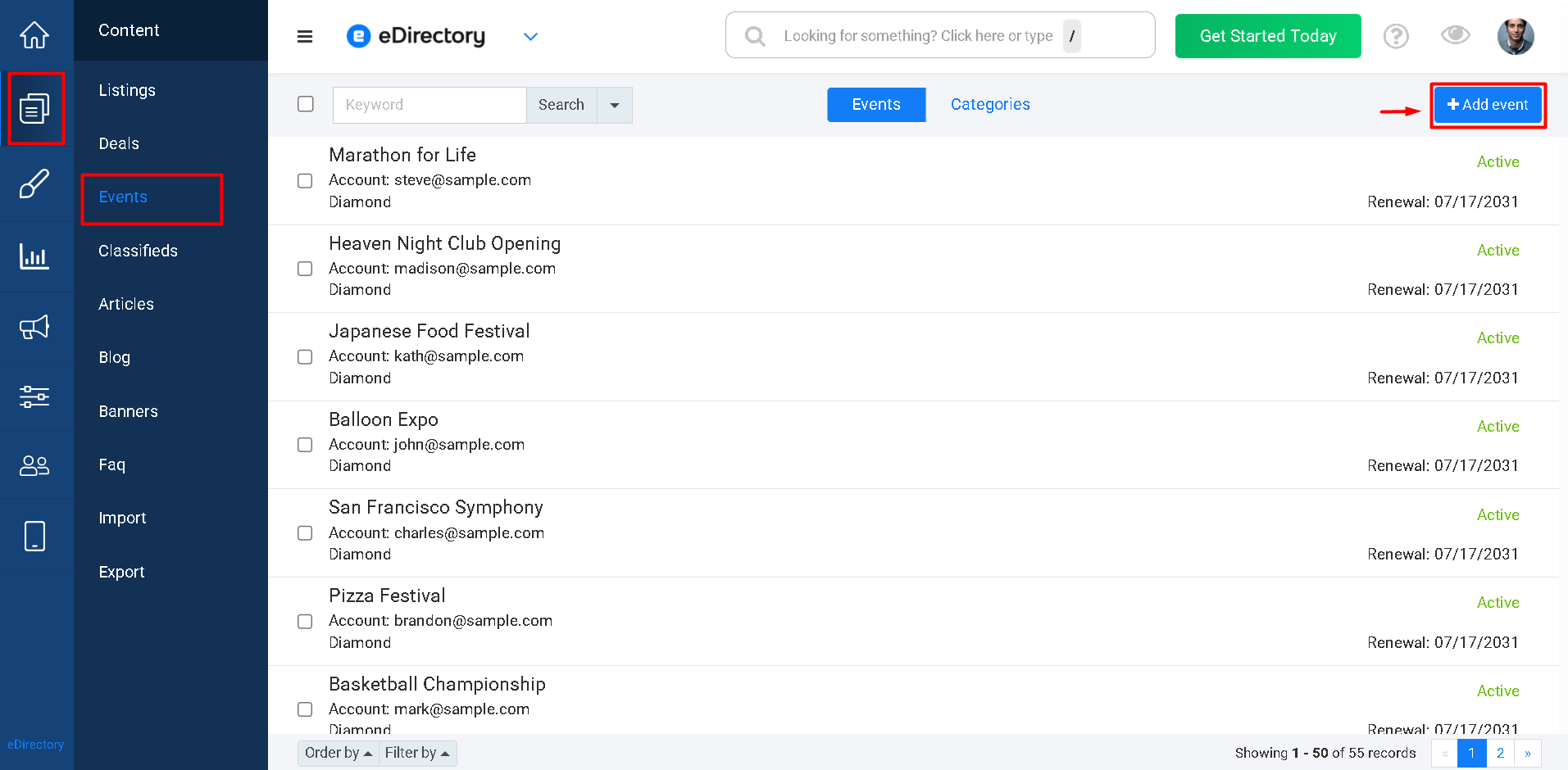
- Log in to your Site Manager.
- Navigate to Content → Events.
- Click Add Event.
- Fill out the desired information.
- Save the Event.
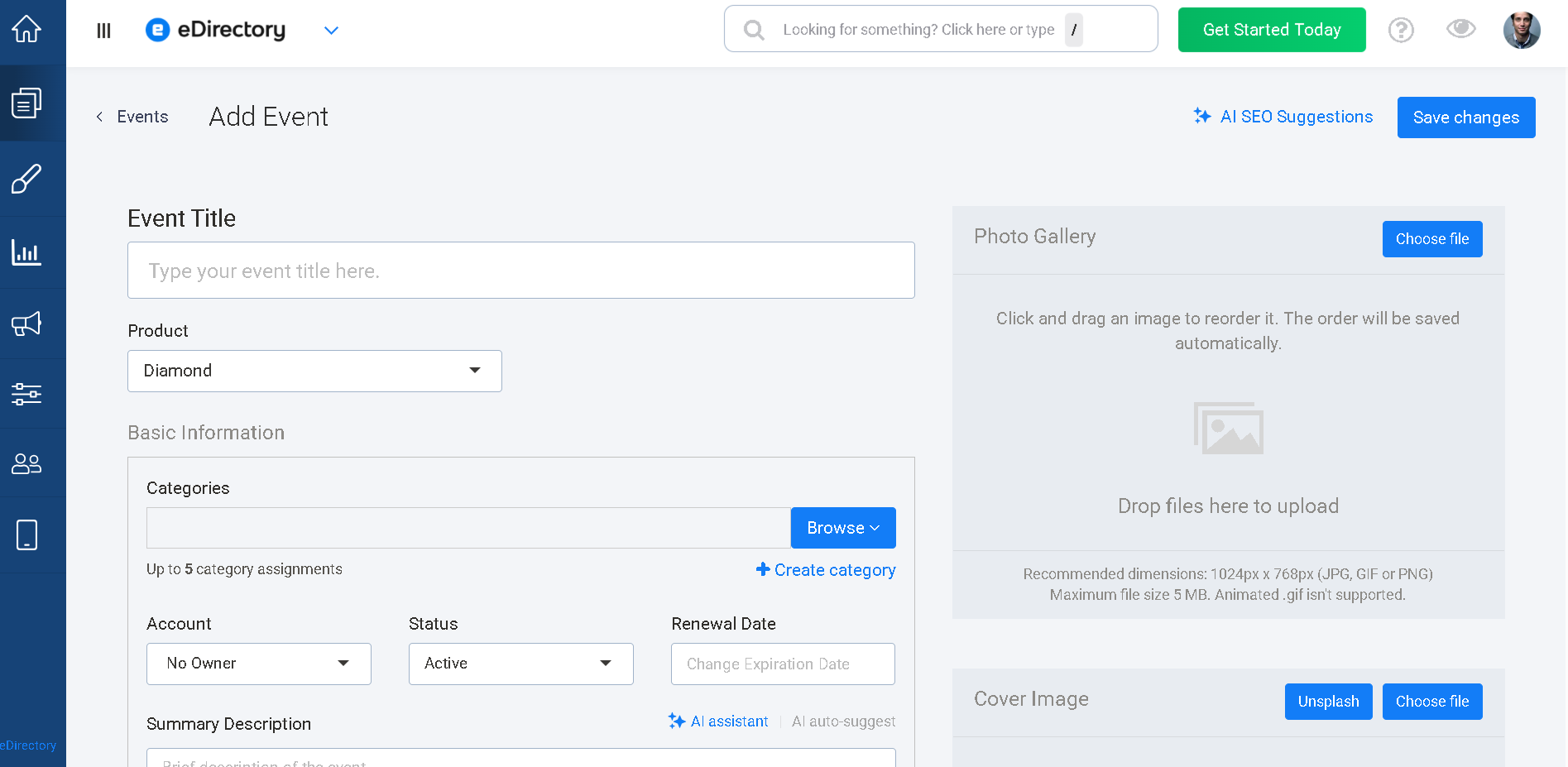
Once saved, the Event will become available on your website according to its status and visibility settings.
Learn More About Event Fields
For a detailed explanation of the fields available when creating an Event, please refer to the following article: How to Add an Event
Conclusion
Events provide an effective way to promote activities, gatherings, and experiences on your eDirectory website. They help organizers share important information such as dates, times, locations, and event details while making it easy for visitors to discover upcoming opportunities.
Whether you're promoting a local community event, a professional conference, a webinar, or a large festival, Events offer a dedicated space to showcase everything attendees need to know. Understanding how Events work will help you create a more engaging and informative experience for your website visitors.