
What Is a Banner in eDirectory?
Have you ever found yourself wondering, "What is a Banner in eDirectory? What is its purpose? How can I use it?" If so, you're in the right place! This article will help you understand what Banners are, how they work, and how they can be used on your directory website.
What Is a Banner?
A Banner is one of the advertising content types available in eDirectory and is designed to display visual advertisements throughout your website.
Banners allow sponsors to promote their products, services, events, websites, or brands through images displayed in strategic locations across your directory.
Unlike Listings, which provide detailed information about a business, or Classifieds, which advertise specific products and services for sale, Banners are primarily designed to attract attention and drive visitors to a desired destination through a visual advertisement.
Banners can be used for a variety of purposes, including:
- Promoting a business or brand
- Advertising products or services
- Promoting special offers and discounts
- Highlighting events
- Driving traffic to a website
- Increasing brand awareness
- Promoting seasonal campaigns
- And much more
When a visitor clicks on a Banner, they can be redirected to a specific URL configured by the advertiser.
What Information Can a Banner Include?
Banners contain several fields that help advertisers create effective visual advertisements and track their performance. A Banner can include:
- Banner title
- Banner image
- Destination URL (link)
- Banner type
- Display location
- Advertiser account
- Impression tracking
Note: Banner layouts and dimensions are predefined by the system and vary depending on the Banner type selected. Unlike other content types such as Listings, Events, Articles, and Classifieds, Banners do not have their own detail pages. Instead, they are displayed throughout the website in designated banner areas.
Most Banner fields, such as the Banner Title (Caption), are used primarily for organization and management purposes within the administrative area and are not displayed to visitors on the frontend. In most Banner types, visitors will only see the Banner image itself.
The exception is the Sponsored Links Banner type, which displays the text entered by the advertiser as a clickable advertisement. When visitors click the Sponsored Link, they are redirected to the destination URL configured for the Banner.
To learn more about the available Banner types and where each Banner can be displayed on your website, please refer to the following article: Banners
These fields help sponsors measure the performance of their advertisements and direct visitors to their desired destination.
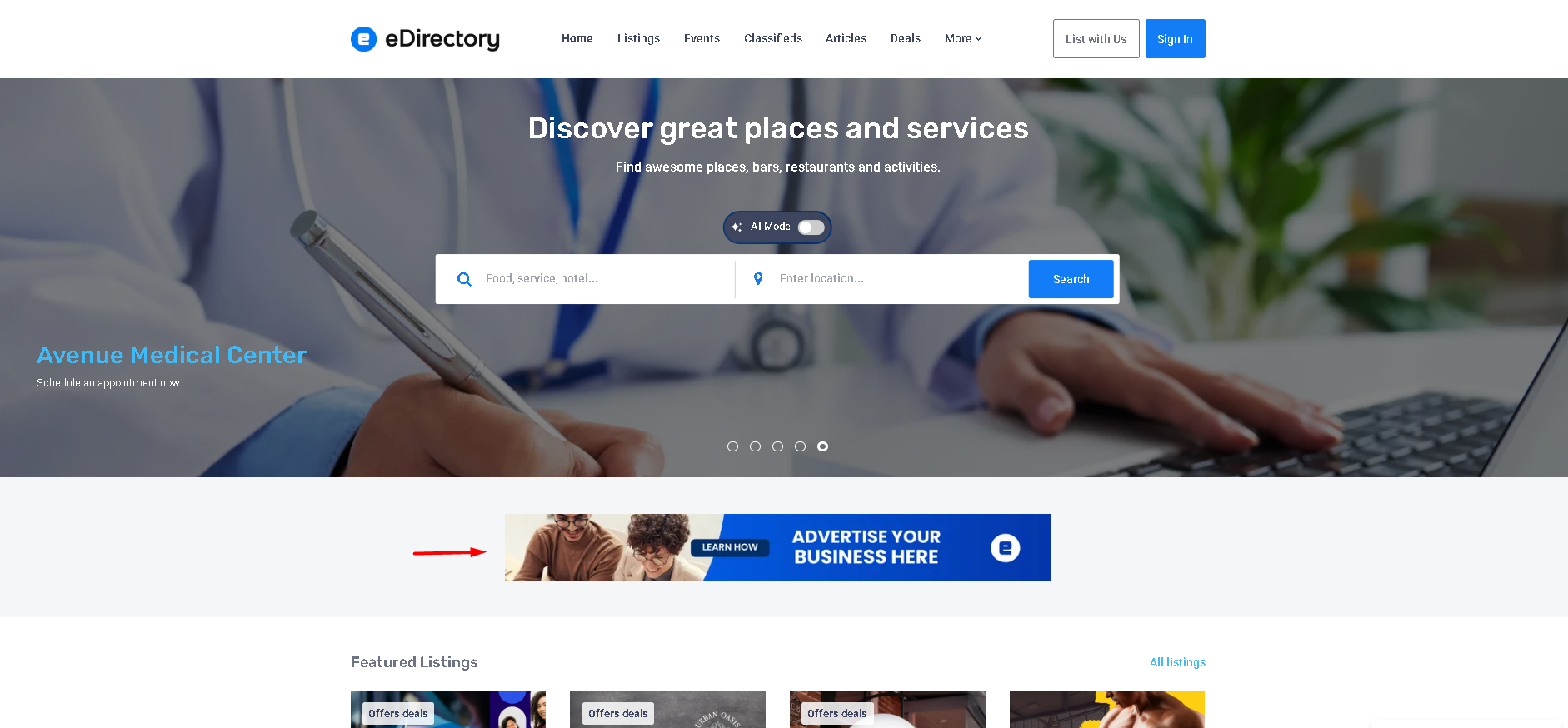
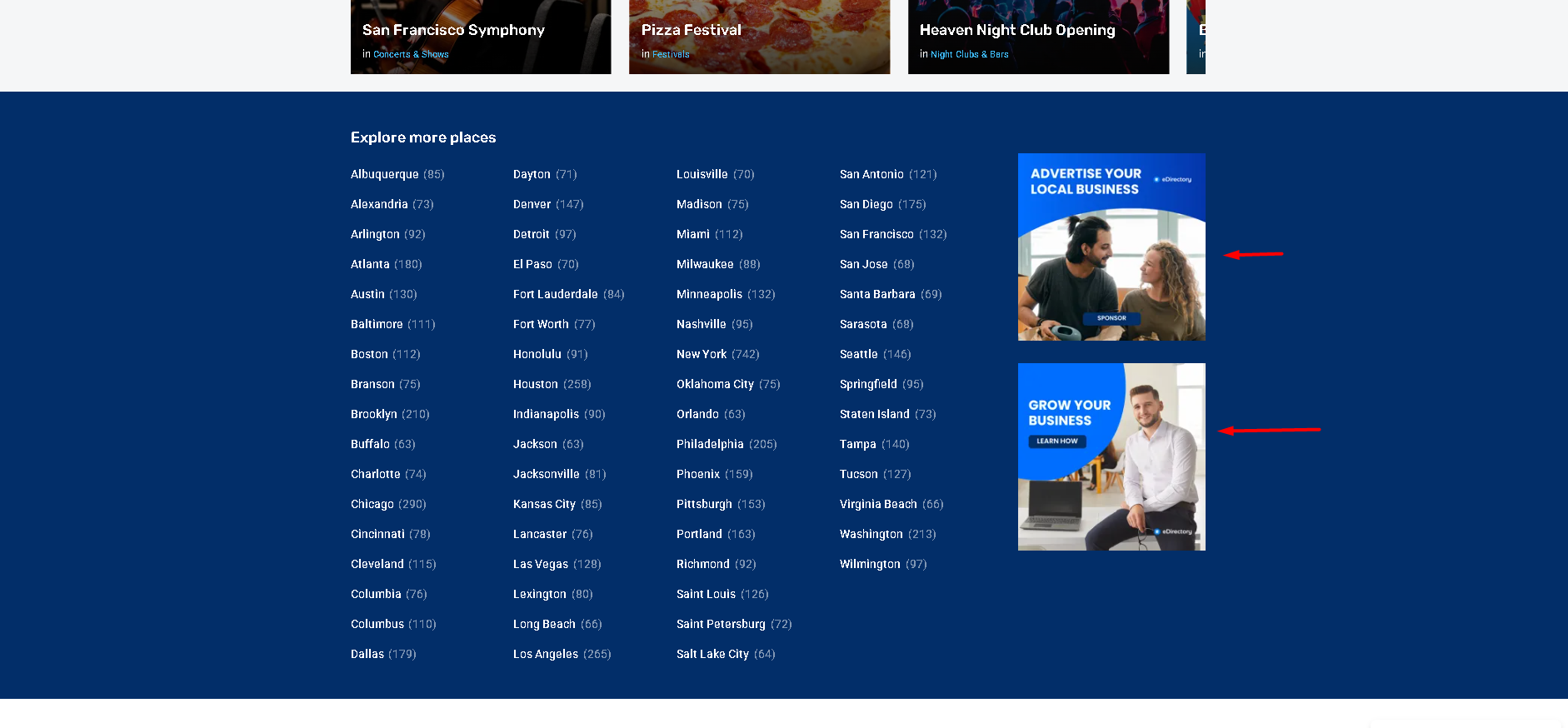
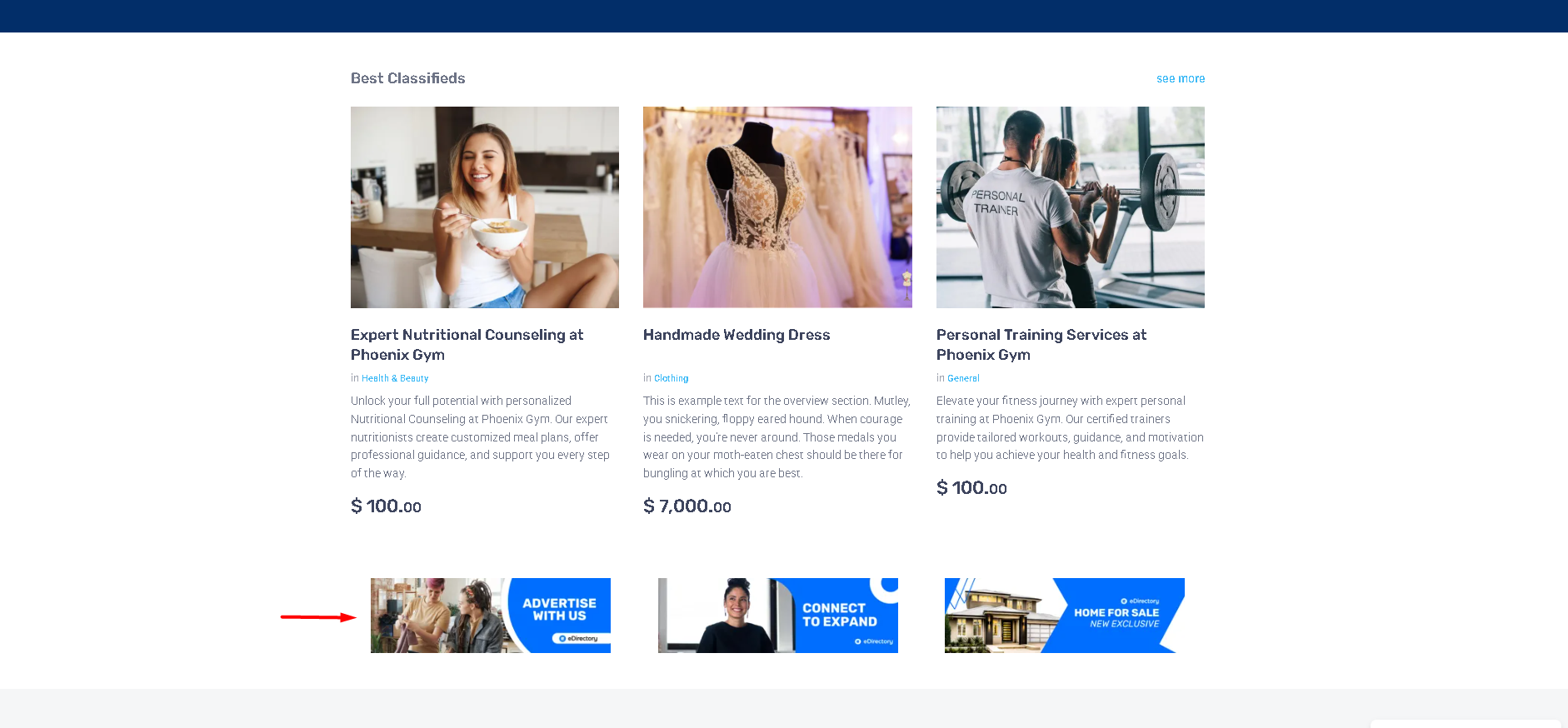
Example of Banners
Leaderboard banner
Square banners
Large Mobile Banners
Sponsored links banners
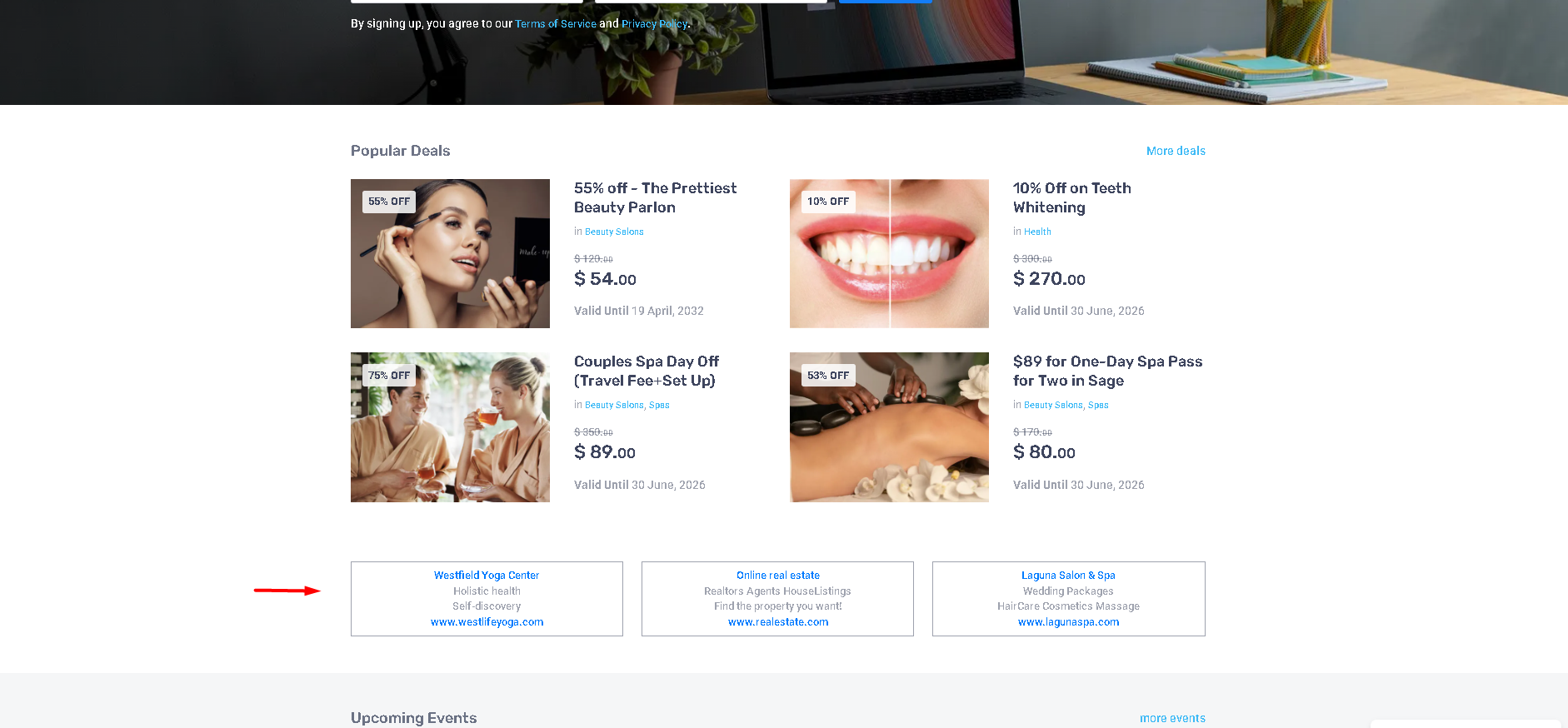
Banners can appear in multiple locations throughout the site, depending on where Banner widgets have been added in the Page Editor. Find out more about banner placement in this article: Banners
Adding Banners as a Site Manager
As a Site Manager, you can create and manage Banners directly from your administration area.
To add a new Banner:
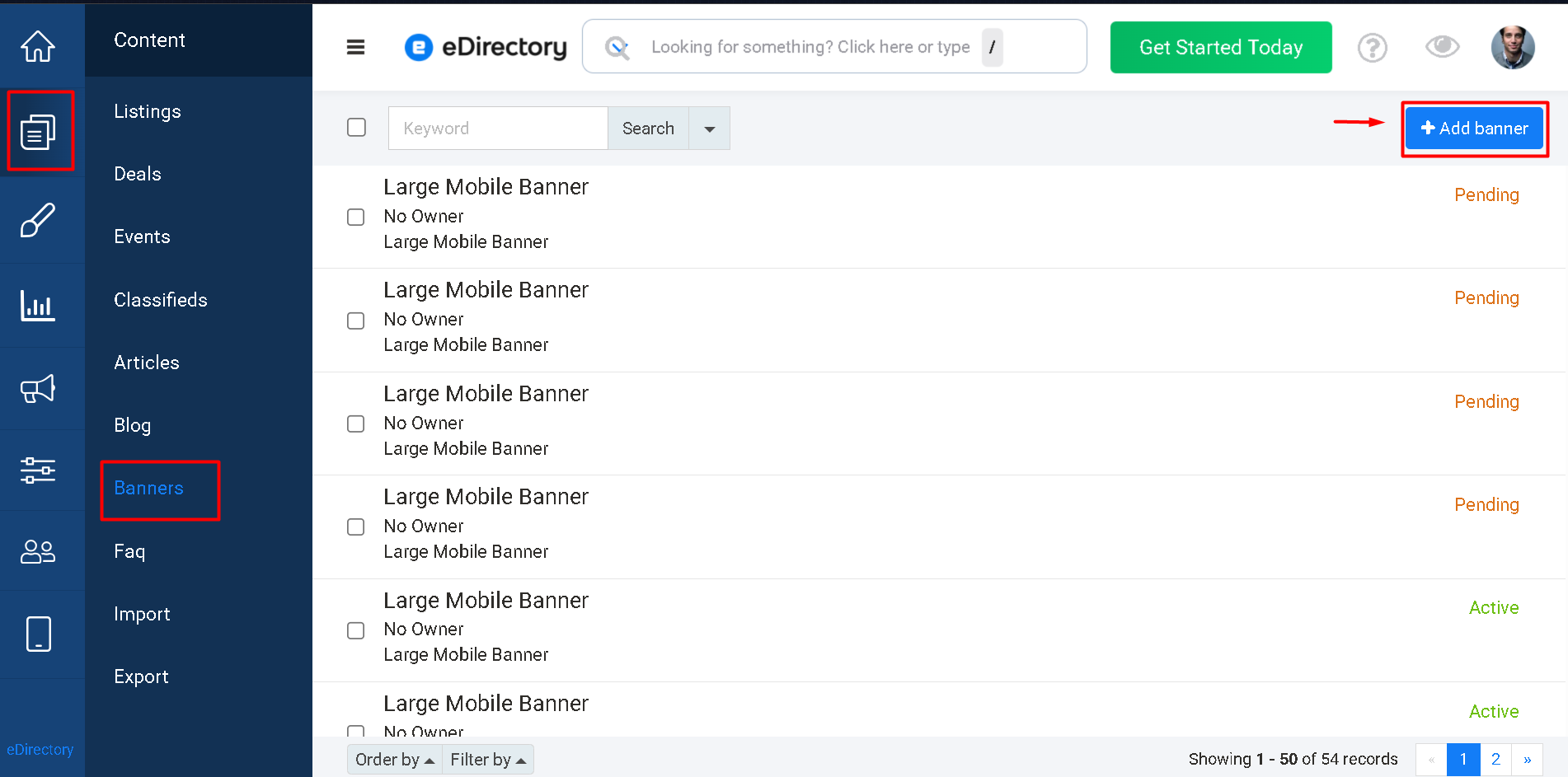
- Log in to your Site Manager.
- Navigate to Content → Banners.
- Click Add Banner.
- Select the desired Banner type.
- Upload the Banner image.
- Configure the destination URL and additional settings.
- Save the Banner.
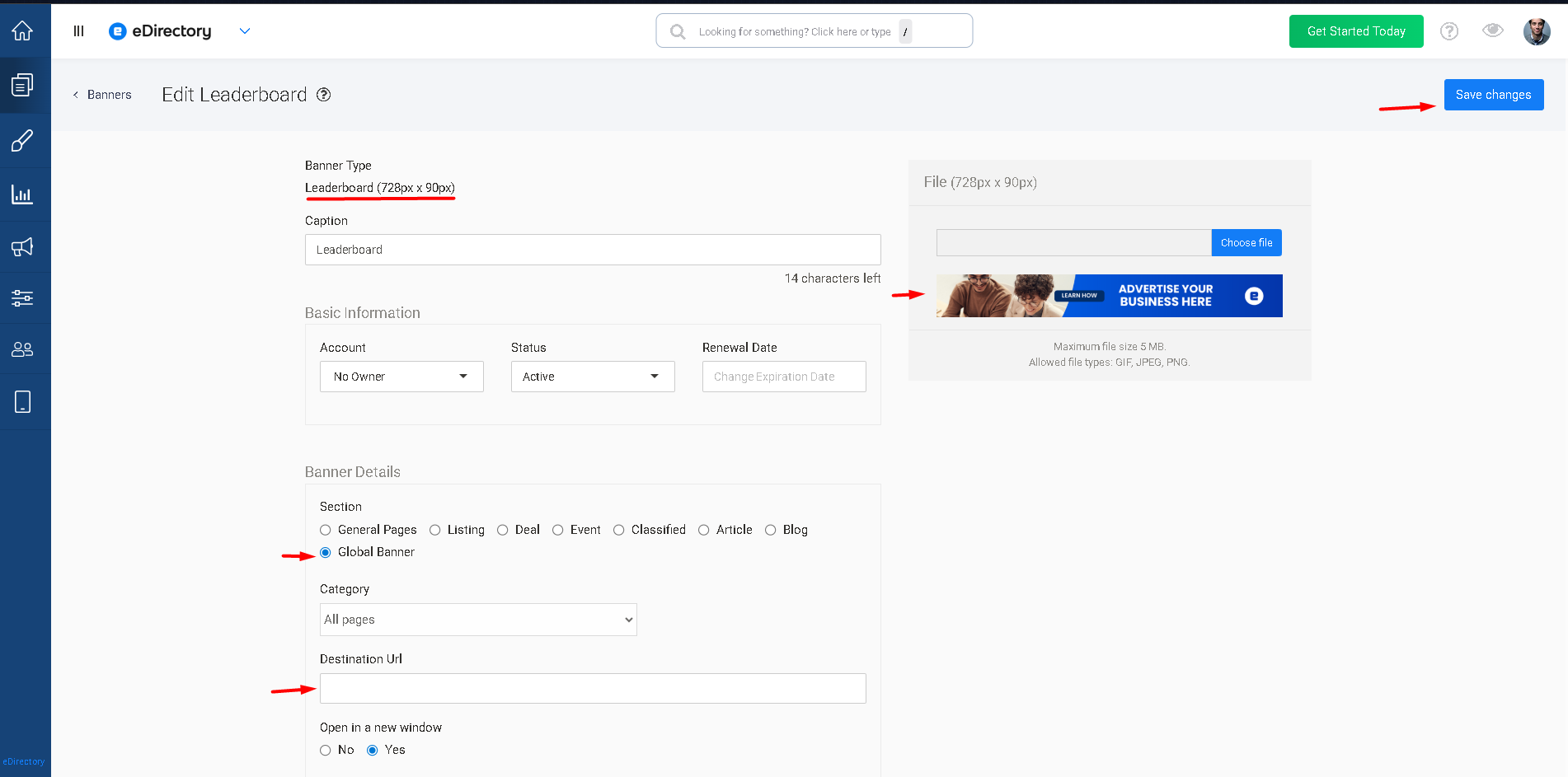
Once saved, the Banner will become available on your website according to its status, package level, and visibility settings.
How Are Banners Displayed on the Website?
Banners are displayed through Banner widgets added to pages in the Page Editor.
Different Banner widgets can be placed throughout the website, allowing advertisements to appear in locations such as:
- Homepage
- Search results pages
- Listing detail pages
- Event detail pages
- Article pages
- Sidebar areas
- Custom pages
The placement of Banner widgets determines where advertisements will appear to visitors.
Learn More About Banner Fields
For a detailed explanation of the fields available when creating a Banner, please refer to the following article: How to Add a Banner
Banner Display and Rotation
eDirectory uses a random banner rotation system based on page views, rather than a time-based rotation. This means that multiple active banners can be assigned to the same banner placement, and different banners may be displayed in the same location on the page at different times.
Whenever a visitor loads or refreshes a page, eDirectory randomly selects one eligible banner for each banner placement. To be eligible for display, the banner must be:
- Active;
- Assigned to the corresponding banner placement or size; and
- Within its configured validity period.
For example, if three active banners are configured for the same banner placement, any one of those banners may be selected when the page is loaded. Another visitor loading the same page, or the same visitor refreshing the page, may be shown a different banner.
There is no automatic time interval that causes a banner to change while the visitor remains on the same page. Once a banner has been selected, it remains displayed until the page is loaded or refreshed again. At that point, the system performs a new random selection.
How can I make sure my banner is being displayed?
Banner display cannot be guaranteed on every individual page view because the selection is random among all eligible banners. Therefore, not seeing a specific banner during a particular visit does not mean that the banner is not being displayed.
The same banner may be displayed to one visitor while another visitor, using a different device or accessing the page at a different time, sees another banner in the same placement. Over multiple page views, eligible banners are rotated through the available impressions.
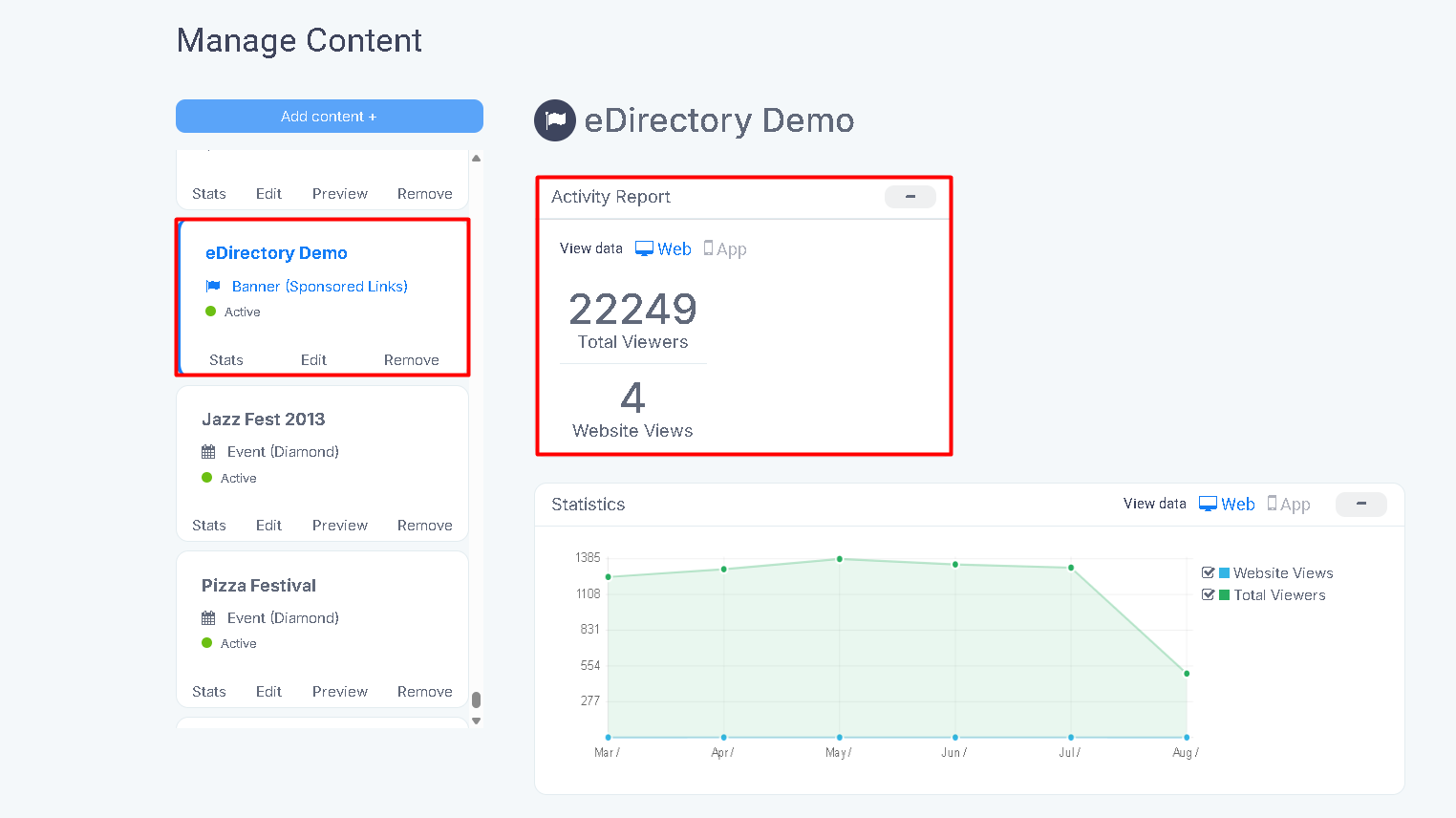
Banner owners can verify their banner's exposure through their Sponsor Dashboard, where they can monitor the number of impressions (views) received by their banner. The impression count is the appropriate way to confirm that a banner is being displayed over time.
Note: Would you like to learn how to configure Banner Placements? Please refer to our detailed guide here: Banners
Conclusion
Banners provide a powerful way to generate advertising revenue and increase visibility for businesses, products, services, and events on your eDirectory website. By displaying visual advertisements in strategic locations throughout the site, Banners help attract visitor attention and drive traffic to important content.
Whether you're selling advertising space to sponsors or promoting your own campaigns, Banners offer a flexible and effective way to monetize your directory and increase engagement across your website.