
What Is a Blog in eDirectory?
Have you ever found yourself wondering, "What is a Blog in eDirectory? What is its purpose? How can I use it?" If so, you're in the right place! This article will help you understand what Blogs are, how they work, and how they can be used on your directory website.
What Is a Blog?
A Blog is one of the content types available in eDirectory and is designed to publish informational, educational, editorial, and promotional content directly from the Site Manager area.
Blogs provide website owners with a dedicated space to share updates, announcements, industry insights, educational resources, and other content that helps keep visitors informed and engaged.
Like Articles, Blogs are intended to provide valuable written content to your audience. However, there is one important distinction:
Blogs can only be created and managed by the Site Manager.
Unlike Articles, which can be offered through packages and plans to allow sponsors or users to submit their own content, Blog posts cannot be sold or assigned to users. All Blog content is created and managed exclusively by the website administrator.
Blogs can be used for a wide variety of purposes, including:
- Company announcements
- Industry news
- Educational content
- How-to guides
- Website updates
- Marketing campaigns
- Community news
- Tips and recommendations
- Opinion pieces
- Resource collections
- And much more
Blogs help keep your website updated with fresh content while providing useful information to your audience and improving visitor engagement.
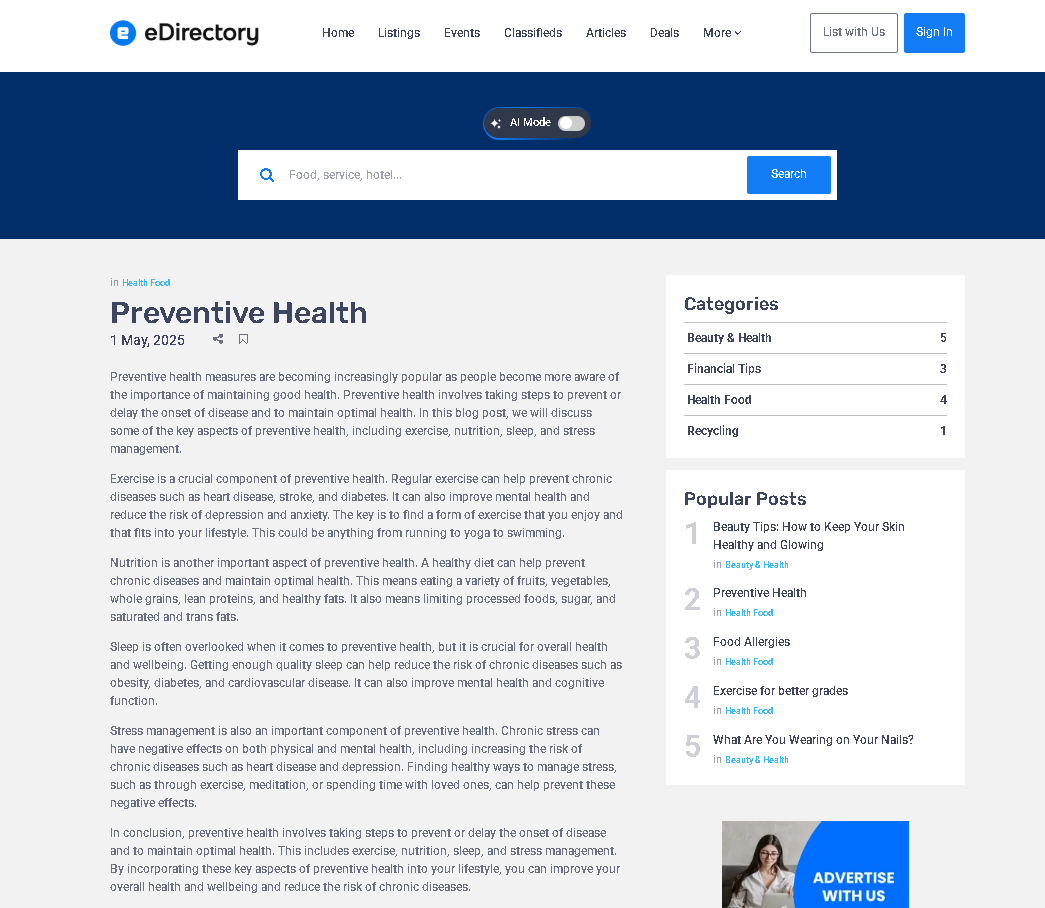
Each Blog post has its own dedicated page where visitors can read the full content and learn more about the topic being discussed.
What Information Can a Blog Include?
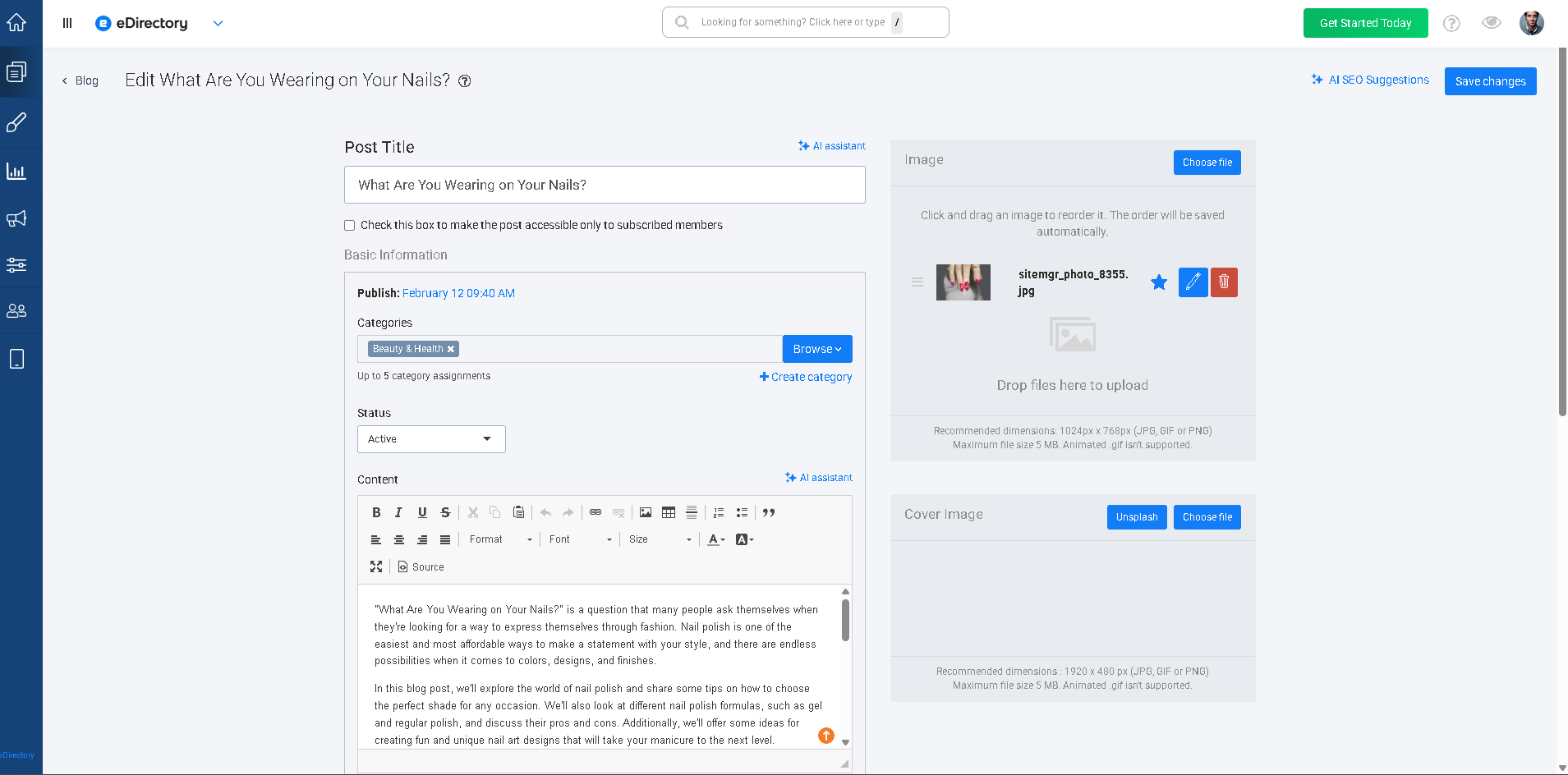
Blogs contain several fields that allow Site Managers to create engaging content. A Blog post can include:
- Blog title
- Summary or abstract
- Full blog content
- Publication date
- Categories and subcategories
- Images
- SEO information
Note: Like Articles, Events, and Classifieds, Blogs do not support custom fields or customizable templates. The available fields and layout are predefined by the system.
Since Blogs are managed exclusively by the Site Manager, they are commonly used for official website communications, announcements, educational content, and marketing initiatives.
Adding high-quality content and media can help improve visitor engagement and provide additional value to your audience.
Example of a Blog Post
Demodirectory: https://demodirectory.com/blog/preventive-health.html
Adding Blog Posts as a Site Manager
As a Site Manager, you can create and manage Blog posts directly from your administration area.
To add a new Blog post:
- Log in to your Site Manager.
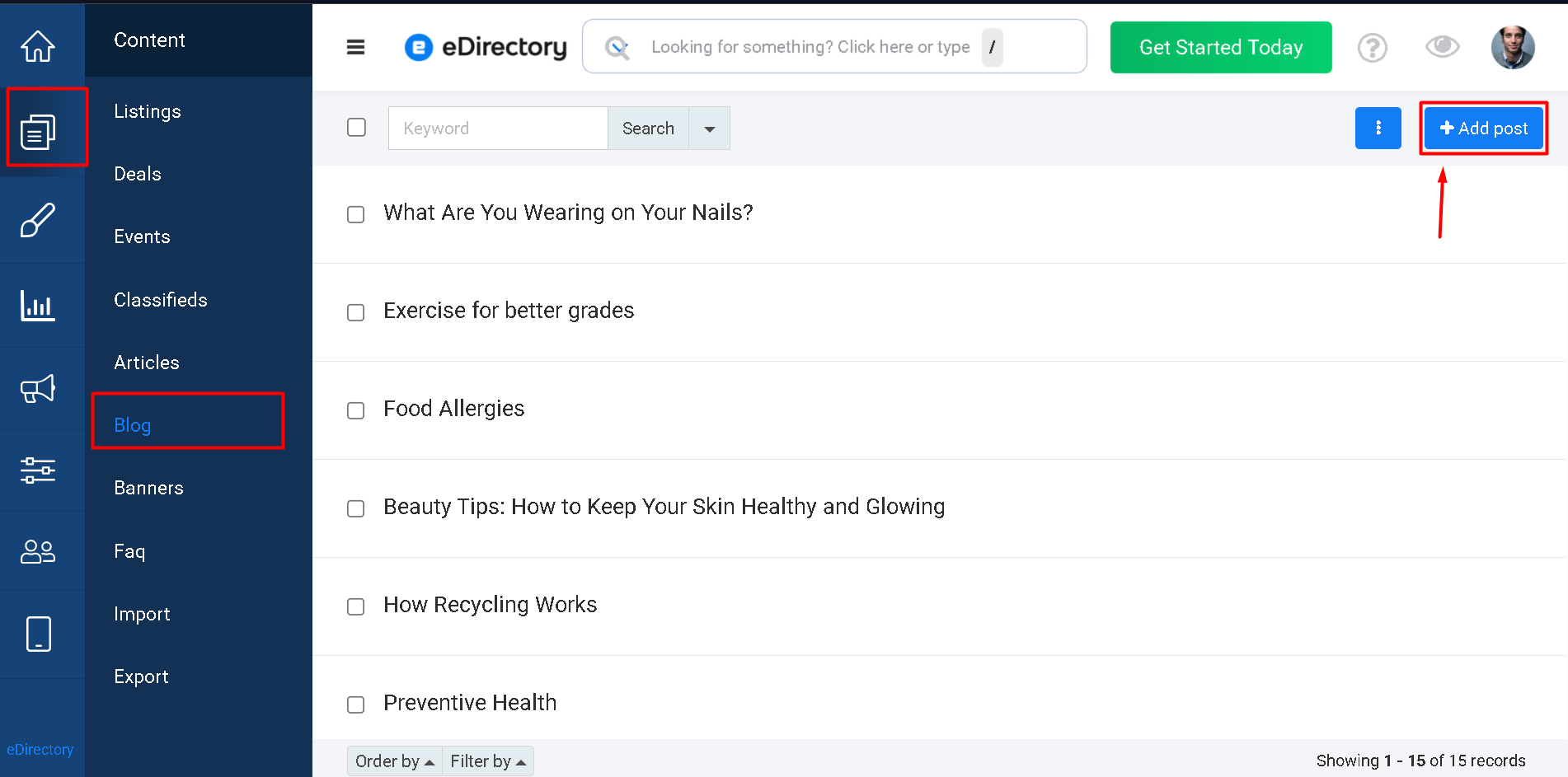
- Navigate to Content → Blog.
- Click Add Post.
- Fill out the desired information.
- Save the Blog post.
Once saved, the Blog post will become available on your website according to its status and visibility settings.
Learn More About Blog Fields
For a detailed explanation of the fields available when creating a Blog post, please refer to the following article: How to Add a Blog Post
Conclusion
Blogs provide a powerful way for Site Managers to communicate directly with their audience, share valuable information, and keep their websites updated with fresh content. Whether you're publishing company announcements, educational resources, industry news, or marketing content, Blogs help build engagement and establish credibility with your visitors.
Unlike Articles, which can be offered to users through packages and plans, Blogs remain exclusively under the control of the Site Manager, making them the ideal content type for official website communications and editorial content.