
How to Enable Category Selection in Search Widgets (eDirectory v14.3)
Introduction
eDirectory v14.3 introduces an improvement to the Search Bar and Search Box widgets, allowing visitors to filter their searches by category directly on your website.
With this feature, you can add a category selector to your search widgets, making it easier for visitors to find listings and other content available in your directory.
In this article, you will learn how to enable this option and understand how the category selector works.
1. Enabling Category Search
Category search can be enabled directly in the settings of the Search Bar and Search Box widgets through the Page Editor.
Follow these steps:
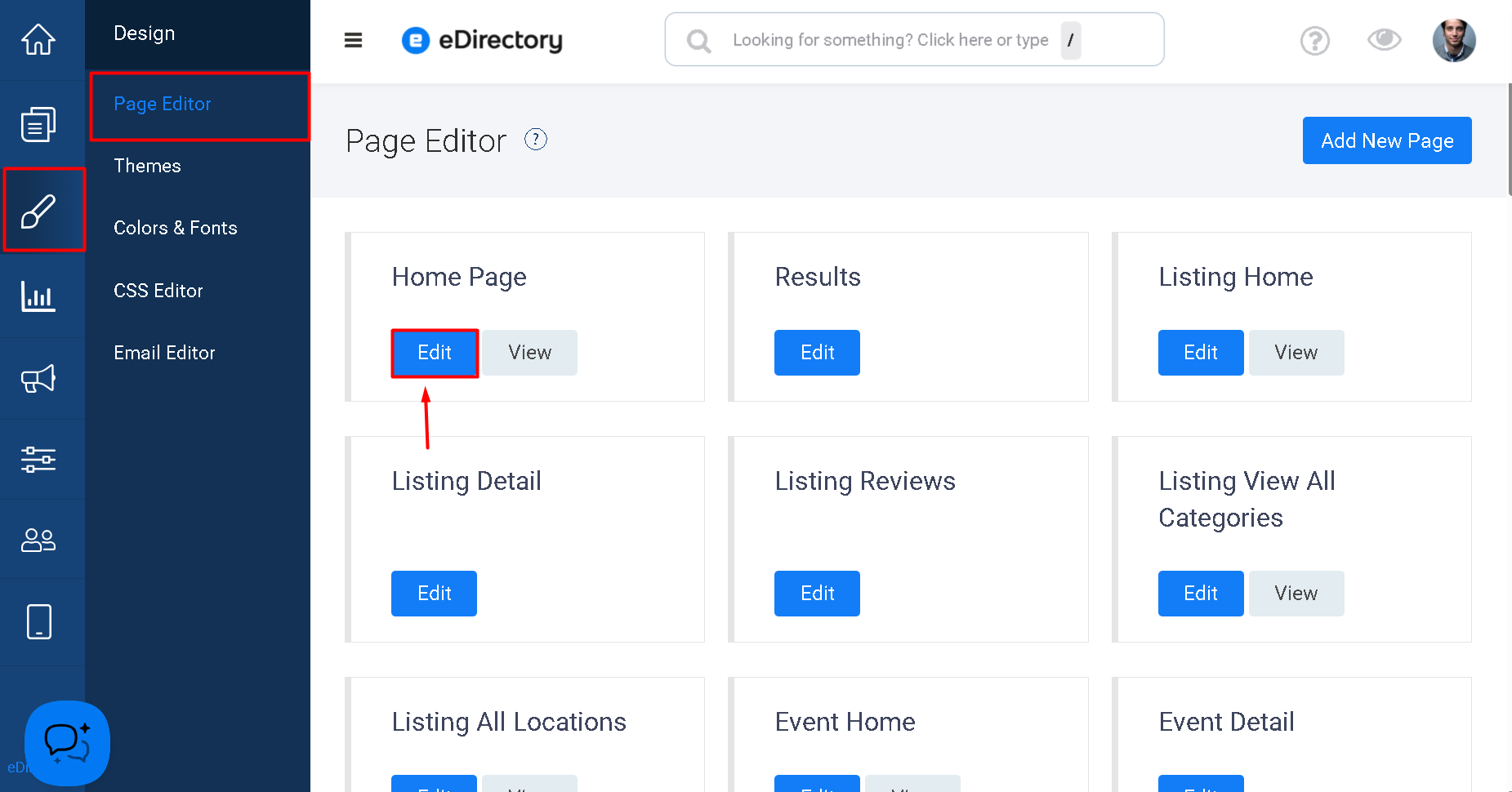
- Go to Design > Page Editor.
- Open the page containing the search widget you want to configure by clicking Edit.
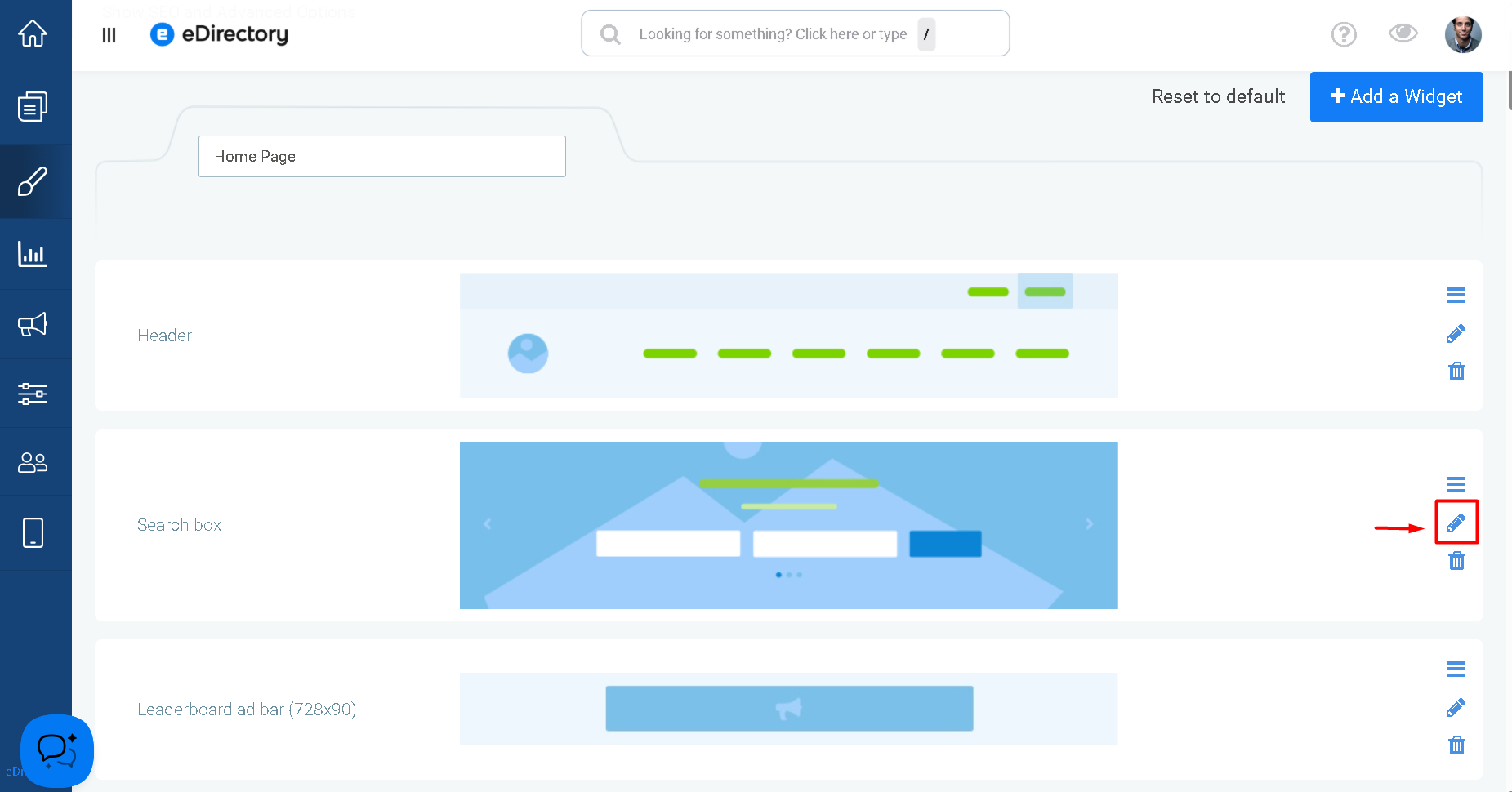
- Locate the Search Bar or Search Box widget.
- Click the edit icon to open the widget settings.
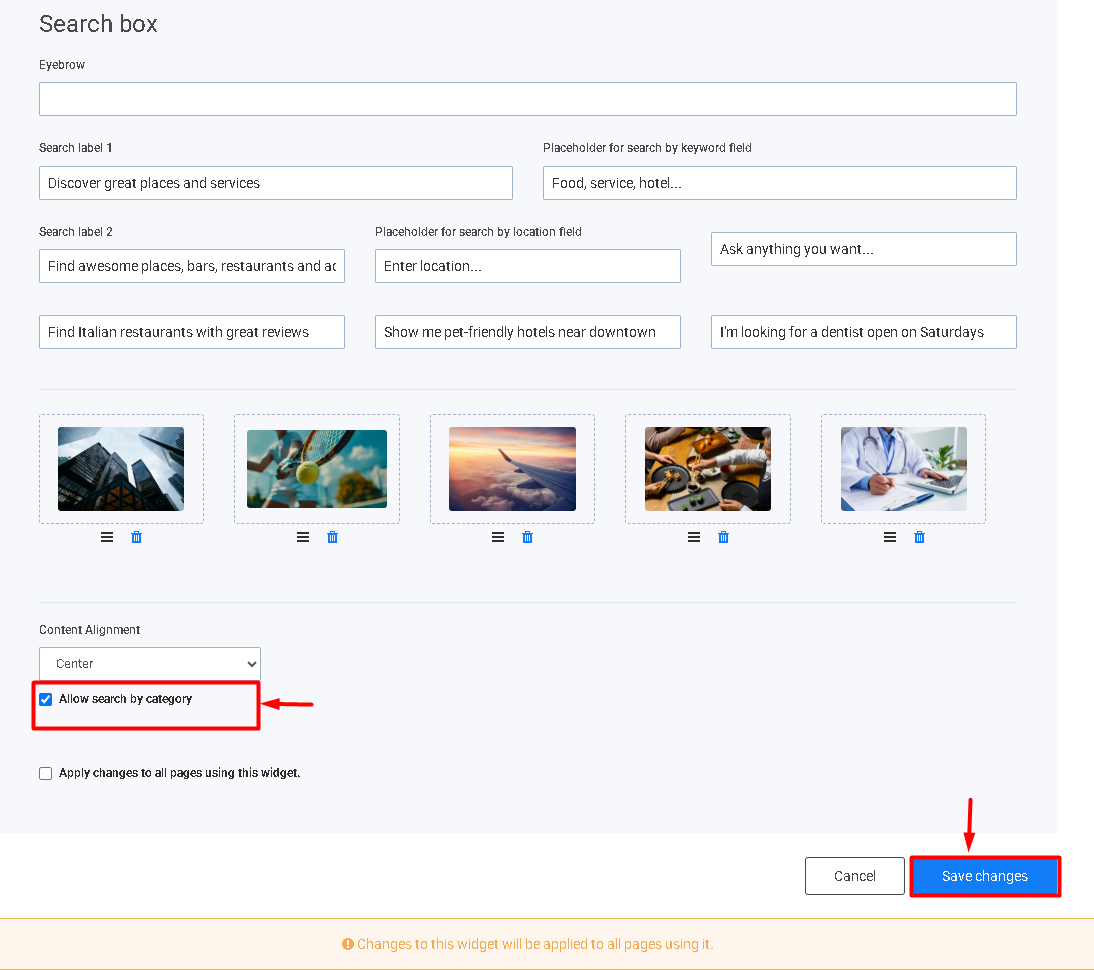
- Find the Allow category search option.
- Check the option to enable the category selector.
- Save the widget settings and then save the page changes.
Repeat this process for each widget where you want to make category search available.
2. How Does the Category Selector Work?
Once the Allow category search option is enabled, the widget displays a category selector alongside the existing search fields.
The selector displays categories from modules that participate in the search and already have items associated with them.
This allows visitors to select a category before performing a search, making it easier to find specific content on your website.

3. Which Categories Are Displayed?
The selector does not necessarily display every category registered on your website.
It only includes categories that meet both of the following conditions:
- Featured: The category must be marked as featured in its settings.
- Has associated items: The category must have at least one item associated with it.
For more details on how to configure category visibility, check out our article: How to Add a Category in eDirectory.
This ensures that the selector displays relevant categories for the content visitors can find through the search functionality.
4. Important Information
Keep the following points in mind when configuring this feature:
- Disabled by default: The Allow category search option is unchecked by default. You must manually enable it for each widget where you want to offer this functionality.
- Supported widgets: This feature is available for the Search Bar and Search Box widgets.
- Available categories: The selector only displays categories that are marked as featured and have at least one associated item.
- Default behavior: When the option remains unchecked, the search continues to work normally, using only the existing text fields.
Conclusion
Category search in eDirectory v14.3 gives visitors an additional way to find content in your directory.
By enabling the Allow category search option in the Search Bar and Search Box widgets, you allow visitors to filter their searches by available categories, making the search experience more practical and organized.