
How to Display Instant Messaging Options on Listings (eDirectory v14.3)
Introduction
eDirectory v14.3 introduces a visual improvement to the existing Instant Messaging Plugin, giving supported messaging integrations greater visibility throughout your website.
With this update, messaging options such as WhatsApp, Facebook Messenger, and Telegram are displayed more prominently on listing cards and listing detail pages, making it easier for visitors to contact businesses through their preferred messaging platforms.
If you already have the Instant Messaging Plugin installed and configured, no additional setup is required. The new display behavior is automatically available after upgrading to eDirectory v14.3.
1. Where Are the Messaging Options Displayed?
After upgrading to eDirectory v14.3, the messaging options configured for your listings will receive greater visibility in the following areas:
- Listing Cards: Messaging icons are displayed on listing cards, including the Summary View on search results pages and listing thumbnails.
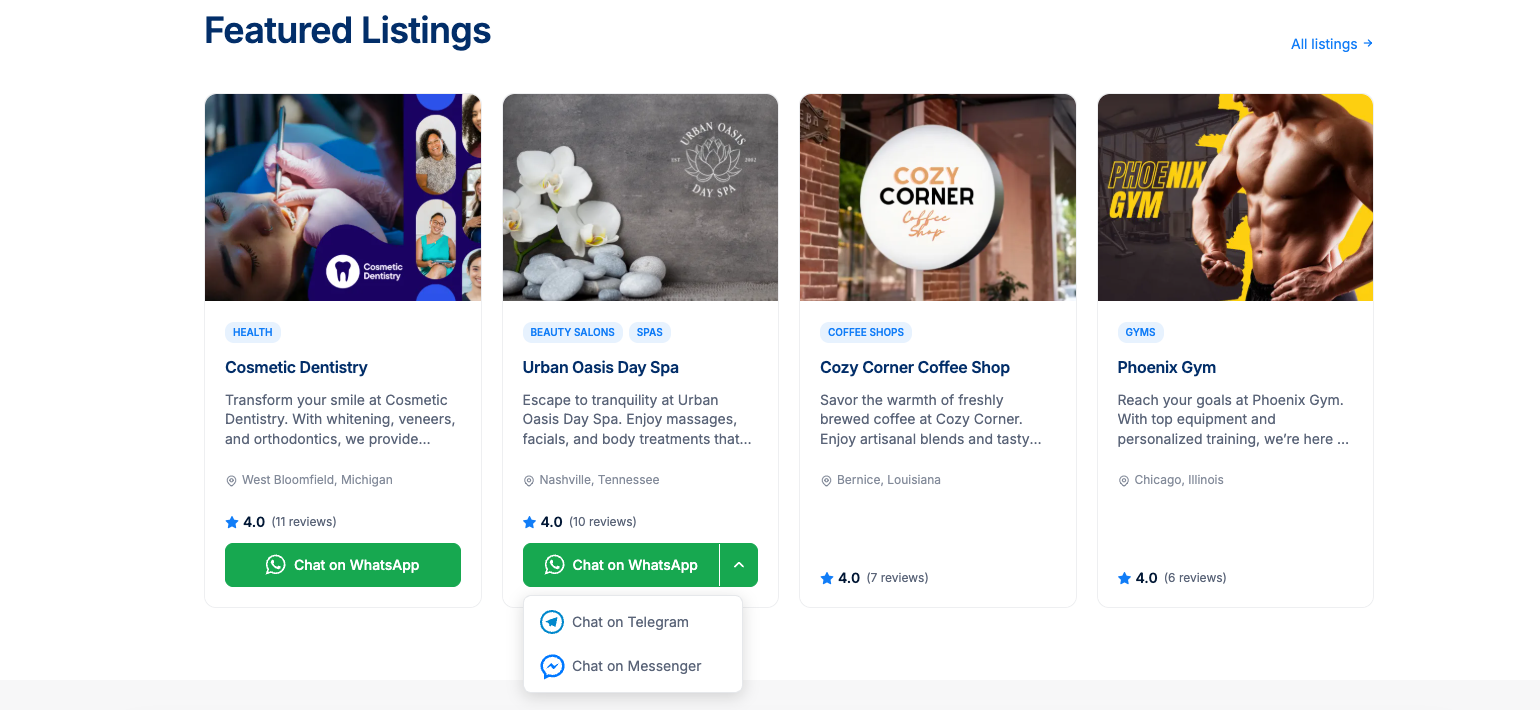
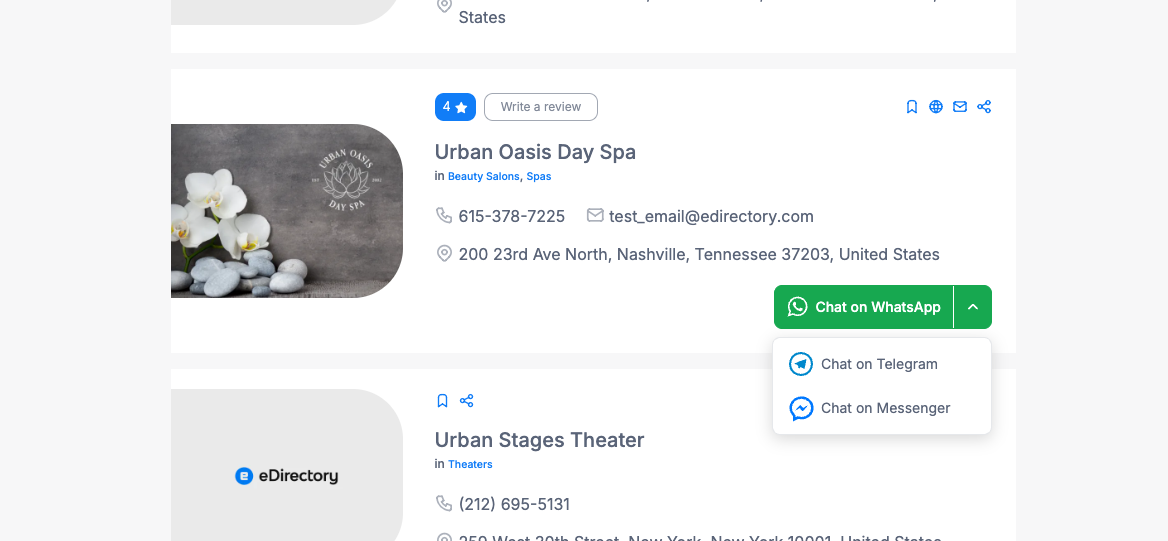
- Listing Detail Pages: Messaging options appear in the page header, alongside the other available contact actions.
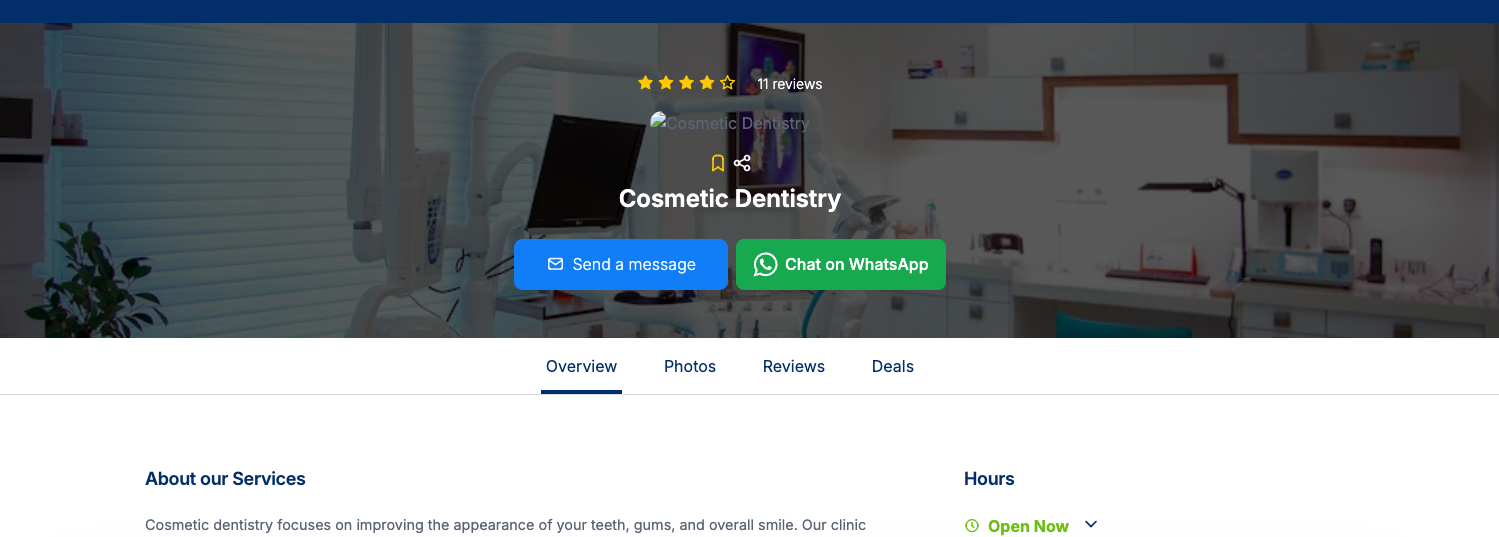
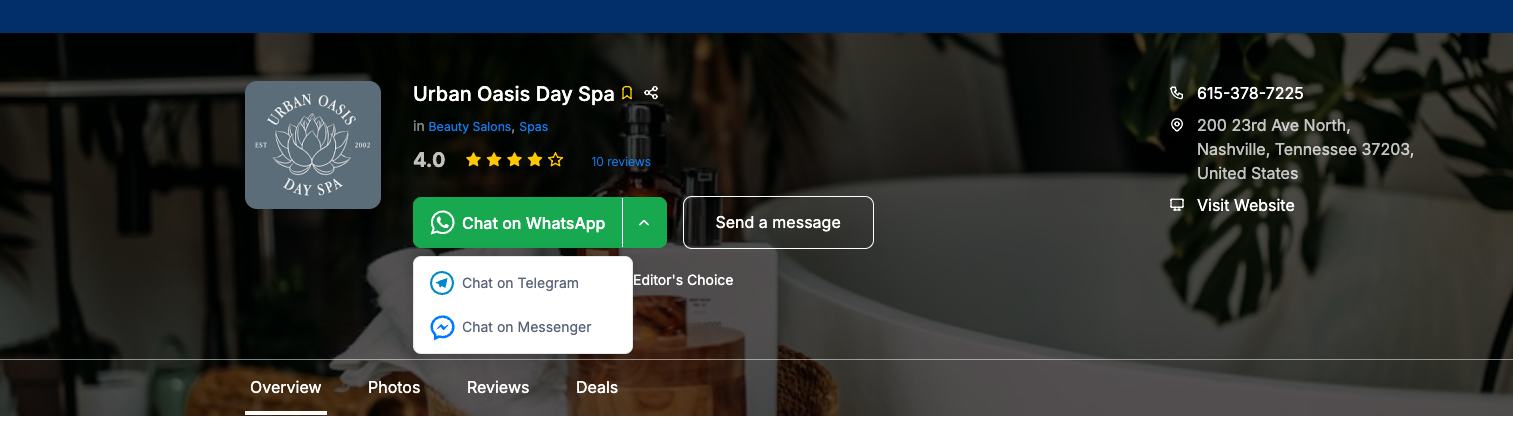
Supported messaging integrations include:
- Facebook Messenger
- Telegram
The messaging icons are displayed using their respective brand colors, making them easier for visitors to recognize.
2. Is Any Additional Configuration Required?
No. This is a visual improvement to the existing Instant Messaging Plugin, so there are no new fields or settings to configure.
If you already have the plugin installed, your existing messaging integrations will automatically benefit from the updated display after upgrading to eDirectory v14.3.
The website will continue using the messaging information already configured for each listing.
3. Requirements and Important Information
Keep the following points in mind:
- Plugin required: The Instant Messaging Plugin must be installed on your eDirectory website for this functionality to be available. If you do not have the plugin, you can purchase it here: Instant Messaging Plugin
- Messaging integration required: A listing must have at least one supported messaging option configured to display the corresponding icon.
- Existing configuration: If you already have the plugin installed and configured, no additional action is necessary after upgrading to eDirectory v14.3.
- Listing level and paywall: The display of messaging options respects the listing's product level and the website's paywall settings.
- No configured messaging options: If the plugin is not installed or a listing does not have any messaging integration configured, the website's display remains unchanged.
4. How to Configure the Instant Messaging Plugin
If you already have the Instant Messaging Plugin installed but have not configured it yet, follow our step-by-step instructions in this article: Instant Messenger Plugin.
This guide explains how to configure the supported messaging integrations for your listings.
Conclusion
The eDirectory v14.3 update makes existing messaging integrations more visible, helping visitors connect with businesses more easily through WhatsApp, Facebook Messenger, and Telegram.
If the Instant Messaging Plugin is already installed and configured on your website, no additional setup is needed. Simply upgrade to eDirectory v14.3 to benefit from the improved visual display.