
eDirectory Vocabulary: Understanding Common Terms
Introduction
Like any powerful platform, eDirectory has its own vocabulary and terminology that you may encounter while building, managing, and growing your directory website.
Understanding these terms will help you navigate the platform more confidently, communicate more effectively with our support team, and better understand the features and tools available to you.
In this article, we'll explain some of the most common eDirectory terms and what they mean.
Plugin
A Plugin is an additional feature that can be purchased and installed on your website.
Your eDirectory site comes with a wide range of built-in features right out of the box. However, if you need additional functionality, you can enhance your website by purchasing plugins from our Mod Store.
Plugins require a one-time payment and each plugin provides a specific functionality that extends the capabilities of your website.
You can browse all available plugins in our Mod Store here: eDirectory Mod Store
You can also find detailed instructions and documentation for each plugin here: eDirectory Plugins
Want to see which plugins are currently installed on your website? Check out this article: How to View Your Installed Plugins
Add-on
An Add-on is an additional website that operates under your main eDirectory installation.
When you have add-ons, you can manage multiple websites from a single Site Manager account. To switch between websites, simply use the website selector located at the top of the Site Manager area.
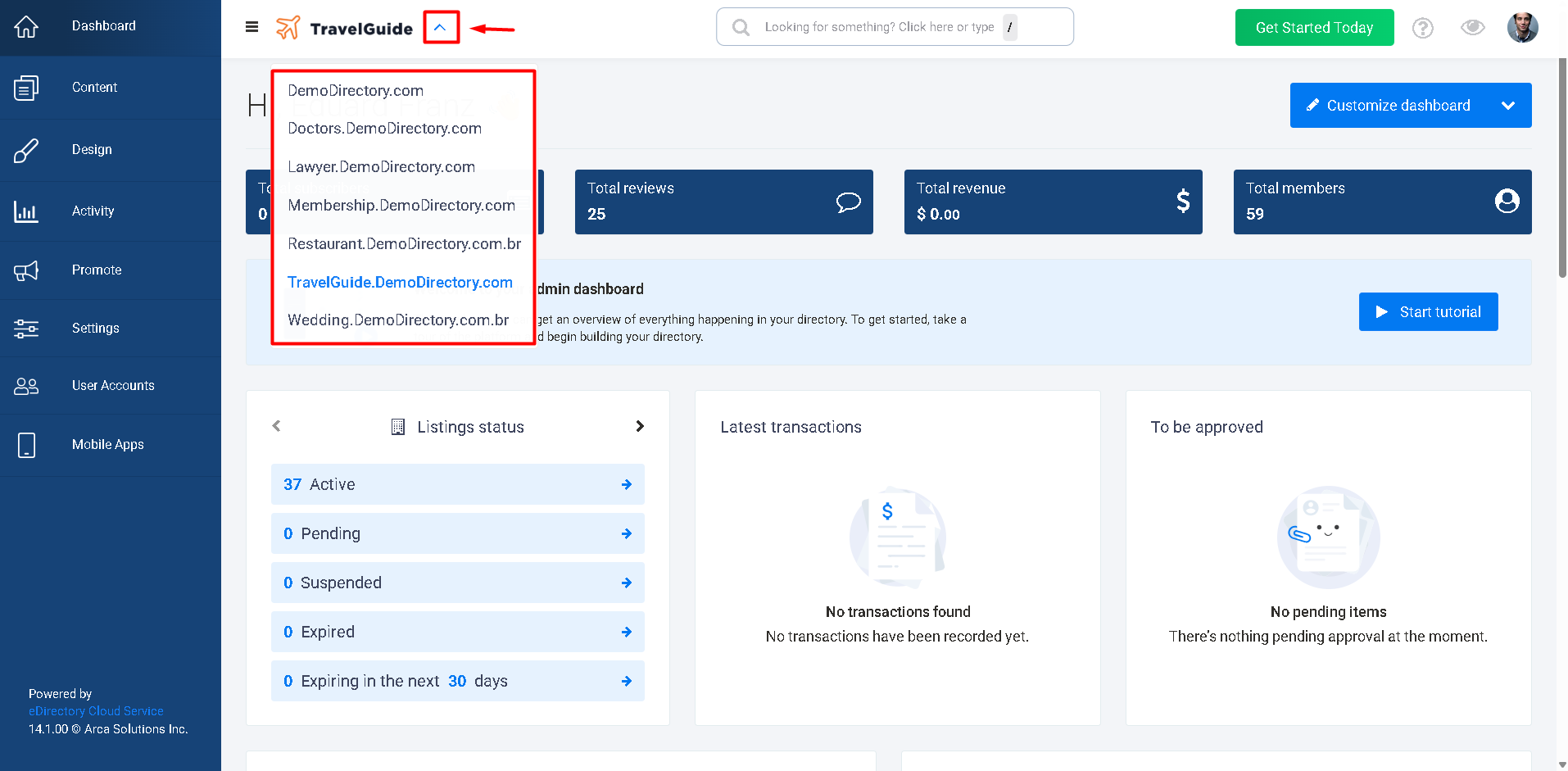
Although each add-on is a separate website with its own:
- Content
- Design
- Pages
- Users
- Frontend experience
they all share the same database and are connected to the main website installation.
This makes add-ons a powerful solution for businesses that need to operate multiple directory websites while managing them from a single system.
Widgets
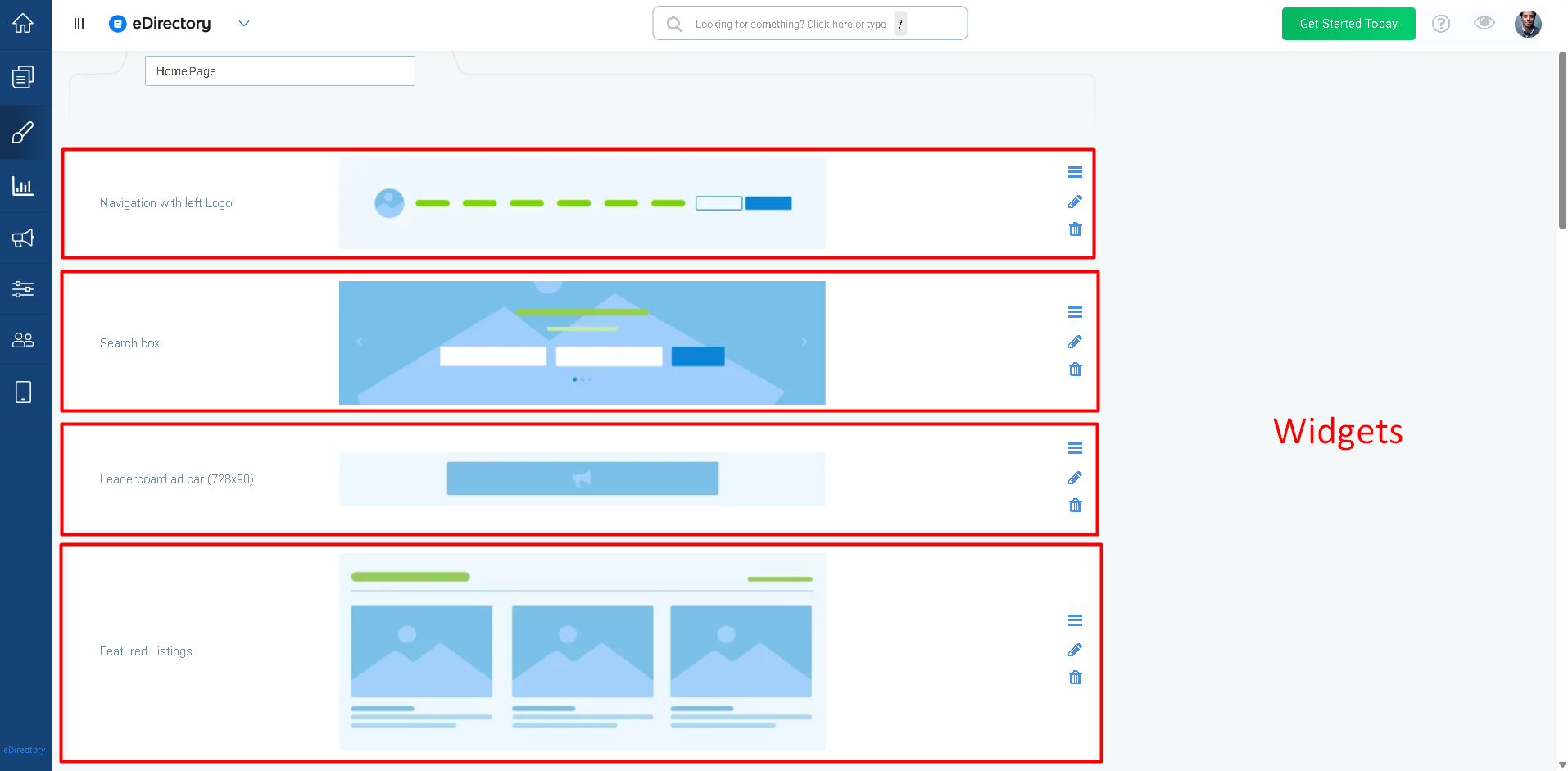
Widgets are the building blocks of your website pages.
Each page in eDirectory is composed of multiple widgets, and each widget is responsible for displaying a specific type of content or functionality on the frontend.
To view and manage widgets, navigate to Design → Page Editor → Edit a Page
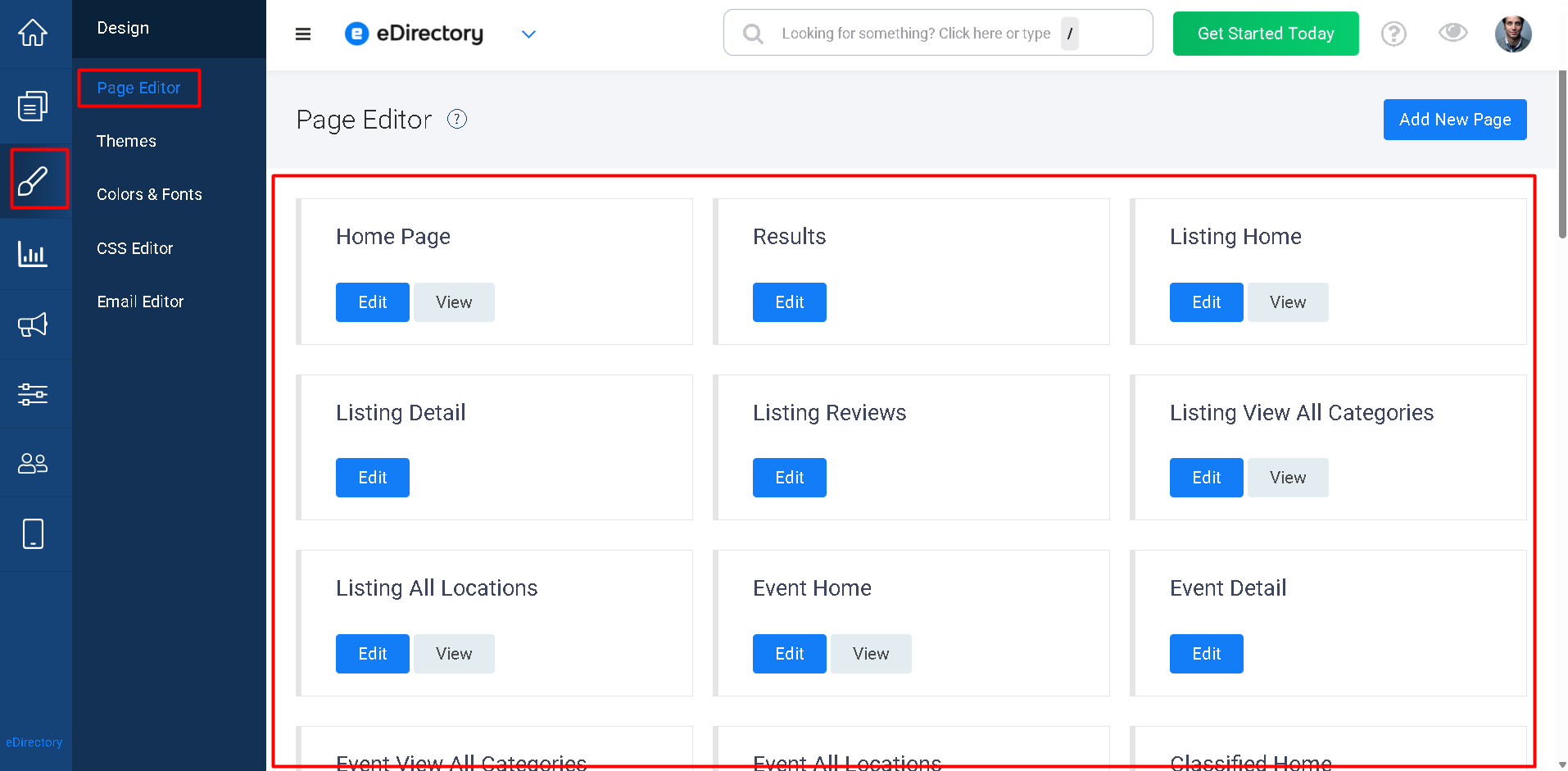
Examples of widgets include:
- Navitation Widget (displays the website navigation and menu)
- Search Widget (displays search fields)
- Featured Listings Widget (displays featured listings)
- Footer Widget (displays footer information)
- Banner Widgets (display advertisements)
Site manager:
Home page:
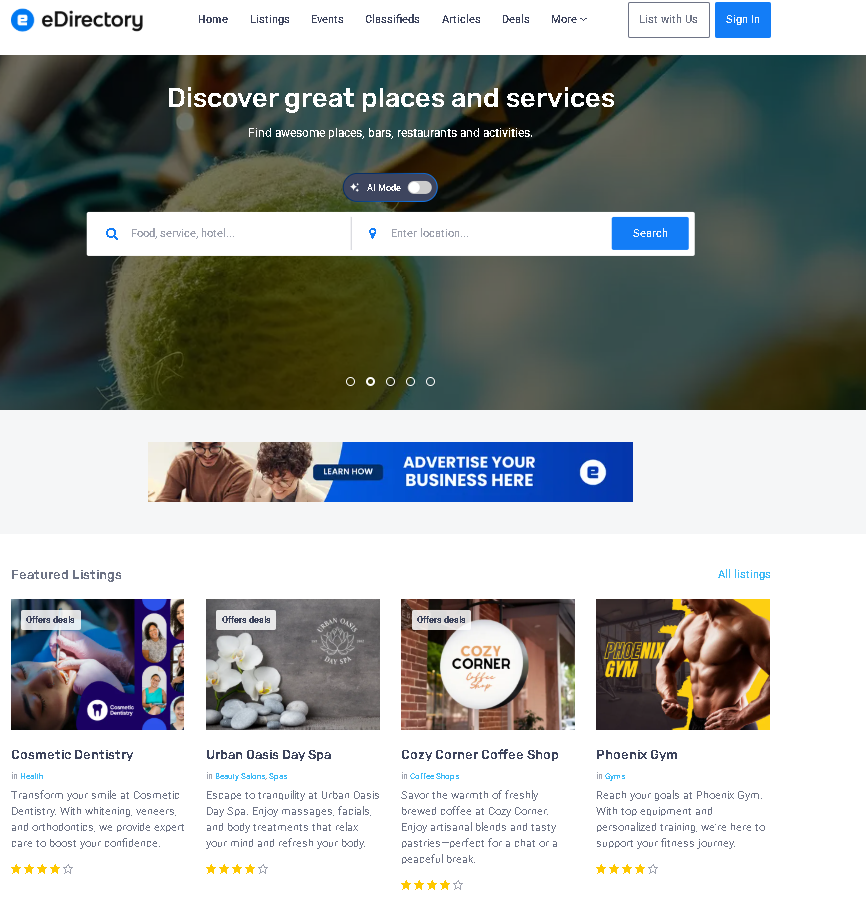
By combining widgets, you can build and customize the layout of your website pages.
Listings
Listings are the primary content type in eDirectory.
A listing is designed to advertise and showcase a business, organization, professional, or service.
A listing can contain information such as:
- Business name
- Description
- Contact information
- Address
- Images
- Videos
- Social media links
- Reviews
- Categories
Listings are typically the main content that visitors browse on a directory website.
You can find more details about Listings here: What Is a Listing in eDirectory?
Deals
Deals are promotional offers associated with listings.
They allow businesses to advertise discounts, special promotions, coupons, and limited-time offers to attract customers.
Examples include:
- 20% Off Services
- Seasonal Discounts
- Promotional Coupons
Deals help sponsors generate more engagement and attract additional customers.
You can find more details about Deals here: What Is a Deal in eDirectory?
Events
Events are used to advertise activities happening at a specific date, time, and location.
Examples include:
- Conferences
- Workshops
- Concerts
- Grand Openings
- Networking Events
- Community Gatherings
Event pages can display information such as event schedules, locations, descriptions, and contact details.
You can find more details about Events here: What Is an Event in eDirectory?
Classifieds
Classifieds are used to advertise products or services for sale.
Unlike Listings, which promote businesses, Classifieds focus on individual products, services, or opportunities.
Examples include:
- Used vehicles
- Freelance services
- Equipment for sale
You can find more details about Classifieds here: What Is a Classified in eDirectory?
Articles
Articles are designed for informational, educational, and editorial content.
They can be used to:
- Publish industry news
- Share educational resources
- Improve SEO
- Create thought leadership content
Unlike Blogs, Articles can be included in plans and packages, allowing sponsors to submit and publish their own content.
You can find more details about Articles here: What Is an Article in eDirectory?
Blogs
Blogs are a content type designed for publishing informational, educational, editorial, and promotional content directly from the Site Manager area.
Blogs provide website owners with a dedicated space to share:
- News
- Announcements
- Educational resources
- Industry insights
- Marketing content
While Blogs and Articles serve a similar purpose, there is one important distinction:
Blogs can only be created and managed by Site Managers.
Unlike Articles, Blogs cannot be sold through plans or packages and cannot be submitted by sponsors.
All Blog content is created and managed exclusively by website administrators.
You can find more details about Blogs here: What Is a Blog in eDirectory?
Banners
Banners are visual advertisements displayed throughout your website.
They allow sponsors to promote:
- Businesses
- Products
- Services
- Events
- External websites
- Brands
You can find more details about Banners here: What Is a Banner in eDirectory?
Backend
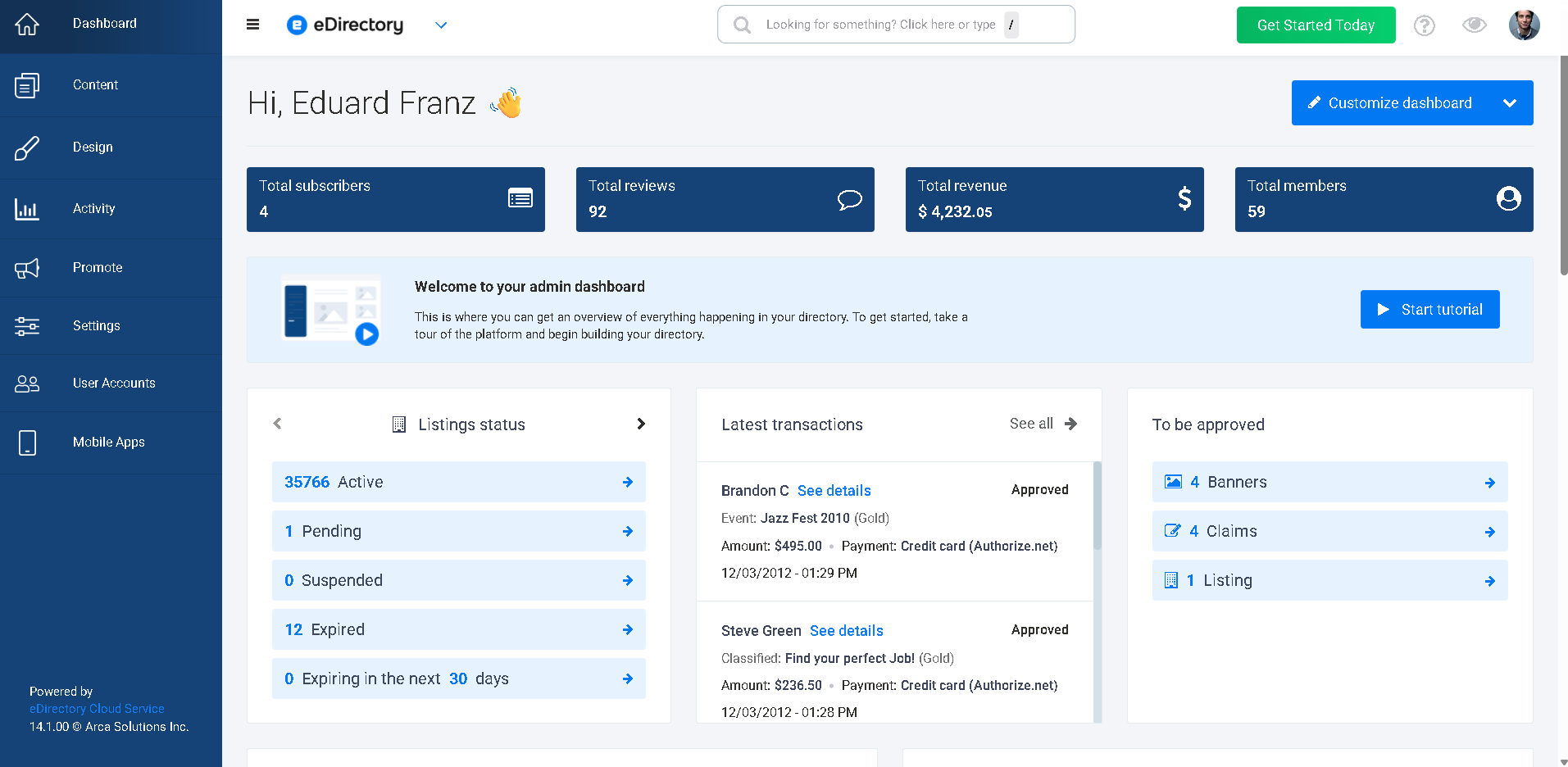
The Backend refers to the administrative area of your website.
This is the area where Site Managers log in to:
- Configure settings
- Manage content
- Design pages
- Manage users
- Monitor website activity
When someone refers to the "backend," they are referring to the Site Manager area.
Frontend
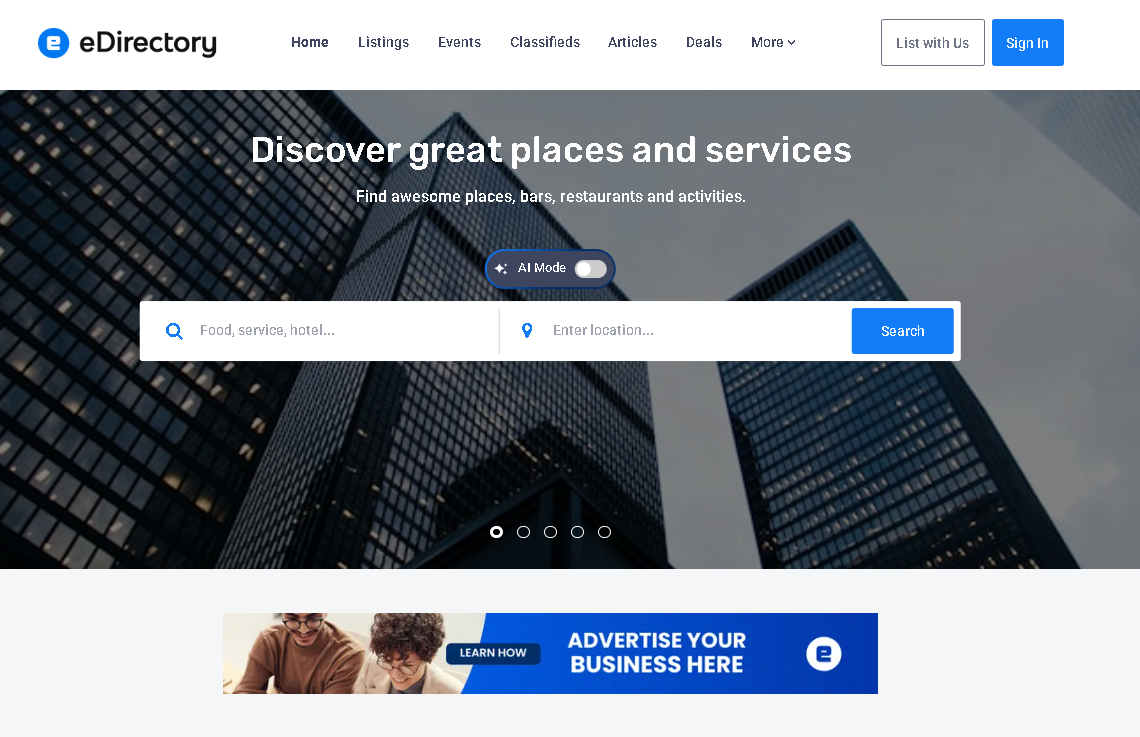
The Frontend refers to the public-facing website that visitors and sponsors interact with.
This is the website your users see when they visit your domain.
Examples include:
- Homepage
- Listings pages
- Search results
- Events pages
- Articles pages
In simple terms:
- Backend = Administrator area
- Frontend = Public website
Site Manager
A Site Manager is an administrator account with access to the backend of the website.
Site Managers can:
- Configure the website
- Manage content
- Edit website design
- Manage users
- Access settings
You can manage Site Manager accounts by navigating to: User Accounts → Site Manager Accounts
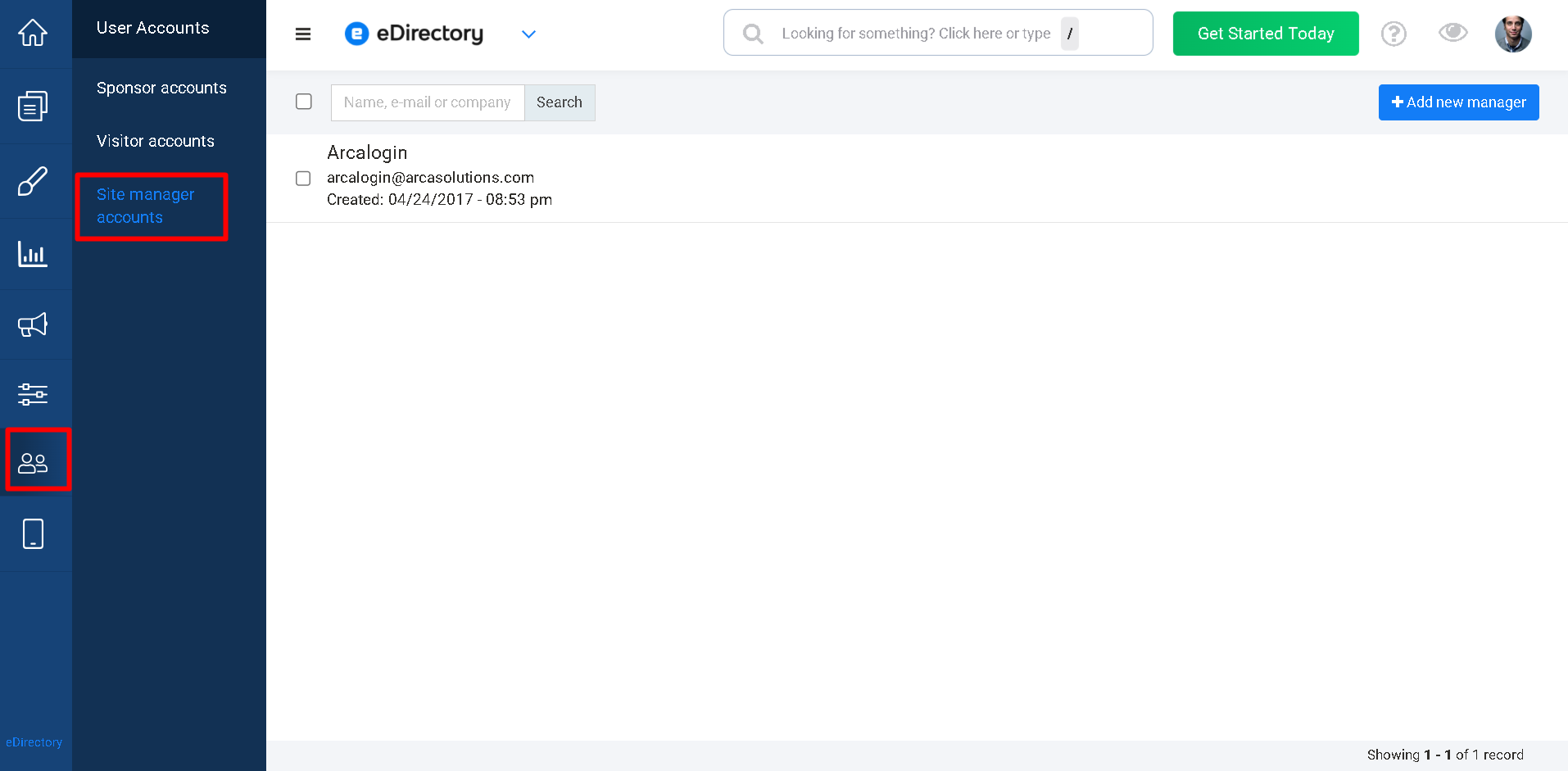
If multiple people manage your website, you can create additional Site Manager accounts and assign access as needed.
You can find more details here: Creating and Managing Site Manager Accounts
Sponsor
A Sponsor is a user who subscribes to a plan on your website.
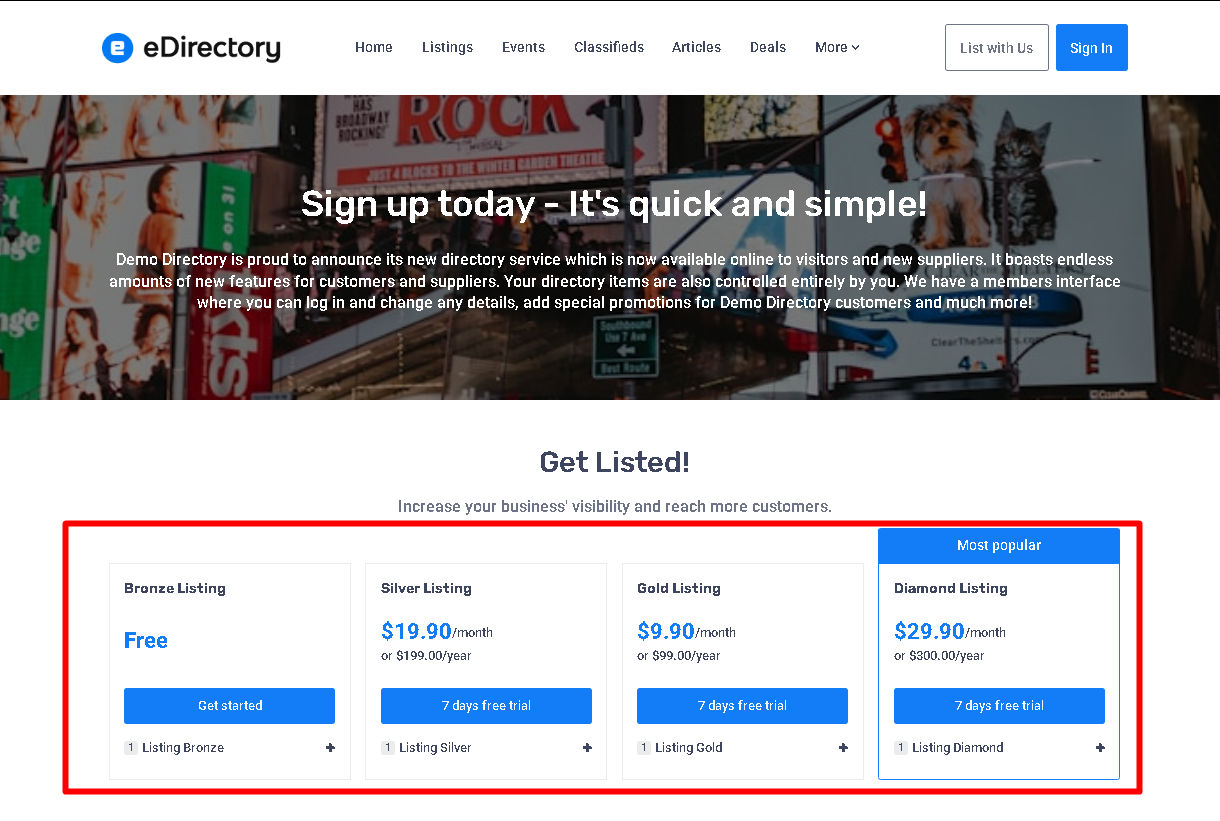
Sponsors can create and manage content such as:
- Listings
- Deals
- Events
- Classifieds
- Articles
- Banners
The content a sponsor can create depends on the plan or package they have purchased.
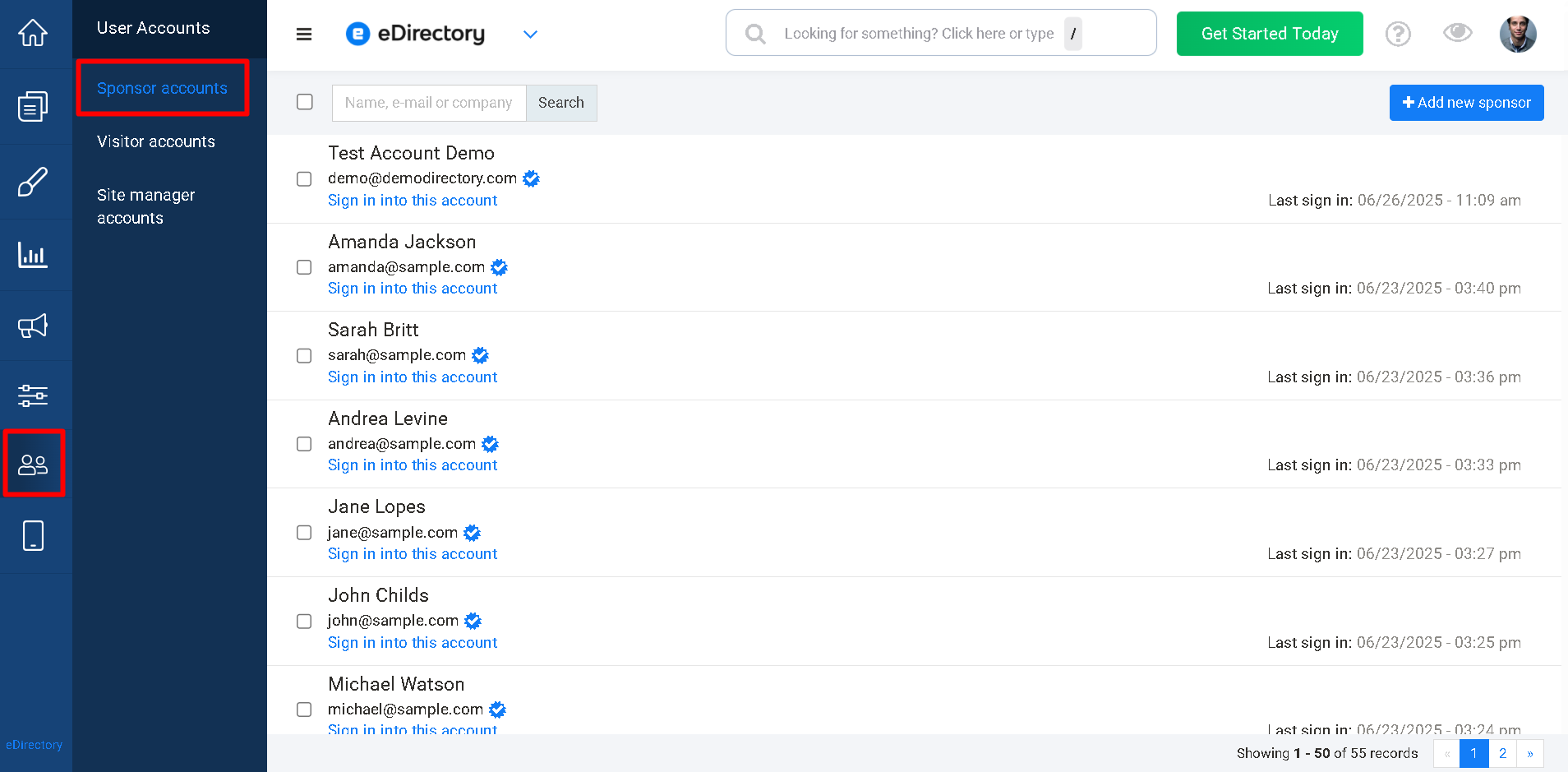
Sponsor accounts are created when a user subscribes to a plan and completes the registration process.
You can view all Sponsor accounts under: User Accounts → Sponsor Accounts
You can learn more about the subscription process here: How to Add a Listing as a Sponsor
Visitor
Visitors are the end users of your website and are typically the customers of your sponsors.
Visitors can:
- Search the directory
- Save listings to favorites
- Write reviews
- Interact with content
Visitors can create a free account by clicking Sign In and then Register on the frontend of the website.
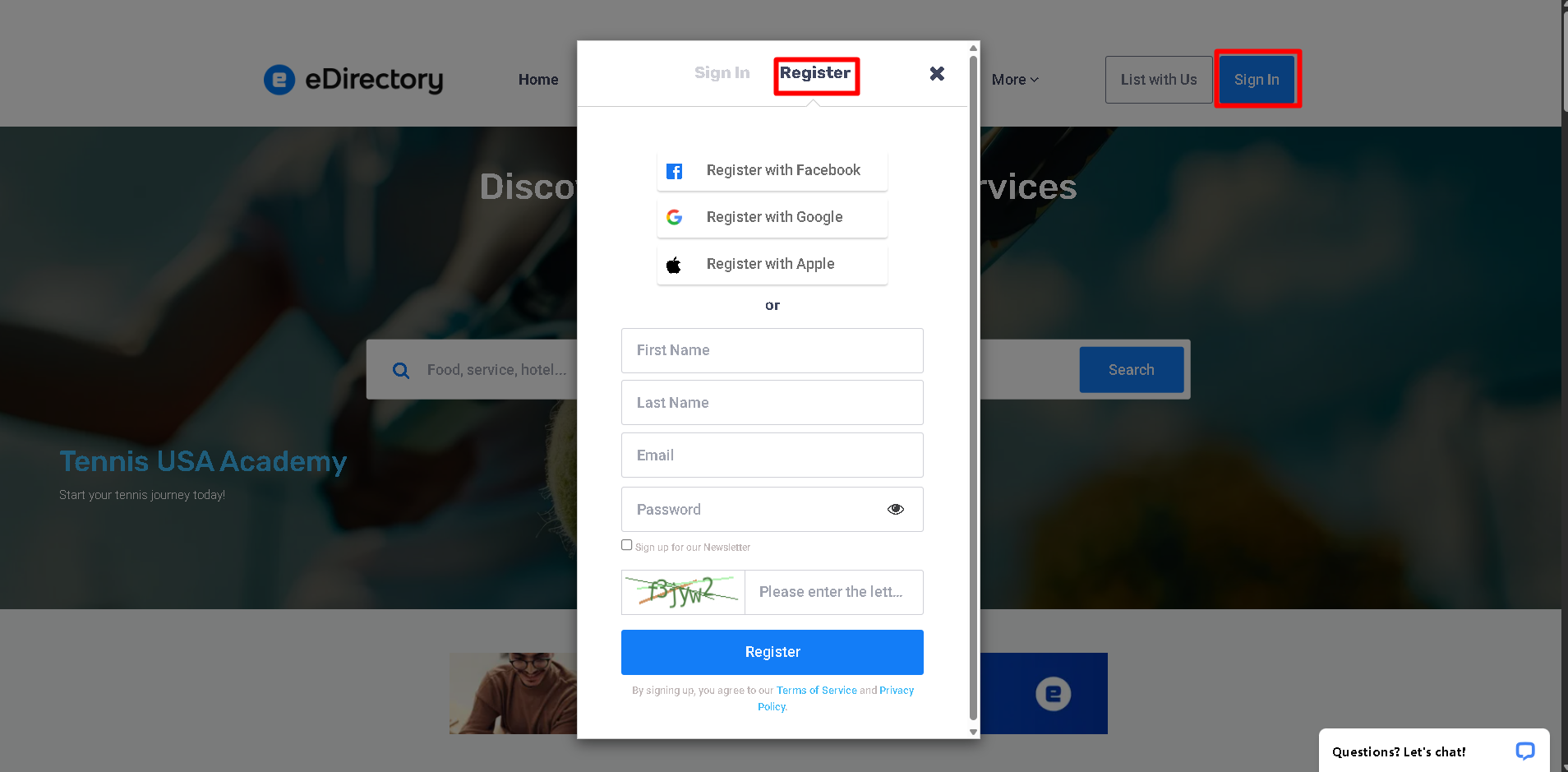
Visitors are not charged to create an account.
Their accounts are intended solely for interacting with website content rather than managing it.
You can learn more about the visitor accounts here: How to Create an Account as a Visitor
Claim
A Claim occurs when a business owner finds their business listing on your website and requests ownership of that listing.
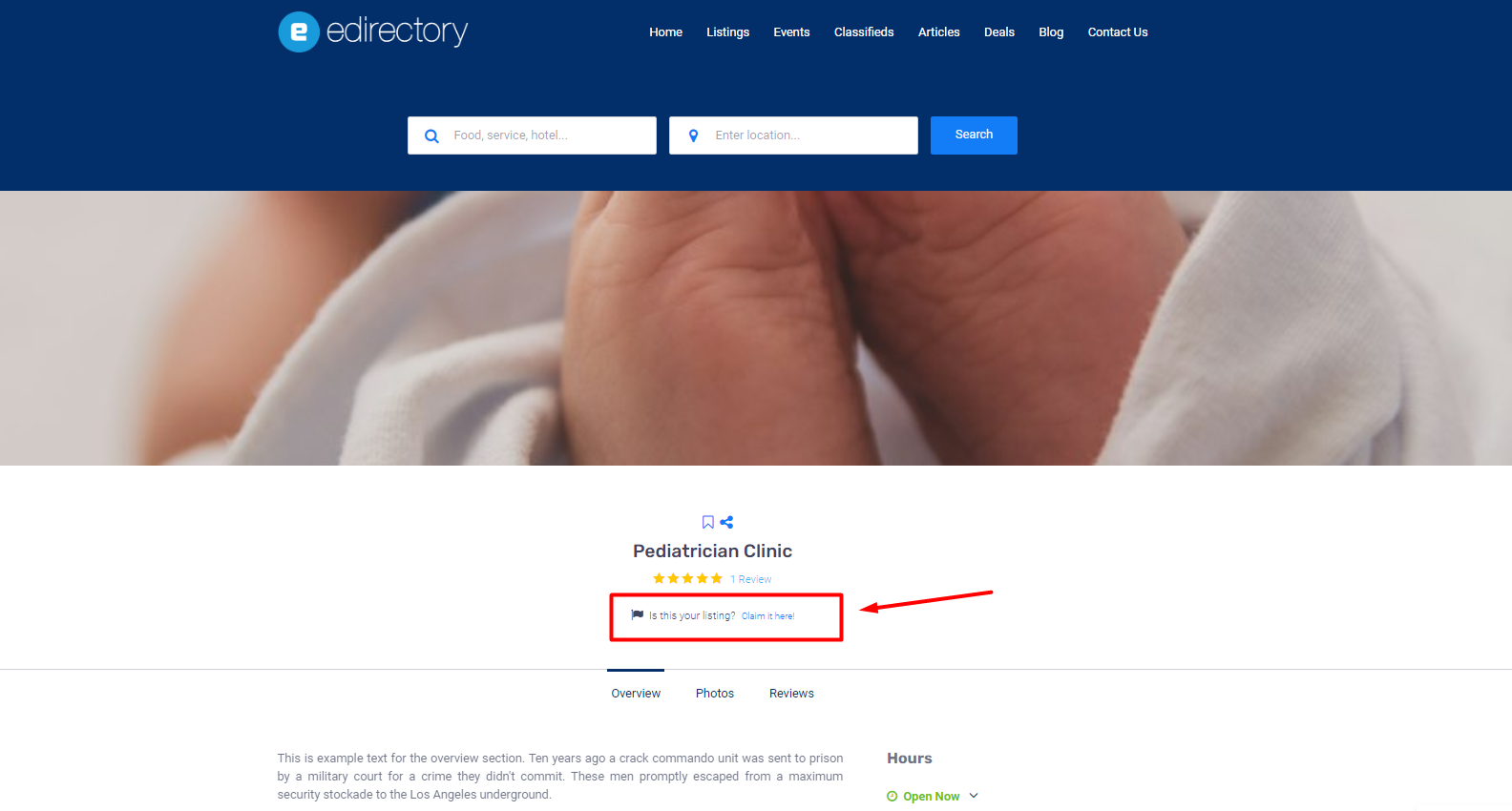
The claiming process allows the business owner to:
- Verify ownership of the business.
- Subscribe to a plan if required.
- Gain access to manage the listing.
Once approved, the sponsor becomes the owner of the listing and can edit and maintain its information.
You can learn more about the claiming process here: How to Claim a Listing as a Sponsor
Customization
A Customization refers to a custom development request that adds functionality not included in the standard eDirectory platform.
Customizations are commonly requested when a website owner needs:
- New features
- Unique workflows
- Third-party integrations
- Design modifications
- Specialized functionality
To request a customization, submit your requirements through the following form: Request a custom quote
After submission, our Custom Development Team will review the request and provide a quote and estimated timeframe for implementation.
Conclusion
Understanding eDirectory's terminology is an important step toward successfully managing and growing your website. Whether you're configuring your site as a Site Manager, creating content as a Sponsor, interacting as a Visitor, or exploring advanced features such as Plugins and Customizations, knowing these terms will help you navigate the platform with confidence.
As you continue building your directory, you'll encounter many of these concepts throughout the Site Manager area, Help Center articles, and communications with our support team. We hope this glossary serves as a useful reference whenever you need clarification about eDirectory's features and functionality.